First, measure the distance from your seat to the screen and check what size will fit in your room. A bigger TV isn’t automatically more comfortable to watch. Then compare the reflections, viewing angle and motion handling of specific models, and check that your match source delivers the picture quality you want.
Who is this buying guide for?
Watching from a distant sofa
You want to follow the match comfortably from your usual seat and are mainly unsure about screen size. Measure the distance from your eyes and compare nearby sizes; there’s no one-size-fits-all rule. The Consumentenbond offers a useful starting point.
Watching in a bright room
You may watch in daylight or with the lights on. So compare the brightness and reflection handling of the exact model, rather than relying on the screen technology alone. RTINGS also assesses TVs for sport based on features like these that vary between models.
Hosting a group with wide seating
You watch with people who won’t all be sitting directly in front of the TV. Check how the picture looks from the seats to the side, and whether the TV will physically fit in your room. Sony’s specifications, for example, list dimensions for individual models.
What should you look for when choosing?
Large LCD or mini-LED TV
Best for anyone looking for a large screen from a distant seat or planning to watch during the day. Compare reflections and viewing angles for each model.
Bear in mind viewing angle and motion handling vary by model. Also check the dimensions, stand or mount, and energy label for the version you’re considering.
Large OLED TV
Best for watching with guests seated at an angle to the screen. RTINGS gave the Samsung S95H particularly positive marks for viewing angle and reflection handling.
Bear in mind that test applies to the S95H they tested, not all OLED TVs. Check daylight performance, reflections, viewing distance and placement for the exact model.
| What to consider |
What should you check? |
Who should pay particular attention? |
| Screen size |
Measure the distance from your eyes to the screen, along with the available width. At 350 cm, the Consumentenbond suggests 48–65 inch as a starting point; at 450 cm, it suggests 65–85 inch. These are not required sizes. |
If I want to follow the match from a distant sofa, screen size matters more to me than extra features; around 39% of consumers prioritise screen size. |
| Daylight and reflections |
Compare independent tests of brightness and reflection handling for the exact model. Bear in mind any windows or lights opposite the screen. |
If daylight falls on my screen, I want to know how the model I choose handles it; around 23% of consumers prioritise visibility in daylight above all else. |
| Viewing angle for a group |
Look at viewing-angle tests for the exact model and, if possible, check the picture from the seats at either end of your seating area. Also measure the screen width for its intended position. |
If guests are sitting beside me, I want them to be able to follow the match from their seats; around 23% of consumers prioritise visibility from different seating positions. |
| Motion and match source |
Read tests of motion handling and upscaling for the exact model. Also check the picture quality provided by your TV service, receiver or stream; a 4K TV upscales lower-quality sources. |
If fast-moving football and the quality of my own broadcast matter most to me, I check both separately; around 15% of consumers prioritise motion and source quality above all else. |
Common buying mistakes
-
Choosing a screen size without measuring your seat and TV space
The most comfortable screen size depends on the distance between your eyes and the screen. The TV’s overall dimensions and stand must also fit in the space you have in mind.
Measure your viewing distance and available width, then compare a few nearby screen sizes.
-
Assuming OLED or mini-LED is automatically better in daylight
A technology label alone doesn’t tell you how bright the picture is or how well the model handles reflections.
Compare tests of the exact model in lighting conditions similar to those in your room.
-
Confusing 4K or a high refresh rate with broadcast quality
A 4K TV upscales lower-resolution pictures, but that doesn’t make the broadcast native 4K. Motion handling and source quality are separate factors.
Check the picture quality from your own service or receiver, and look at tests of upscaling and motion handling for the model you’re considering.
-
Confusing optional extra cover with your statutory Dutch consumer rights
According to ACM ConsuWijzer, statutory guarantee rights are separate from any guarantee offered by the retailer or manufacturer. If a product is faulty, the retailer is your point of contact for an appropriate solution.
Check what optional cover includes and compare its terms with your statutory rights.
Brands worth considering
Samsung
Samsung’s S95H range in the Netherlands includes a 77-inch OLED version worth considering when comparing large screens.
- RTINGS gave the S95H they tested positive marks for viewing angle and reflection handling when watching sport.
- That assessment applies to the S95H they tested, not all Samsung TVs. Check the specifications of the Dutch version.
Sony
The BRAVIA 5 K-75XR5 is a 75-inch mini-LED LCD model to compare with large OLED versions.
- Sony lists 4K, local dimming and 120 Hz for the K-75XR5.
- The manufacturer’s specifications aren’t an independent test for sport or a guarantee of how a particular broadcast will look. Also check the dimensions of the version you’re considering.
LG
The OLED77C5ELB is a 77-inch OLED model to compare for screen size, placement and source processing.
- LG lists 4K and AI upscaling for this model.
- A manufacturer’s specifications don’t predict how your match stream will look. Check the full model code of the version you’re considering.
Philips
The 77OLED810/12 is a 77-inch OLED model whose Ambilight feature may also be worth considering.
- Philips lists a 4K OLED screen and Ambilight for this model.
- Screen size remains the key measurement to compare with your viewing distance and available space.
TCL
The 85Q6C is an 85-inch mini-LED option for anyone considering a large LCD TV.
- The product listing specifies 4K and 144 Hz.
- These specifications aren’t an independent assessment of football picture quality. Check the details for the exact version.
TVs for a long viewing distance
These Joybuy product picks focus on large LCD and mini-LED TVs for viewing from a distance. Compare the screen size with your viewing distance and available space.
 No image available
TCL 85Q7D PRO 85-inch 4K SQD-Mini LED TV
Compare the listed 85-inch screen size with your measured viewing distance and the space available for the TV.
The product listing specifies 4K, 144 Hz and an anti-reflective screen.
Joybuy
 No image available
METZ 86MQE8000Z 86-inch QLED TV
The 86-inch version is worth comparing with your viewing distance and available installation space; the product description recommends having two people install it.
The product name specifies 4K, 144 Hz and MEMC.
Joybuy
 No image available
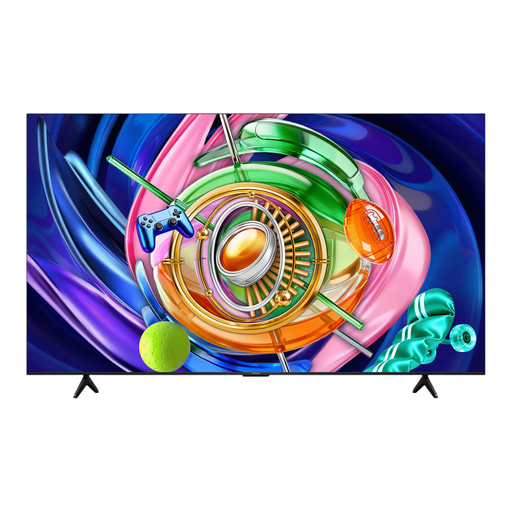
iFFALCON 85U85A 85-inch 4K Mini-LED TV
Consider whether the 85-inch screen size suits the distance from your seat and the space where you plan to put the TV.
The product name specifies 4K and 144 Hz.
Joybuy
 No image available
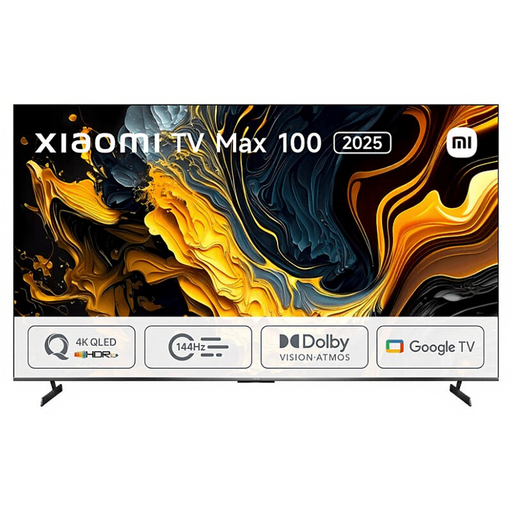
Xiaomi TV Max 2025 100 NGZEU1N
If you’re considering an extra-large viewing setup, compare this option with your measured distance and available space.
Before buying, check the full model details and dimensions of the version you’re considering.
Joybuy
 No image available
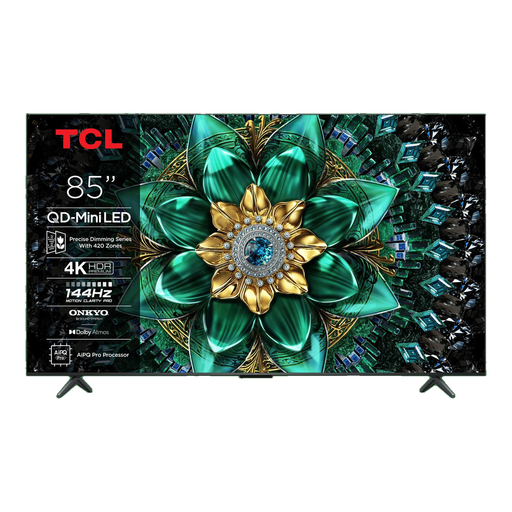
TCL 85Q6C 85-inch 4K QD-Mini LED TV
Compare the 85-inch screen size with the distance from your seat and the space available.
The product name specifies 4K, 144 Hz and a matte HVA panel.
Joybuy
Frequently asked questions
How do you choose a TV size if you don’t yet know your viewing distance?
At home, measure the distance from your eyes when seated to the planned screen position. The Consumentenbond uses the distance divided by 2.4 as a starting point for the diagonal in centimetres. Also compare nearby screen sizes, as this isn’t a fixed comfort limit for everyone.
What should you consider when placing or wall-mounting a large TV?
Before choosing a cabinet or mount, check the width, weight, stand dimensions and VESA size of the exact version you’re considering. Sony, for example, lists these details separately for the K-75XR5. Follow the installation instructions for the model you buy.
Does 4K mean the final will also be broadcast in 4K?
No. A 4K TV upscales lower-resolution sources, but that doesn’t make them native 4K. So check what broadcasts or streams are available, as well as the TV’s upscaling performance.
How do you compare the energy use of large TVs?
Compare the EU energy label and product information sheet for the exact model. According to the European Commission, the label includes information on efficiency and energy use in SDR and HDR, among other things. Compare models on the same basis.
What are your rights when you buy a TV online in the Netherlands?
ACM ConsuWijzer states that when you order a TV online, you have a statutory cooling-off period of up to 14 days after delivery. Statutory guarantee rights are separate from a manufacturer’s or retailer’s guarantee: if a product is faulty despite normal use, the retailer is responsible for providing an appropriate solution. There is no single fixed statutory guarantee period for TVs.


