What should you look for when buying?
First, check that the platform and football game are compatible. Then compare the grip, controls and power options to suit where you play. Extra buttons or replaceable parts matter most if you plan to use those features.
| What to consider |
What should you check? |
Who should prioritise this? |
| Compatibility with your platform and game |
Check support for your console or PC, the connection and the features you want to use in your game. |
If I play on a specific system, I want to be sure the controller and game work together. Around 33% of consumers put platform and game compatibility first. |
| Grip and button reach |
Consider the grip and how easy it is to reach the sticks, shoulder buttons and triggers. Check which parts are adjustable. |
For long sessions, I want a controller that feels comfortable to hold and has controls I can reach easily. Around 27% of consumers give grip and button reach top priority. |
| Playing without a power interruption |
Compare the battery type, stated battery life and charging options. If you play with a wired controller, check that the cable reaches where you sit. |
If I play for a long time, I want to know whether I’ll need to replace or recharge batteries, or whether a cable would suit me better. Around 20% of consumers prioritise uninterrupted play. |
| Customisation and replaceable parts |
Check which buttons you can assign and whether replacement parts are sold separately. |
If I want to customise the button layout or replace parts, these options are essential for me. Around 20% of consumers prioritise customisation or replaceability. |
Controllers at Joybuy
These products are suited to football gaming sessions on Xbox, PC, Nintendo Switch or PlayStation systems. Before buying, check support for your console, game and preferred connection.
 No image available
Xbox Wireless Controller for Xbox Series/PC – Heart Breaker Special Edition
A wireless option for supported Xbox systems and Windows PCs, if you want to play without a fixed cable.
The description lists textured grips, two AA batteries and up to 40 hours of battery life. Rechargeable AA batteries do not charge inside the controller.
View at Joybuy
 No image available
GameSir G7 SE – Dynamic Blue
A wired option for players using a supported Xbox system or Windows PC who prefer a cable connection.
The description lists Hall Effect joysticks and triggers, two programmable rear buttons and a USB cable. Listed platforms include Xbox Series X/S, Xbox One and Windows 10/11.
View at Joybuy
 No image available
Nintendo Switch Pro Controller – Black
A wireless controller option for playing on a Nintendo Switch.
The product description mentions a built-in battery and HD Rumble.
View at Joybuy
 No image available
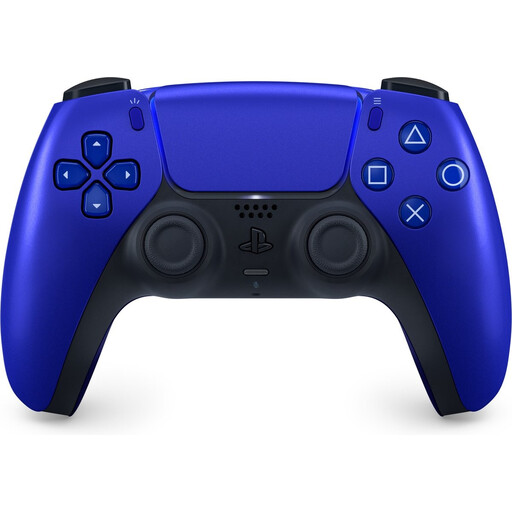
PlayStation 5 DualSense Wireless Controller – Cobalt Blue
A DualSense option for PS5. The description also mentions PC use via USB-C or Bluetooth.
The product description lists haptic feedback, adaptive triggers and a rechargeable battery. Check which features are available for each game and connection.
View at Joybuy
 No image available
Nintendo Switch 2 Pro Controller – Black
A controller for Nintendo Switch 2. Nintendo says this model does not work with the original Switch.
The product description lists HD Rumble, motion controls, a rechargeable battery and a USB charging cable.
View at Joybuy
Frequently asked questions
Do DualSense features always work the same way on a Windows PC, regardless of the connection?
No. For EA SPORTS FC 26 on PC, EA lists haptic feedback and adaptive triggers over USB, but basic vibration over Bluetooth. Check support for the football game you play; this information applies specifically to FC 26 on PC.
Can I charge rechargeable AA batteries while they’re inside an Xbox Wireless Controller?
No. According to Xbox Support, rechargeable AA batteries do not charge inside the controller. Charge them according to the battery manufacturer’s instructions.
Will a Switch 2 Pro Controller also work with my original Switch?
No. Nintendo says the Switch 2 Pro Controller does not work with the original Switch. According to Nintendo, the original Switch Pro Controller can be paired with Switch 2.
What are my rights in the Netherlands if my controller unexpectedly develops a fault during normal use?
You’re entitled to a product that meets reasonable expectations. According to ACM ConsuWijzer, the retailer must resolve the issue free of charge if a product breaks during normal use sooner than you could reasonably expect. This could mean a repair, replacement or refund.
Can I return a controller bought online if I don’t like the grip?
For many distance purchases from a trader, the Dutch government says you have a 14-day cooling-off period in which to cancel the purchase. Check the terms and any applicable exceptions for your purchase; these rules do not apply to an online purchase from a private seller.


