What should you look for when buying?
First, check that the controller works with your system and football game. Then choose the connection that suits the space on your desk, and compare the controls and running costs.
| What to consider |
What to check before buying |
Who this is for |
| Compatibility |
Check the exact console version, your PC’s operating system and whether your football game supports the controller. |
I want to know in advance whether the controller works with my system and game, rather than assuming it will based on a similar button layout. Around 33% of consumers prioritise platform compatibility. |
| Cable and room to move |
Check the cable route, available USB port, whether a cable is included and whether your system supports Bluetooth. |
I want to use my controller without running a cable across my small desk, or I’d rather use a wired connection to avoid wireless pairing and battery use while playing. Around 27% of consumers prioritise the connection and desk space. |
| Controls and wear |
Check the button layout and customisation options for the exact version. A manufacturer’s claims about the sticks don’t guarantee the lifespan of the whole controller. |
I play often and want to know whether the buttons and sticks suit the way I play, without treating a claim about the materials as a guarantee. Around 20% of consumers prioritise the controls and expected usability. |
| Total running costs |
Check the power supply, included accessories and who to contact if the product turns out to be faulty. |
I want to factor in power and after-sales service in advance, not just the cost of the controller itself. Around 20% of consumers focus most on total costs and service. |
Joybuy products
These Joybuy products include controllers for PC, Xbox, PlayStation and Nintendo Switch. Check support for your specific system and football game before choosing.
 No image available
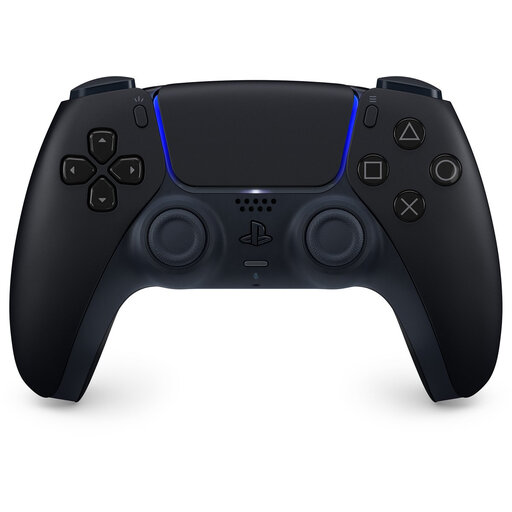
Sony PlayStation 5 DualSense Wireless Controller – Midnight Black
An option for PS5 players and PC players who check support in their specific football game.
For FC 26 on PC, EA lists haptic feedback and adaptive triggers via USB; via Bluetooth, EA lists basic vibration.
Joybuy
 No image available
Xbox Wireless Controller – Pulse Red
A good fit if you’re looking for a wireless controller for Xbox or a supported Windows PC and want to keep cables off your desk.
Microsoft lists Bluetooth and USB-C for the Xbox Wireless Controller; check whether a cable is included with the version you choose.
Joybuy
 No image available
BEITONG KP70 Haptic Feedback Elite Wireless Controller
An option if you’re looking for a wireless controller and the platforms and version listed in the product name suit your system.
The product name lists PC, NS, NS2, iOS and Android, as well as six programmable buttons and adjustable sticks and triggers. Check compatibility with your exact console and game.
Joybuy
 No image available
GameSir Cyclone 2 Multiplatform Controller – White-Bundle Edition
A good fit if you’re considering a controller for the platforms listed in the product name and want a bundle with a charging dock.
The product name lists PC, Switch, TMR sticks and a charging dock. Check that the Switch version and the other listed platforms match your system.
Joybuy
 No image available
Nintendo Switch 2 Official Pro Controller – Black
An option if you play on Nintendo Switch 2; Nintendo lists this model for use with that console only.
Nintendo lists a USB charging cable as included. Check that a controller designed exclusively for Switch 2 is right for your console.
Joybuy
Frequently asked questions
Will an Xbox or PC controller also work with my PlayStation or Switch?
Don’t assume it will: check the supported platforms for the exact model. Nintendo lists the Switch 2 Pro Controller for Switch 2 only, while Microsoft lists Xbox and Windows among the platforms for the Xbox Wireless Controller.
How do I connect a DualSense to use the extra features in FC 26 on PC?
EA lists haptic feedback and adaptive triggers via USB; via Bluetooth, EA lists basic vibration. Check that your PC has a suitable port and that you have the right cable.
How do I pair a Nintendo Switch 2 Pro Controller?
Nintendo explains how to sync it using the included USB-C cable, either directly with the Switch 2 or via the dock, and how to sync it wirelessly using the controller menu and SYNC button.
Who can help if my controller turns out to be faulty during normal use?
According to the Dutch government, you should contact the seller to find a solution. The Netherlands does not have one fixed statutory warranty period that applies to every product; an additional warranty does not replace your statutory rights.
Do I have a cooling-off period when buying online in the Netherlands?
According to the Dutch government, distance purchases from a business usually come with a 14-day cooling-off period. Check the applicable exceptions and the seller’s information; an online purchase from a private individual does not fall under the same definition.


