
Console football gamer with a headset
You play on PS5, Xbox or Switch 2 and want to know whether your existing headphones can connect to the controller. Sony, Xbox Support and Nintendo describe the connection options available on their platforms.


First, choose a controller that works with your console or PC and the football game you play. Then decide whether your headset should connect through the controller or directly to your system. Sony describes the DualSense’s 3.5mm headset port for PS5, while Xbox Support says that an Xbox controller connected to a PC via Bluetooth does not support connected headset accessories. Extra configurable buttons are most relevant if you value that kind of control and the connection method suits your setup.
You play on PS5, Xbox or Switch 2 and want to know whether your existing headphones can connect to the controller. Sony, Xbox Support and Nintendo describe the connection options available on their platforms.
You want to combine controller input with game audio, so you also need to consider how the controller connects to your PC. Xbox Support and 8BitDo describe different platform and connection options.
You’re looking for mappable controls and want to weigh up whether a wired controller suits your playing style. Razer and Nintendo describe models with extra configurable buttons.
Choose your controller, gaming platform and audio connection as a complete setup: available ports and functionality vary by platform and connection type.
| What to consider | What should you check? | Who needs to consider this? |
|---|---|---|
| Platform and game | Check your console or PC, the football game and which controllers it supports. Compatibility with one platform doesn’t mean the controller will work with every other platform. | If I play on my own console or PC, I want to know whether the controller is suitable for my game. Around 33% of consumers prioritise platform and game compatibility. |
| Headphone audio | Check the connector, headset functionality and the complete controller connection. Sony describes the DualSense connection for PS5; Xbox Support says headset accessories aren’t supported over Bluetooth on PC. | If I want to hear game audio or chat through my headphones, the entire audio connection needs to work. Around 27% of consumers prioritise headphone audio. |
| Configurable buttons | Check which buttons can be configured and whether a wired connection suits you. Razer describes six extra mappable controls on the Wolverine V3 Tournament Edition; Nintendo lists configurable GL/GR buttons on the Switch 2 Pro Controller. | If I want to customise my button layout, extra controls are useful, but they don’t prove an advantage in a football game. Around 20% of consumers prioritise configurable controls. |
| Power and use | Check whether the model is wired or uses a rechargeable battery or replaceable batteries, and which cable or connection you’ll need. Nintendo lists a rechargeable battery and USB charging cable for the Switch 2 Pro Controller. | If I’d rather play without a cable or avoid having to plan charging breaks, the power source affects my choice. Around 20% of consumers prioritise power and play time. |
Xbox Support says an Xbox controller connected via Bluetooth does not support connected headset accessories.
Choose your complete controller, system and headset setup in advance. According to Xbox Support, on PC you can use USB or an Xbox Wireless Adapter, or connect your headphones directly to the PC.
Nintendo states that the Switch 2 Pro Controller is designed exclusively for Switch 2.
Check the full model name and your console before ordering; the word ‘Pro’ alone doesn’t make two versions interchangeable.
Razer lists mappable controls, but that doesn’t prove they improve match results or are supported by every game.
Choose extra buttons only if you have a specific layout in mind and are happy with a wired connection.
ACM ConsuWijzer distinguishes between additional warranty products and your statutory rights if a product is faulty.
Before choosing any additional cover, compare it with the statutory rights you already have.
The DualSense is a PS5 controller; Sony describes a 3.5mm headset port for use with PS5.
The Xbox Wireless Controller is designed for Xbox consoles and Windows PCs; if you’re using a headset, also check how it connects to your PC.
The Switch 2 Pro Controller is a platform-specific option for use with Switch 2.
The Wolverine V3 Tournament Edition is a wired controller for Xbox or PC to consider if you want extra controls.
The Ultimate 2C Wireless is a Windows option if you connect your headphones directly to your PC.
This selection includes controllers listed for use with PS4 or PC, as well as separate models for PS5 and Switch 2. Check that the platforms listed for each model and your preferred audio connection suit your setup.
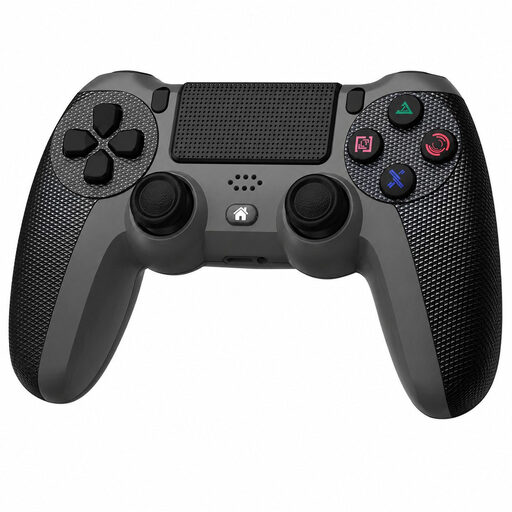 Image unavailable
For a PS4 or PC setup; the product title lists both platforms.
The product description lists a 3.5mm connection for a compatible headset. Check that the audio functionality works with your system and connection.
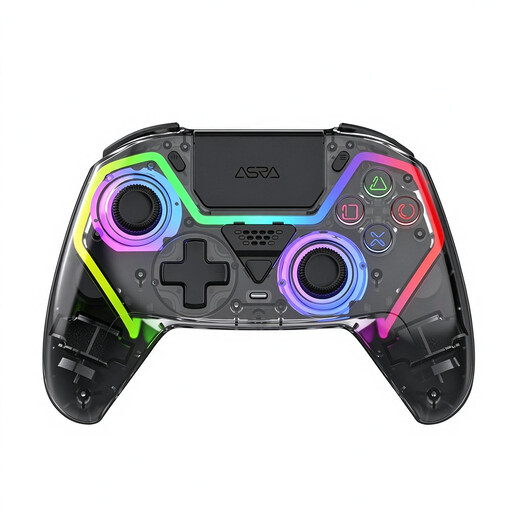 Image unavailable
For PC players looking for configurable controls and a connection for a compatible headset.
The product name lists 255-level Hall triggers and programmable rear buttons; the description also mentions a 3.5mm connection. The PS5 layout mentioned refers to the button layout and doesn’t, by itself, confirm PS5 compatibility.
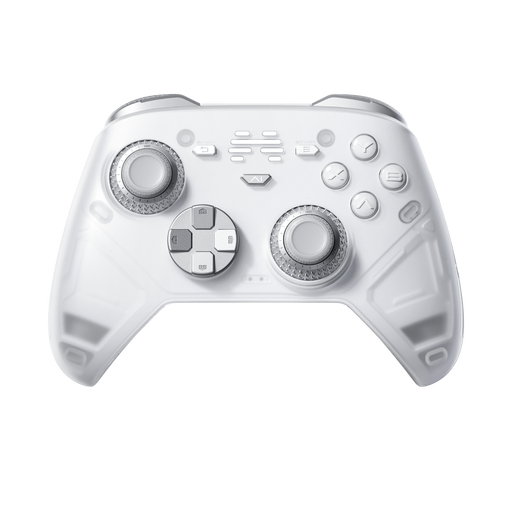 Image unavailable
For PC or Switch players who want to customise their controls.
The product name lists six programmable buttons and use with PC and Nintendo Switch/Switch 2. The description mentions wired, wireless and Bluetooth connections; check which mode suits your device. If you need audio through the controller, check that combination in advance.
 Image unavailable
For PS5 players who want to connect headphones to the controller.
Sony describes a 3.5mm headset port on the DualSense for PS5. According to the product description, the controller features haptic feedback and adaptive triggers; support for these varies by game.
 Image unavailable
For Switch 2 players who want to connect a compatible headset through the controller.
Nintendo specifies a 4-pole 3.5mm CTIA connection and a built-in rechargeable battery with a USB charging cable. The stated battery life of around 40 hours depends on usage. The controller is designed exclusively for Switch 2.
No. According to Xbox Support, an Xbox controller connected via Bluetooth doesn’t support connected headset accessories. To use a headset through the controller, connect via USB or use an Xbox Wireless Adapter for Windows. Alternatively, connect your headphones directly to the PC.
No. Nintendo states that the Switch 2 Pro Controller is designed exclusively for use with Switch 2.
No, using a different controller doesn’t change the cross-play rules. Electronic Arts describes cross-play by platform generation for PC, PlayStation and Xbox; Switch and Switch 2 don’t support cross-play. Also check the rules for the exact game title and edition.
If a product is faulty, the seller is responsible for the statutory guarantee under ACM ConsuWijzer guidance; the appropriate solution depends on what you could reasonably expect from the product. For online purchases, you generally have a statutory cooling-off period of up to 14 days after delivery, subject to applicable exceptions. These are consumer rights, not an additional manufacturer’s warranty.
Yes. Nintendo specifies a built-in rechargeable battery and a USB charging cable. The stated battery life of around 40 hours depends on usage.