What should you look for?
Start by checking compatibility with your console or PC and your game. Then decide whether you’d rather play wirelessly or use a cable. Treat screen visibility in a bright room as a separate issue involving your screen and setup.
| What to consider |
What to check |
Who it’s for |
| Compatibility |
Make a note of your exact console version or PC operating system, and check that your game is supported too. |
I want a controller that works with my system and football game without any fuss. Around 46% of consumers put compatibility first. |
| Customisable buttons |
Check which buttons you can assign and whether the game supports your preferred layout. |
I want to customise the controls, but only if I can use those features in my game. Around 27% of consumers give customisable controls top priority. |
| Seating distance and power |
Measure how long a cable you’ll need, or check the battery type, included accessories and charging options. |
I want to play from my usual seat without a cable that’s too short or an unexpected power issue. Around 18% of consumers put freedom to sit where they like and power first. |
| Screen visibility |
Check for reflections on your own screen and, if needed, try a different screen or seating position and any available picture settings. |
I want to see the pitch clearly in a bright room and find out first whether my screen setup is the problem. Around 9% of consumers say screen visibility is their main consideration. |
Controllers at Joybuy
This selection includes wireless and wired controllers for Xbox, PC, PS5 and Nintendo Switch and Switch 2 systems. Check that each model supports your exact system and game.
 No image available
Xbox Wireless Controller – Pulse Red
A wireless option if you play on a supported Xbox or PC; check compatibility with your exact system.
The product name lists Xbox and PC. Check which power supply and accessories are included with this version.
Joybuy
 No image available
Nintendo Switch Pro Controller – Black
Suited to anyone who plays on the original Nintendo Switch and wants a separate Pro Controller.
The product information lists wireless use and a built-in rechargeable battery. This isn’t the Switch 2 Pro Controller.
Joybuy
 No image available
Sony PlayStation 5 DualSense Wireless Controller – White
An option if you play on PS5 and want a controller from the PlayStation ecosystem.
Sony lists USB and Bluetooth for use with supported PCs. Haptic feedback on PC requires USB and depends on support from the game.
Joybuy
 No image available
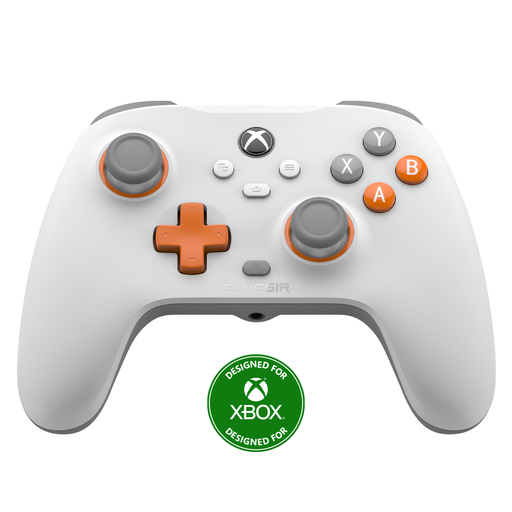
GameSir T7 Wired Xbox Controller – White
A wired option if you play on a supported Xbox or Windows PC and don’t want to use a wireless controller connection.
The product name lists Xbox Series X|S, Xbox One and Windows 10/11, as well as Hall Effect sticks and triggers. The description lists two programmable buttons and a detachable USB cable; bear the cable length in mind.
Joybuy
 No image available
Nintendo Switch 2 Official Pro Controller – Black
An option if you play on Nintendo Switch 2 and want a separate Pro Controller.
The product information lists wireless use and an included USB charging cable. Nintendo says this model doesn’t work with the original Switch.
Joybuy
Frequently asked questions
Will a Switch 2 Pro Controller work with my original Switch?
No. Nintendo says the Switch 2 Pro Controller can’t be used with the original Nintendo Switch. Check your console generation before choosing this model.
How do I connect a DualSense to a supported Windows PC?
Sony describes connection via USB-C or Bluetooth. To connect via Bluetooth, put the controller into pairing mode by pressing the Create button and PS button; haptic feedback on PC only works in supported games and via USB.
Do I need to charge my Xbox controller?
That depends on the power supply for the version you choose. Xbox Support lists AA batteries or a compatible rechargeable battery for wireless use; check what’s included before buying.
Do I have a cooling-off period in the Netherlands, and what happens if the controller is faulty?
For a standard online purchase, there’s generally a statutory cooling-off period of up to 14 days after delivery, subject to legal exceptions. ACM ConsuWijzer says the seller must provide an appropriate remedy for a faulty product; the remedy depends on the circumstances. There’s no fixed period that applies to every controller.
Will a different controller make the screen easier to see in a bright room?
No, a controller won’t change your screen’s picture settings. Check the light and screen position, and look at the available settings. Samsung describes these settings for its TVs, but you’ll need to assess the effect on your own screen.


