
Players sharing a screen in a small space
You want to play with another person on one screen without cables or receivers making a compact set-up awkward. Check how many controllers you can connect and whether the game supports local multiplayer.


Choose a controller that works with both your device and your football game. Then decide how many controllers you need and whether cables will fit your playing space. On Windows, weigh up wired and supported wireless connections against the available USB ports and room for cables. If you’re using a console, check compatibility with that console first. The Steam pages for EA SPORTS FC 26 and FC 27 list local multiplayer, but also mark Steam Deck as unsupported.
You want to play with another person on one screen without cables or receivers making a compact set-up awkward. Check how many controllers you can connect and whether the game supports local multiplayer.
You play on a Windows PC connected to your TV and want to know whether USB, Bluetooth or a 2.4 GHz receiver will work with both your PC and the game.
You already have a PS5, Xbox or Switch and are looking for an extra controller for local matches. The specific console and game determine which controller and connection method will work.
| What to consider | What should you check? | Who is this most relevant to? |
|---|---|---|
| Compatibility | Check the exact controller model, your device and the football game. If you’re using Steam Deck, also check the game’s compatibility status. | I want to avoid finding out that my controller or game won’t work with my device. Around 33% of consumers prioritise compatibility with their device and game. |
| Playing with two players | Check that the game supports local multiplayer and recognises both controllers separately. | I want someone to play alongside me on the same screen, not just online. Around 27% of consumers make the option to play together their top priority. |
| Cables and connectivity | Consider the distance to the screen, walkways, available USB ports and the wireless connection method your device supports. | I don’t want a cable crossing a walkway or a receiver taking up a port I need in a small playing space. Around 20% of consumers focus mainly on connectivity and the space around their set-up. |
| Controls and comfort | Compare the button layout and check that the game and connection support the features you want, such as haptics on PC. | I want a layout and feel that suit the way I play. Around 13% of consumers put controls and comfort ahead of other buying priorities. |
| Power and maintenance | Check how the controller is powered, what’s included and who the seller is. | I want to know whether I’ll need to replace batteries and what I can do if the controller develops a fault too soon during normal use. Around 7% of consumers make power, maintenance and after-sales rights their top priority. |
According to 8BitDo, the Ultimate 2C Wireless uses Bluetooth for Android, but 2.4 GHz or a cable on Windows. The wireless option on Windows uses a USB receiver.
Check the connection method for your device rather than relying on the word ‘wireless’ alone.
Steam marks EA SPORTS FC 26 and FC 27 as unsupported on Steam Deck. Using a different controller won’t change the game’s compatibility status.
Before choosing an extra controller, check the status of the exact game on your device.
Sony says that haptic feedback on PC requires support from the game and a USB connection.
Choose DualSense for its controls, and check game and connection support if you also want to use haptic feedback.
The PowerA Enhanced Wired Controller has a detachable 3 m USB cable. The Windows wireless connection for the 8BitDo controller mentioned above uses a USB receiver.
Before choosing wired or wireless, check the distance to where you sit, any walkways and the ports available.
An option for an Xbox console or a supported Windows PC.
DualSense is designed for a PS5 set-up and can also be used with compatible PC games via USB or Bluetooth.
The Switch Pro Controller is an option for a compatible game on Switch or Switch 2.
The Ultimate 2C Wireless connects to Windows via a 2.4 GHz receiver or a cable.
The Enhanced Wired Controller for Xbox Series X|S is a wired option for Xbox and Windows.
The Steam Controller is designed for use with Steam and Steam Input, including on PC.
This selection includes wireless controllers for PS5, Xbox and Windows PC, as well as Nintendo Switch systems. Check which controller inputs and connection methods are supported by your game and device.
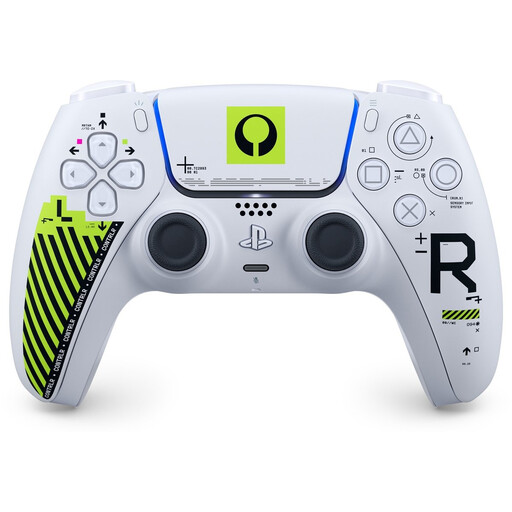 No image available
A wireless DualSense controller for a PS5 set-up.
The product information lists Bluetooth and USB-C.
 No image available
A wireless controller for a Switch set-up, including Switch 2, Switch, Switch Lite and Switch OLED.
The product information lists Bluetooth, USB-C and a rechargeable battery.
 No image available
A wireless controller for an Xbox or Windows set-up.
The product information lists Xbox Series X|S, Xbox One and Windows 10/11 as platforms, with Bluetooth and USB-C connections. Two AA batteries are included.
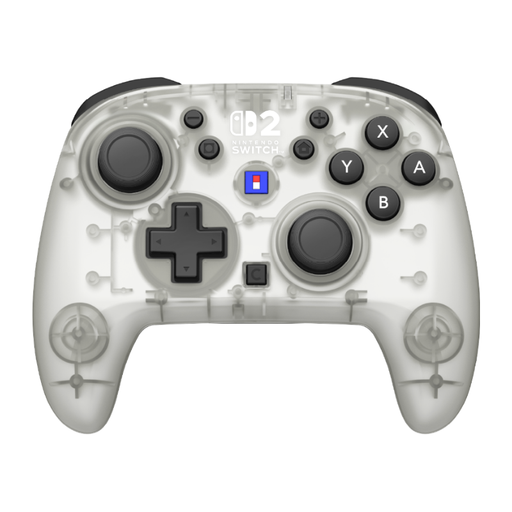 No image available
A wireless controller for a Switch or Switch 2 set-up.
The product information lists Switch 2, Switch, Switch OLED and Switch Lite as compatible systems, with a maximum battery life of 10 hours per charge.
 No image available
A wireless controller for a Switch 2, Switch or Switch OLED set-up.
The product information lists up to 40 hours of battery life and a C button for GameChat.
The Steam pages for EA SPORTS FC 26 and FC 27 list local PvP and shared-screen co-op. Then check whether both controllers are recognised as separate inputs in your set-up; the game page doesn’t automatically confirm that your specific set-up will work.
Only if the controller you’ve chosen connects to Windows via Bluetooth. Microsoft says a Windows PC needs Bluetooth for Bluetooth pairing. According to 8BitDo, the Ultimate 2C Wireless uses a USB receiver for 2.4 GHz on Windows, rather than the Bluetooth connection listed for Android.
No, changing the controller won’t change the game’s compatibility. Steam marks EA SPORTS FC 26 and FC 27 as unsupported on Steam Deck.
Nintendo describes pairing either by pressing the SYNC button from ‘Controllers’ and ‘Change Grip/Order’, or by using the charging grip and a USB cable. Then check that your chosen game supports the controller for the number of players you want.
According to ACM ConsuWijzer, online consumer purchases generally come with a 14-day cooling-off period from delivery, although exceptions apply. This is separate from your rights if a product is faulty: if it breaks during normal use sooner than you could reasonably expect, the seller is responsible for providing an appropriate solution at no cost.