
Watching one specific final
You want to know in advance which service is showing the match and whether your current TV or a new player can access it. For example, Ziggo describes Ziggo GO as a service for customers with Ziggo television.


First, check where the specific final is being shown and whether your current TV or receiver already supports the necessary app or channel. You may not need an extra player at all. If you do, choose one based on app support, the connection available by your TV and the setup you want. A 4K or HDR label on a player won’t eliminate reflections on your screen.
You want to know in advance which service is showing the match and whether your current TV or a new player can access it. For example, Ziggo describes Ziggo GO as a service for customers with Ziggo television.
You want to know which connection will work by your TV, and are comparing a wireless stick with a box that lists built-in Ethernet.
You want to follow the match clearly and weigh up screen reflections and TV settings separately from your choice of streaming hardware. The Consumers' Association, for example, recommends paying attention to reflections and assessing picture settings under your usual lighting.
First check how to access the match, then whether your current TV can run the required app. Only then choose a separate player based on its connection, controls and placement.
Choose this if: the specific final is available through your subscription and a working app or channel.
Keep in mind: you’ll need to check the provider, access and app in advance; an extra player may not add anything.
Choose this if: your TV doesn’t have the required app and you want a compact setup with a remote control.
Keep in mind: the Wi-Fi signal, power supply and app support for the specific broadcast all need to be suitable.
Choose this if: your TV doesn’t have the app and you want to connect a network cable by the TV.
Keep in mind: you’ll need space for the box and cables. Ethernet only helps if there’s a working wired connection available.
| What to consider | What should you check? | Who is this important for? |
|---|---|---|
| Access to the match | Identify the final and provider you have in mind, then check your subscription and whether the app is available on your TV or the specific player model. | I want to find out where this final is being shown first, and whether my subscription and TV give me access. Around 33% of consumers put access to the match at the top of their buying priorities. |
| Connection during live sport | Assess the Wi-Fi signal by your TV and check whether the specific model has built-in Ethernet. Wi-Fi 6E requires a compatible router. | For live sport, I want to know whether the Wi-Fi signal by my TV is usable or if I can connect a network cable. Around 27% of consumers prioritise a reliable connection. |
| Visibility in daylight | Look out for reflections on your TV screen and assess the picture settings under the lighting you usually watch in. | During the day, I want to follow the match without reflections getting in the way. The room and TV settings need separate consideration. Around 20% of consumers prioritise visibility in a bright room. |
| Placement and requirements | Check the HDMI space, power supply, included accessories and exact model variant. A certified HDMI 2.1 cable for the Google TV Streamer (4K) is sold separately. | I want to keep equipment around the TV to a minimum, but also make sure there’s enough space and power for my chosen setup. Around 20% of consumers put placement and requirements at the top of their list. |
What you see depends in part on the broadcast, your TV and the lighting in the room. A different output format won’t get rid of distracting reflections.
Check the picture quality of the source and your TV separately from any reflections. Assess the picture settings under the lighting you’ll watch the match in, as the Consumers' Association recommends.
A streaming device doesn’t automatically give you access to a paid service, channel or specific match.
First identify the final and provider, then check the access requirements and app support. For example, Ziggo says Ziggo GO is intended for customers with Ziggo television.
The Google TV Streamer (4K) lists built-in Ethernet, while the published connections for the Xiaomi TV Stick 4K (2nd Gen) include Wi-Fi, HDMI and micro-USB.
Check the connections on the exact model and see which cables and power accessories are included before choosing your setup.
The Google TV Streamer (4K) is a box for anyone looking to combine Google TV and casting with a wired network connection.
The Apple TV 4K with A19 chip is a box option for anyone who uses tvOS apps and wants a wired connection.
The Xiaomi TV Stick 4K (2nd Gen) is a wireless stick for a space-saving setup.
The LEAP NOVA-X is a stick worth considering if you’re looking for a Google TV model with Wi-Fi 6.
These Google TV models are worth considering if you want to check whether an app for the final can run directly on your TV. Check that the required service and broadcast are available on the specific model; Google TV alone doesn’t confirm viewing rights.
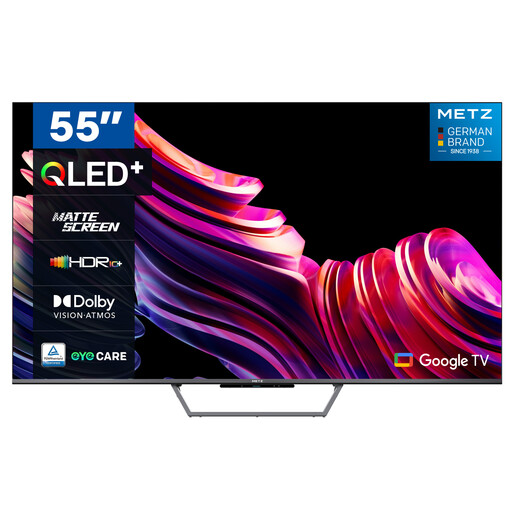 No image available
Worth considering if you want to use TV apps directly on the screen and are looking at a matte screen for a bright living room.
55-inch; QLED+; 4K UHD; Google TV; matte screen.
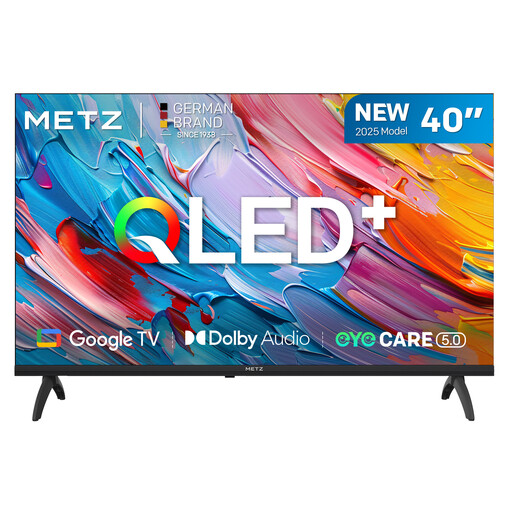 No image available
Worth considering if you want to use a Google TV app on your television screen. Check that the service showing the final works on this model.
40-inch; QLED; HD; HDR10 and HLG; Google TV.
 No image available
A model worth considering if you want to use the required TV app directly on the television. Check support for the specific broadcast.
32-inch; QLED; HD; HDR10; Google TV; DVB-T/T2/C/S/S2 tuner.
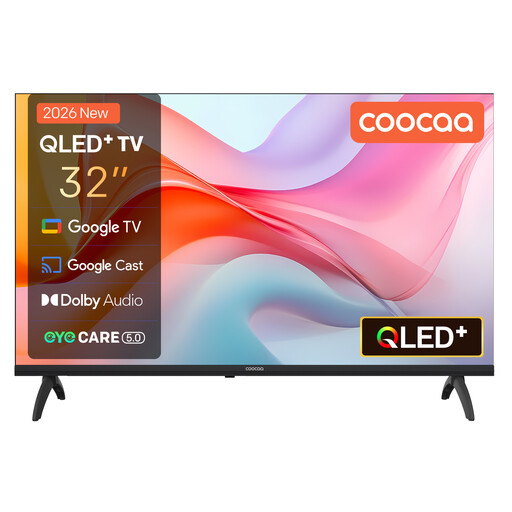 No image available
Worth considering if you’re looking for a Google TV set that can open a supported app directly on screen.
32-inch; QLED; HD; HDR10; Bluetooth 5.1; DVB-T2/C/S2 tuner; CI+; energy class E.
No. A streaming stick doesn’t replace a subscription or broadcast rights. First find out which provider is showing the specific final and check the access requirements. For example, Ziggo describes Ziggo GO as a service for customers with Ziggo television.
Check for reflections on your TV and adjust the picture mode under the lighting you normally watch in. The Consumers' Association recommends adjusting TV settings under your usual viewing conditions; a new player won’t guarantee that reflections disappear.
Check that you have a free HDMI port, a power supply and enough space behind or beside your TV. Google lists a certified HDMI 2.1 cable for the Google TV Streamer (4K) as a separate purchase; Xiaomi lists a power adapter among the items included with the TV Stick 4K (2nd Gen).
Online purchases generally come with a statutory 14-day cooling-off period after delivery, subject to applicable exceptions. ACM ConsuWijzer explains this period. Your statutory guarantee is separate from any guarantee offered by the seller or manufacturer.
Radio equipment placed on the EU market must meet the applicable EU requirements; the equipment in question must carry CE marking. The European Commission outlines the rules for radio equipment, and the Dutch Government explains CE marking. Check the model actually being offered: a generic product name or an individual specification doesn’t prove that every unit meets the requirements.