What should you look for when buying?
Start with your gaming platform and the local mode you want to play. Then check how many players can join in at once, what you already have at home, and whether a cable or battery power is best for your shared gaming space.
| What to consider |
What should you check? |
Who is this important for? |
| Compatibility |
Make a note of your console model or PC and the controller's full model name. Also check support in the specific game. Nintendo distinguishes between the two generations of Pro Controller. |
If I'm buying an extra controller for our shared console or PC, I want to make sure it works with our set-up. Around 36% of consumers prioritise platform compatibility. |
| Number of players |
Check the player limit for the local mode separately from the number of controllers the system can connect. EA lists shared Joy-Con controls for specific FC versions on Switch. |
If more housemates want to play at the same time, I want to know how many players our match supports and which controller set-up works. Around 29% of consumers prioritise the number of available player spots. |
| Cost of an extra player spot |
Count the controllers you already have and check what power source or cable is needed. Separate Joy-Cons only work if the game mode supports them; the standard Xbox Wireless Controller uses batteries. |
If we want to keep our shared spending down, I'll first check whether our existing controllers can provide an extra player spot. Around 21% of consumers prioritise the cost of an extra player spot. |
| Power and playing space |
Check whether the model uses batteries, has a charging option or needs a cable, and whether the cable will reach your seat. The PowerA model mentioned comes with a detachable 3 m USB cable. |
If we want to sit in different parts of the room, I'll check the cable reach and available power. Around 14% of consumers prioritise the connection and playing space. |
Controllers for playing football together
These models are intended for shared Xbox and PS5 set-ups, as well as for players with a Nintendo Switch or Switch 2. Check that the controller supports the local football game mode you want to play.
 No image available
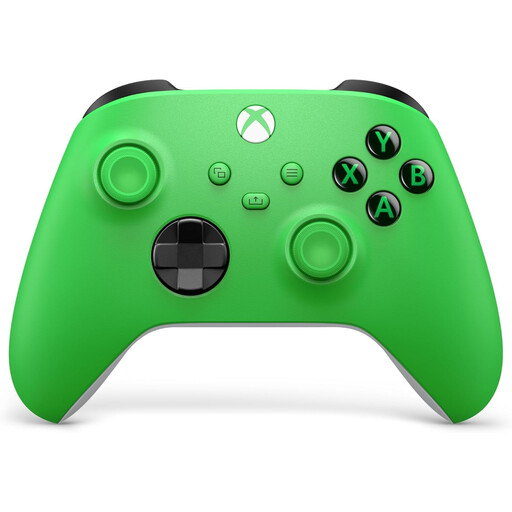
Xbox Wireless Controller Velocity Green Series X/S and Xbox One
An option for a shared Xbox set-up. On PC, also check that the football game supports it and that it offers the connection you want.
The product variant lists Xbox Series X/S and Xbox One.
Joybuy
 No image available
Nintendo Switch Joy-Con pair, neon green/neon pink
Could be an option for two players if the local game mode supports separate Joy-Cons; EA describes this for FC 25 on Switch.
This is a Joy-Con pair for Nintendo Switch. Check that your game version and mode support this set-up.
Joybuy
 No image available
Sony PlayStation 5 DualSense wireless controller, white
An option for an extra player on a shared PS5. Check how many players your chosen local football game mode supports.
Sony explains how to pair a second DualSense and states that up to four controllers can be used at the same time.
Joybuy
 No image available
Official Nintendo Switch 2 Pro Controller, black
A full-size extra controller for a Switch 2 set-up. Nintendo states that this model doesn't work with the original Switch.
This product variant is designed for Nintendo Switch 2. Check your console generation before buying.
Joybuy
 No image available
Official Nintendo Switch 2 Joy-Con 2 pair, light blue/light red
Can be shared between two players in a supported local mode; EA describes this for FC 26 on Switch 2.
Nintendo states that Joy-Con 2 is designed for use with Switch 2. Check that your game version supports these controls.
Joybuy
Frequently asked questions
Can I automatically play football with four people if I add an extra PS5 controller?
No. The maximum number of controllers doesn't automatically mean that a local football game mode supports four players. Sony states that up to four controllers can be used at once; also check the player limit for your game mode.
Do I always need to buy an extra controller for two players on Switch?
Not necessarily. EA describes separate Joy-Cons for two players in FC 25 on Switch, and separate Joy-Con 2 controllers for local matches in FC 26 on Switch 2. Check that your game version and mode support this set-up.
Does a Switch 2 Pro Controller work with the original Switch?
No. Nintendo states that the Switch 2 Pro Controller can't be used with the original Switch. In the other direction, Nintendo says the original Switch Pro Controller works wirelessly with Switch 2.
How many wireless controllers can I use on a Switch when Bluetooth audio is connected?
For the original Switch, Nintendo states that no more than two wireless controllers can be connected when a Bluetooth audio device is connected. Check which features are active if you want to connect more players.
What are my rights if I don't like a controller I bought online or it breaks too soon?
For an online consumer purchase in the Netherlands, ACM ConsuWijzer states that you generally have a cooling-off period of up to 14 days after delivery, with some exceptions. If a product doesn't meet what you could reasonably expect during normal use, the seller is responsible under the statutory guarantee. An additional purchased warranty doesn't replace these statutory rights.


