
Listener with space for stereo
You can position speakers to the left and right of your desk, and want to focus on the stereo positioning of vocals and acoustic instruments.


Choose an active stereo speaker set if you can position two speakers and want to hear vocals and instruments placed across the left and right channels. A compact desktop set is a better fit when desk space and a direct computer connection are your priorities. A fixed Wi-Fi speaker may suit multi-room streaming, while a portable Bluetooth speaker makes most sense if you move it regularly. Before buying, check the connection to your audio source, the space available and whether you need any extras for a stereo pair or line input.
You can position speakers to the left and right of your desk, and want to focus on the stereo positioning of vocals and acoustic instruments.
You want to play music from your computer without using up too much desk space, so the speakers’ dimensions and computer connection matter.
You often listen via your phone or a streaming service, and want to control your music outside your home office too. Sonos lists Wi-Fi, Bluetooth and AirPlay 2 for the Era 100.
| Consideration | What to check before buying | Who is this most relevant to? |
|---|---|---|
| Stereo positioning | Check whether you’re buying a pair of speakers, whether you can position them to the left and right, and whether the connections suit your audio source. | I want to position vocals and acoustic instruments across the left and right channels, and have room for two speakers. Around 40% of consumers prioritise stereo positioning. |
| Desk space and computer connection | Measure the space on your desk and check which audio output your computer has and which input the speaker needs. | I want to play music from my computer on a small desk without filling up my workspace. Around 30% of consumers prioritise desk space and a computer connection. |
| Streaming in multiple rooms | Check that the speaker works with the playback method and devices you use, and decide whether you want one speaker or a stereo pair. | I want to stream easily and listen outside my home office too. Around 20% of consumers prioritise multi-room streaming. |
| Portability | Consider whether you’ll actually use the speaker away from a mains socket. If it has a battery, compare the battery life with your needs. | I want to use the same speaker in different places, not just on my desk. Around 10% of consumers prioritise portability. |
The Sonos Era 100 is a single speaker. Sonos specifies two compatible speakers of the same model for a separate stereo pair.
Check what’s included in the box and decide whether you really want to position one speaker on the left and another on the right.
The Audioengine A2+ Gen 3 is described as having USB-C audio. For a wired 3.5mm source connected to the Sonos Era 100, Sonos specifies a separate line-in adapter.
Compare the function of the input on the exact speaker model with your computer’s audio output.
A battery is most useful if you’ll actually use the speaker away from a mains socket. For a fixed workspace, other connections may matter more.
Before buying, decide whether you’ll move the speaker regularly or leave it on your desk most of the time.
The features listed apply to specific models and connections; they are not an assessment of an entire brand.
The R1280DBs is an active stereo pair for a fixed setup, with Bluetooth and several wired inputs.
The FENRIS A4 is an active pair for anyone looking to connect music and other sources.
The A2+ Gen 3 is a compact active set that Audioengine describes as suitable for desktop use.
The Era 100 is designed for listening via Wi-Fi, Bluetooth or AirPlay 2, among other options.
The LSX II LT is an active stereo system with streaming and several wired connections.
This selection includes desktop speakers for a fixed setup and a portable Bluetooth speaker for use in different places.
 No image available
A good fit for listening to music at your desk if you want to position two speakers as a stereo pair.
 No image available
A desktop set to consider if you want to play music at your workstation and have space for two speakers.
 No image available
A good fit for a desktop setup if you want to play music from a computer and the listed connections suit your audio source.
The product name lists Bluetooth 5.3, USB and 3.5mm AUX.
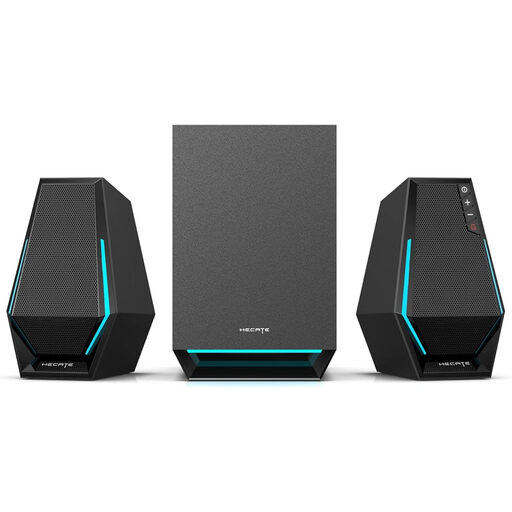 No image available
A desktop option to consider if you want to play music and the listed Bluetooth or AUX connection suits your source.
The product name lists Bluetooth and 2.1.
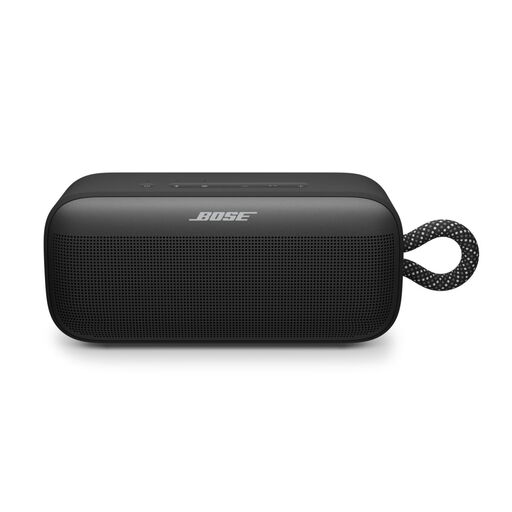 No image available
A good fit if you want to use the same speaker in different places rather than leaving it on your desk.
For a separate left-right stereo setup, the product description specifies two SoundLink Plus speakers; one speaker on its own is not a pair.
If you want a separate left-right setup, choose a pair you can position on either side of your desk. For a Sonos stereo pair, Sonos describes pairing two compatible speakers of the same model.
For a wired 3.5mm line input, Sonos specifies a separate adapter for the Era 100. Check which audio output your computer has too; a USB-C connection on a speaker doesn’t automatically mean it accepts USB-C audio from a computer.
Check whether the USB-C connection on the exact model is designed for computer audio and whether your computer supports it. Audioengine lists USB-C audio for the A2+ Gen 3; for other models, check the functions of the relevant connection.
For a standard online consumer purchase, you generally have a statutory 14-day cooling-off period after delivery. ACM ConsuWijzer explains the conditions and exceptions for unpacking and trying out a product; check which rules apply to your purchase.
No. ACM ConsuWijzer explains that the statutory warranty does not have a fixed two-year limit; what you can expect from a speaker depends, among other things, on the product and normal use. If something goes wrong, contact the seller.