
A resident who is considerate of others
You want to follow the vocals and instruments while others chat, read or relax. The Dutch government advises neighbours dealing with noise disturbance to start by agreeing on arrangements together.


Start with a volume everyone in the lounge is comfortable with, then check that the playback method suits the people and devices using the space. A Wi-Fi speaker may work well in a regular listening spot with a suitable network; Bluetooth is handy for playing music directly from a connected phone, while a portable speaker may suit a room where people sit in different places. Consider two compatible speakers only if you can position them well and feel the extra space and components are worthwhile.
You want to follow the vocals and instruments while others chat, read or relax. The Dutch government advises neighbours dealing with noise disturbance to start by agreeing on arrangements together.
Different people choose the music in the lounge, and you want to know which phones, playback methods, apps and controls will work. For example, Sonos says that the Era 100 requires an app and Wi-Fi for initial setup.
You want to decide whether one speaker is enough, or whether two compatible speakers that you can position are worth the extra space and components. Sonos describes pairing two Era 100 speakers for stereo sound.
Start with the listening spot and a volume everyone agrees on. Then consider the controls, positioning and components required for your chosen setup.
| What to consider | What should you check? | Who is this important for? |
|---|---|---|
| Clear detail at a comfortable volume | Listen from your usual spot and check that the volume and tone controls are easy to reach. | If I want to follow the vocals and instruments without turning the volume up, I focus on how clear they sound from where I sit. Around 31% of consumers prioritise a comfortable volume for shared listening. |
| Playback method and controls | Check that the phone, app, Wi-Fi, Bluetooth or any adapter you want to use is compatible with the exact model. | When several people choose the music, I want to know who can connect and control playback. Around 25% of consumers prioritise a suitable playback method and controls. |
| One speaker or a stereo pair | Check whether there is space for two speakers and whether the models you choose support stereo pairing. | If I want to spread the vocals and instruments across two listening spots, I check that both speakers can be positioned well. Around 19% of consumers particularly value this stereo setup. |
| Portability | Check the power supply, charging requirements and where the speaker will be stored. | If people sit in different places, I want to put the speaker where they are listening, even if there is no power socket nearby. Around 13% of consumers prioritise portability. |
| Required components | Factor in a second speaker or any adapter, and check the seller’s guarantee and your statutory rights. | If I want to choose a complete setup, I look beyond the speaker itself. Around 12% of consumers prioritise the total cost of the setup. |
More volume won’t necessarily make up for an awkward listening spot or different preferences in a shared space.
Try the speaker in the intended spot and agree on a comfortable volume before giving more weight to size or power.
Your setup may need a second compatible speaker or a separate adapter.
Make a list of the speakers, music source, connections and any adapter you may need. Sonos says that a separate line-in adapter, sold separately, is required for the Era 100’s line-in connection.
A stereo pair requires a second compatible speaker; the Era 100’s wired connection also requires an additional adapter.
Whether you need a music licence depends in part on who uses the space and how music is played there.
Establish whether it is a private space for residents or, for example, a business or public space. If it may be used for business or public purposes, use the Dutch music licence checker.
A music licence may be required for applicable business or public use.
The Era 100 may suit a permanent listening spot where both Wi-Fi and Bluetooth are useful.
The Authentics 200 is worth considering if you’re looking at a fixed setup with Wi-Fi and Bluetooth.
The Acton range is worth considering if you’re looking for a fixed home Bluetooth speaker with on-device controls.
The SoundLink Flex (2nd Gen) may suit you if you want to move a Bluetooth speaker between different listening spots.
The Home 150 NV is worth comparing if you’re looking for a fixed, network-controlled speaker without built-in microphones.
This selection includes soundbars, a two-piece Bluetooth speaker set and Bose Lifestyle models. Check whether each product’s form and intended positioning suit your lounge.
 No image available
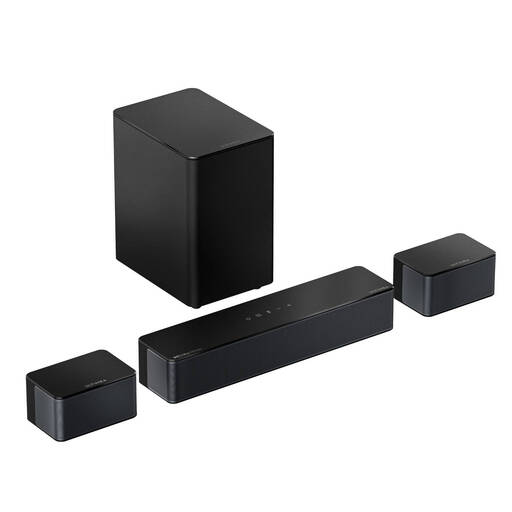
This may suit you if you’re looking for a soundbar system with Bluetooth and adjustable sound settings. Bear in mind that the wired surround speakers need space and careful positioning.
The product name lists Dolby Atmos, a 5.25-inch wireless subwoofer and Bluetooth 5.4. The description mentions two wired surround speakers with extension cables.
 No image available
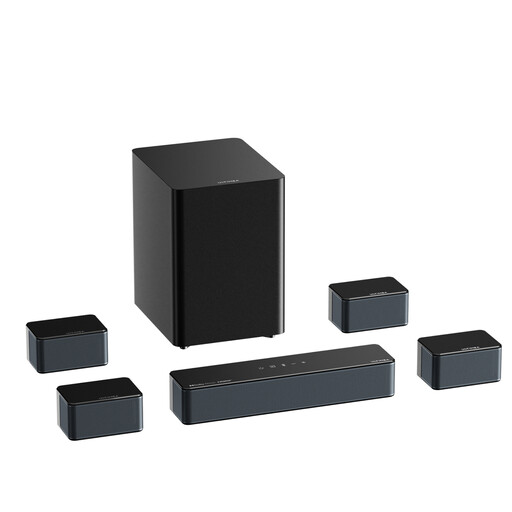
Consider this model if you’re looking at a soundbar setup with Bluetooth and app controls. Its multiple components need plenty of space in the lounge.
The product name lists 500 W and Bluetooth 5.3. The product information describes a setup with surround speakers and a subwoofer.
 No image available
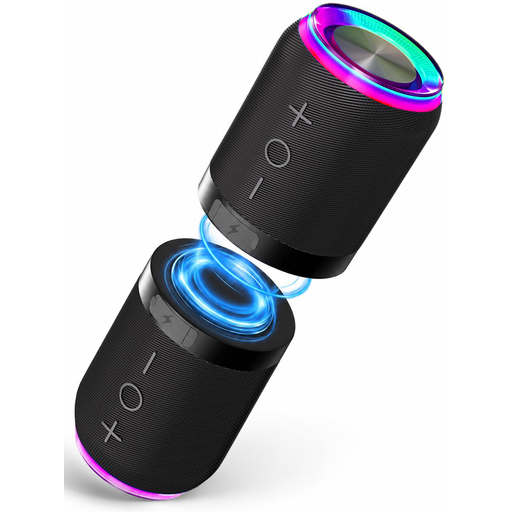
This may suit you if you’re considering two Bluetooth units that can be positioned separately. Check that you have room for both parts before buying.
The product name lists a set of 2, magnetic attachment and IPX6 water resistance.
 No image available
This model may be worth considering if you’re specifically looking for an add-on for a Bose Lifestyle Ultra soundbar.
The product information presents this speaker as an add-on for that soundbar in a home cinema setup. Check that this suits how you use your lounge.
 No image available
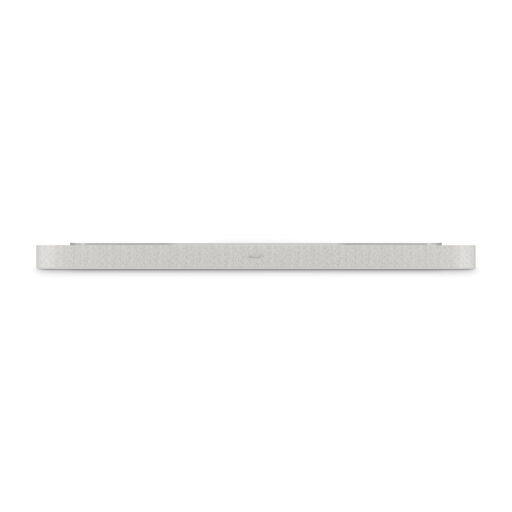
This may suit you if you’re looking for a soundbar to place under a TV. Consider whether that setup also works for the lounge’s shared use.
The product specifications describe placement under a TV.
Choose Wi-Fi if the speaker will stay in one place and your network and preferred controls are suitable. Bluetooth may work well if people want to play music directly from a connected phone or if you want to move the speaker. Check the features of the exact model.
According to Sonos, the Sonos Era 100’s line-in requires a Line-In Adapter or Combo Adapter, sold separately. Also check that your music source’s output is compatible with the connection.
Agree a volume and listening times with the other people who use the space, and try the speaker in the intended spot. The Dutch government advises neighbours dealing with noise disturbance to start by agreeing on arrangements together; it does not set a generally permitted volume level for every lounge.
That depends on the type of space and how it is used. The Dutch business portal outlines music licensing conditions for businesses, for example in spaces open to the public. First establish whether the lounge is for private use or is a business or public space.
No. Statutory rights for consumers in the Netherlands are separate from any manufacturer’s or seller’s guarantee. ACM ConsuWijzer explains that a product must meet the expectations you could reasonably have of it when used normally. If it develops a fault too soon, contact the seller.