What should you look for when choosing?
First decide whether the camera will stay in one place or move with you. Then choose a lens or zoom based on your filming distance, and test the picture, sound and recording time in your own teaching setup.
| What to consider |
What should you check? |
Who is this for? |
| White background and flower colours |
Record a test clip with the actual flowers and assess the exposure and white balance. Canon Netherlands warns that too much light can cause loss of detail; Sony explains white balance correction for the light source you are using. |
I want to show light petals and the background with plenty of detail; around 28% of consumers prioritise colour and exposure. |
| Sharp hands and details |
Frame both the overall scene and a small action from your actual filming distance. Test whether the focus follows your hands and slender stems. |
I want viewers to see where I place a stem, even when my hands move in front of the camera; around 22% of consumers prioritise sharpness for actions and details. |
| Clear spoken instructions |
Check whether the camera has the connections you need for your chosen microphone and whether you can monitor the sound while recording. Canon Netherlands lists these connections for the EOS R50 V. |
I want my students to follow my instructions while I work on the arrangement; around 22% of consumers prioritise clear spoken instructions. |
| Recording time |
Compare the planned lesson length with the conditions for your chosen recording mode, and check the power supply and storage beforehand. Nikon lists up to 125 minutes of continuous recording for the Z 30, subject to the relevant conditions. |
I want to record the demonstration without the recording stopping early; around 17% of consumers prioritise having enough recording time. |
| Moving around while filming |
Decide whether you will move during the lesson or film from a tripod. DJI specifies a weight of 179 g for the Osmo Pocket 3; also check whether its fixed field of view suits your work area. |
If I film around the table, I want to move the camera easily while keeping the flowers in shot; around 11% of consumers prioritise having different camera angles. |
Cameras at Joybuy
This Joybuy selection includes cameras for video demonstrations, from fixed setups to filming from moving camera positions. For each model, check whether the lens, field of view and included accessories suit your flower arranging class.
 No image available
Komery W6 64 MP 4K camera with 12× optical zoom and Wi-Fi
The product name lists 12× optical zoom. Check from your intended filming distance whether you can frame both the arrangement and small actions as you want.
The product name lists 4K video, Wi-Fi and 64 MP.
View at Joybuy
 No image available
DJI Osmo Pocket 3 Creator Combo
This compact camera could suit lessons where you film from different positions; check whether its fixed field of view also works for your usual filming spot.
The product name lists 4K/120fps video, 3-axis stabilisation and an included microphone.
Check exactly which accessories are included with this Creator Combo.
View at Joybuy
 No image available
Sony ZV-E10 with 16–50 mm zoom lens
The listed zoom lens could be useful for a fixed demonstration setup. Test from your chosen distance whether the vase, your hands and the details fit in the frame.
The product name identifies the camera as a Sony ZV-E10 with a 16–50 mm zoom lens.
View at Joybuy
 No image available
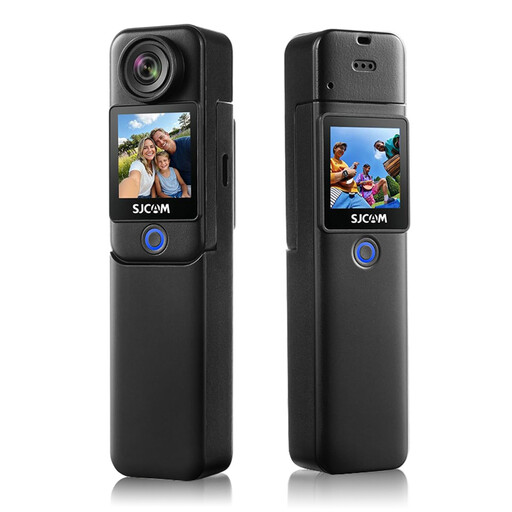
SJCAM C300 4K action camera
If you move around during a demonstration, check that the framing shows the worktable and actions clearly enough.
The product name lists 4K video and 6-axis EIS stabilisation.
View at Joybuy
 No image available
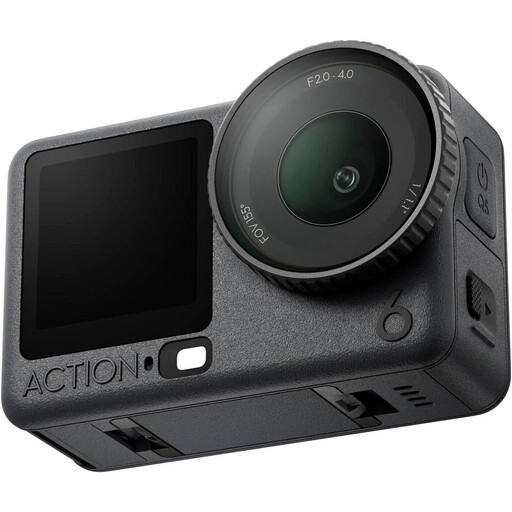
DJI Osmo Action 6 Adventure Combo
Check that the field of view from your camera position includes the vase, your hands and the work area, especially if you plan to move the camera during the lesson.
The product name identifies this version as the Adventure Combo.
View at Joybuy
Frequently asked questions
How can you stop the white background looking grey or light flowers losing detail?
Record a test clip under the actual lighting and assess both the background and light-coloured petals. Adjust the exposure if needed, and check the white balance if white areas look yellow or blue; the right setting depends on your lighting setup.
What should you check when setting up the camera?
Check in a test recording that the whole vase, both hands and even the smallest actions are visible and in focus. Then decide whether the lens, zoom or fixed field of view of the version you have chosen is suitable for that filming distance.
How can you keep your recording setup running during a longer lesson?
Check the power supply and remaining memory card capacity beforehand, and make a short test recording with sound. Compare the lesson length with the conditions for your chosen recording mode; Nikon lists up to 125 minutes of continuous recording for the Z 30, but this isn’t a general guarantee for every setting.
What rights do you have when buying a camera online in the Netherlands?
For online consumer purchases, you generally have a statutory 14-day cooling-off period after delivery, subject to legal exceptions. ACM ConsuWijzer also explains your statutory right to a remedy if a product doesn’t meet what you could reasonably expect when used normally. The cooling-off period and the statutory guarantee are separate rights.
Can you film students recognisably and publish the lesson?
Recognisable images of students are personal data, so you need a lawful basis for filming and publishing them. The Dutch Data Protection Authority says consent is generally the most obvious lawful basis when students or visitors are recognisable. Tell those concerned what the footage will be used for; if it shows only flowers and hands that cannot be identified, that specific situation does not count as recognisable filming of students.


