
Vandaag of morgen in huis

Kwaliteit gegarandeerd

Welkomstaanbiedingen ontgrendelen: GRATIS bezorging | Tot 80% korting | Gratis 30 dagen JoyPlus-proefperiode
Download de app
For professional makers, engineers and prototyping studios, a fast 3D printer is only useful if it is also suitable for the material, dimensions and workflow. The Flashforge Creator 5 Pro 3D printer combines four independent toolheads with an enclosed CoreXY design, a maximum extruder temperature of 320 °C and a build volume of 256 × 256 × 256 mm.
However, an impressive list of specifications does not guarantee that every model will suit your work. Multicolour 3D printers in particular come with several potential pitfalls that can significantly increase costs and production time.
A speed of 600 mm/s sounds appealing, but practical print speed also depends on layer height, the model, nozzle, cooling and filament. For technical parts, a lower speed may be necessary to maintain dimensional accuracy and surface quality.
As well as the maximum speed, look at:
Many systems use a single printhead that changes filaments one after another. This can result in purge or flush material, colour mixing and additional waiting time. When 3D printing with multiple materials, it is also important that support material and model material can be separated reliably.
According to the product information, the Flashforge Creator 5 Pro uses four independent toolheads. This means the filament is not changed through a single shared nozzle. That can help reduce colour mixing and material-change waste. The manufacturer also states that the system features intelligent preheating and tool changes of approximately seven seconds. When buying, always check which materials and combinations are actually supported by the slicer software.
An enclosed 3D printer helps keep the ambient temperature around the model more stable. This is relevant when printing with ABS, PC and PA, as these materials can be more prone to warping than PLA. According to the product specifications, the Creator 5 Pro has an actively heated chamber reaching up to 65 °C.
This makes the printer suitable for more demanding applications, but success also depends on:
A HEPA or carbon filter does not replace proper workplace ventilation. Always follow the manufacturer’s instructions and safety information.
The 256 × 256 × 256 mm build volume is relevant for enclosures, technical prototypes and functional parts. Do not look only at the volume itself, but also consider the space around the printer. An enclosed CoreXY 3D printer generally needs additional room for cables, ventilation and opening the door.
For larger products, it may be more efficient to design parts modularly. This helps prevent one error at the end of a long print from making the entire job unusable.
A 320°C extruder supports a wider range of materials than a printer intended only for PLA and PETG. According to the product information, the Creator 5 Pro supports ABS, PC and PA, among others. However, it is also important to consider the nozzle, heated bed and material settings.
Before buying, check:
A printer with a high nozzle temperature is therefore not automatically a complete industrial 3D printer. In production environments, maintenance, software, spare parts, documentation and service are also important.
With four independent toolheads, each head can use its own colour or material. This is particularly useful for models with contrasting colours, soluble support material or combinations of rigid and flexible filaments.
According to Flashforge’s own information, the system can produce up to 80% less filament waste than solutions that rely on long spool-change or flush cycles. This is a manufacturer’s claim, not a universal saving: actual consumption depends on the model, colour changes, support structure and slicer settings.
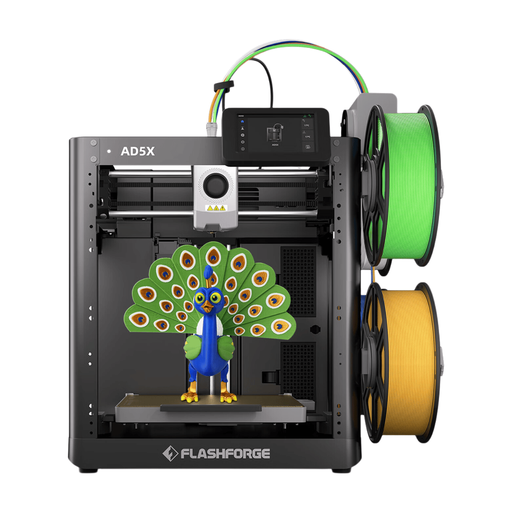
Why it suits this profile: A compact option for anyone wanting to try four-colour printing without immediately moving to a larger professional system.
The specifications list support for up to four colours, automatic bed levelling and a direct-drive extruder reaching up to 300 °C.
A build volume of 220 × 220 × 220 mm, CoreXY motion and interchangeable nozzles from 0.25 to 0.8 mm.
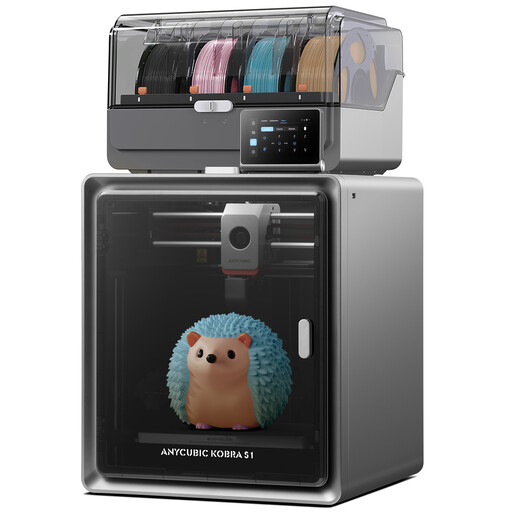
Why it suits this profile: Ideal for designers and makers who want to combine multicolour printing with monitoring, active filament drying and an enclosed design.
The system features automatic calibration, filament detection and active drying up to 65 °C. According to the product specifications, TPU 95A must be fed directly into the printer.
A maximum nozzle temperature of 320 °C, a build volume of 250 × 250 × 250 mm and expansion to up to 16 colours with additional compatible modules.
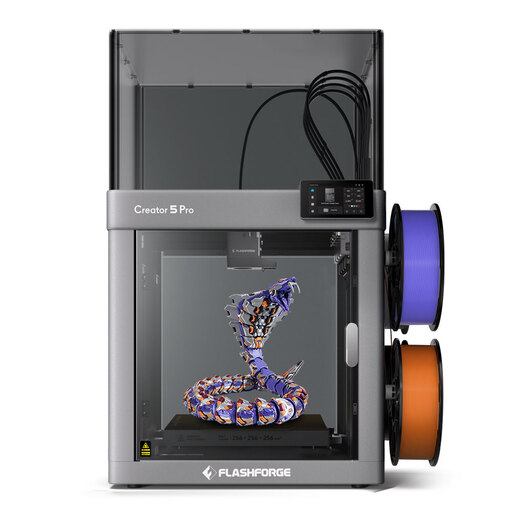
Why it suits this profile: Designed for technical businesses, engineers and prototyping studios that need four independent toolheads, higher temperatures and an enclosed working area.
The four independent toolheads eliminate the need for a shared nozzle when changing colours. The heated chamber and enclosed design are intended for technical filaments.
CoreXY, up to 600 mm/s, a 320 °C extruder, a build volume of 256 × 256 × 256 mm and support for ABS, PC and PA according to the product information.
A professional 3D printer requires a regular maintenance routine. Clean the print bed, check the nozzle and store filament in a dry environment. With ABS, PC and PA, moisture in the filament is often a more important cause of poor results than the nominal print speed.
Also consider the total cost:
We have compiled a complete, up-to-date list of products that fully meet these strict selection criteria and the applicable European safety regulations.
According to the product information, the model supports ABS, PC and PA. The enclosed design, heated chamber reaching up to 65 °C and extruder reaching up to 320 °C are relevant specifications for these materials. Always use the correct material profile and follow Flashforge’s safety instructions.
The stated build volume is 256 × 256 × 256 mm. Allow for margins for the model geometry, brim or raft, as well as any movement of the toolheads.
Not automatically. The theoretical speed may reduce production time, but filament consumption, energy use, support structures and maintenance costs still depend on the model and the settings selected. Calculate the cost per part rather than looking only at the maximum speed.
