
Student with a crowded desk
You want to view research documents on an extra screen, while still leaving room for your laptop and study materials. Compare the space taken up by a fixed monitor with that of a portable screen you can put away.


If you usually work at the same desk and want to view energy tables and documents side by side, a fixed monitor could be a good fit. If you want to clear your workspace after studying, a portable screen is easier to put away. Compare the dimensions of the complete setup, readability at your usual text size and the exact connections on your laptop. Dell and Lenovo publish the model details mentioned here as manufacturer specifications; on their own, these say nothing about study performance or personal viewing comfort.
You want to view research documents on an extra screen, while still leaving room for your laptop and study materials. Compare the space taken up by a fixed monitor with that of a portable screen you can put away.
You switch between tables, explanations and regional energy dashboards. The layout needs to remain easy to read at the text size you usually use.
You often connect your laptop and want to weigh up whether adjustability, connections and the total cost make a fixed setup worthwhile for you.
Best for: people who usually work at the same desk and want a separate screen for tables or documents.
Consider: the screen and stand stay on your desk, so measure the space needed, including the stand. Dell lists height adjustment for the 23.8-inch P2425H.
Best for: people who regularly open several tables and documents side by side and can use their laptop and monitor at the desired resolution.
Consider: Dell specifies a 23.8-inch QHD panel and USB-C hub for the P2425DE. More pixels do not guarantee that small text will be comfortable to read at your viewing distance.
Best for: people who want to clear their desk after studying or take the screen between study spaces.
Consider: the smaller screen may require a different text size or window layout. Lenovo specifies a 14-inch screen and 11 mm of height adjustment for the ThinkVision M14d.
| Consideration | What to look for when buying | Who should pay particular attention? |
|---|---|---|
| Desk space | Measure the width and depth of your workspace, including the stand or fold-out support. Leave room for your laptop and study materials too. | If I need to keep my laptop and papers next to the screen, I’ll measure the whole setup first. Around 26% of consumers put available desk space first. |
| Readability and window layout | Try viewing a table and report side by side at your usual text size. CBS publishes energy tables, while the Regional Climate Monitor displays energy data in dashboards. | I want to read tables, explanations and several windows without constantly changing the text size. For around 26% of consumers, reading layout comes first. |
| Total cost | Compare the complete setup and check whether you need an extra cable, adapter or separate power supply to connect your laptop. | As a student, I want to know what I’ll need for the whole workspace, not just which features the monitor has. Around 21% of consumers give total cost their highest priority. |
| Laptop connection | Check your laptop’s video and charging capabilities, the exact monitor port and the cable. A USB-C port alone does not prove that it supports both video and laptop charging. | I want to connect my laptop without discovering afterwards that a port only transfers data. Around 16% of consumers put a suitable laptop connection first. |
| Power consumption | Compare the figures for the exact models in kWh per 1000 hours. The European Commission explains this consumption figure on the energy label for displays. | I want to compare models on a like-for-like basis for power consumption and take my own hours of use into account. Around 11% of consumers put power consumption first. |
According to Dell, the USB-C downstream port on the Dell P2425H is for data only and delivers up to 15 W. The USB-C label alone does not tell you what a port can do.
Before relying on a single cable, check the functions of the specific monitor port, laptop connection and cable.
You may need a different cable or adapter, or a separate laptop power supply. Check this before choosing your setup.
A screen with more pixels can still display small text at a size that you find uncomfortable to read. A fixed stand also takes up space, as well as your laptop and study materials.
View one of your own tables and documents at your usual text size, and measure the setup including the stand.
The Dutch government states that there is no fixed statutory warranty period in the Netherlands and that a manufacturer’s warranty is additional. If a product is faulty, the seller is your point of contact.
Read the terms of your purchase and distinguish between an additional manufacturer’s warranty and your statutory rights against the seller.
Philips lists 120 Hz for the 24E1N1300AE/00; a Joybuy listing without a confirmed full variant suffix states 100 Hz and is marked as unavailable. These details do not confirm that it is the same variant or that it is currently on sale.
Check the full model code, current availability and specifications on the product page for the exact variant.
The P2425H and P2425DE are examples of fixed 23.8-inch models for a permanent workspace. The former is Full HD, while the latter is QHD with a USB-C hub.
The 24E1N1300AE/00 is a fixed 23.8-inch Full HD monitor to compare if you’re looking for a USB-C connection with power delivery.
The ThinkVision M14d is a portable screen for a workspace that needs to be cleared after use.
The 24P4U is a fixed 23.8-inch Full HD monitor to compare for adjustability and a USB hub.
This selection features fixed monitors for a study space where a separate screen can stay on the desk. Compare the dimensions, readability and connections with your own laptop and workspace.
 Image unavailable
A fixed 24-inch option to compare for viewing tables and documents at a desk.
 Image unavailable
A fixed Full HD monitor to use alongside your laptop workspace.
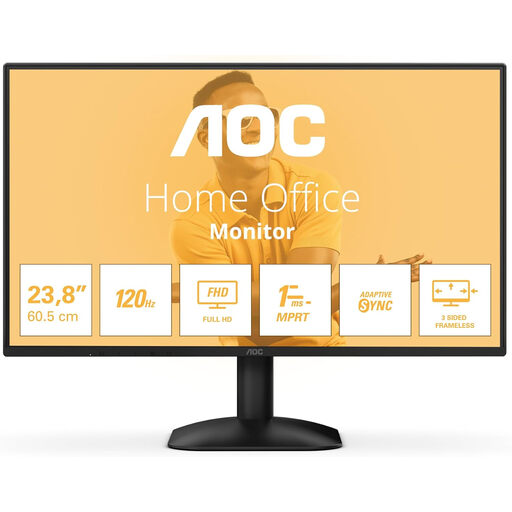 Image unavailable
A fixed 24-inch monitor to weigh up against your available desk space and computer connection.
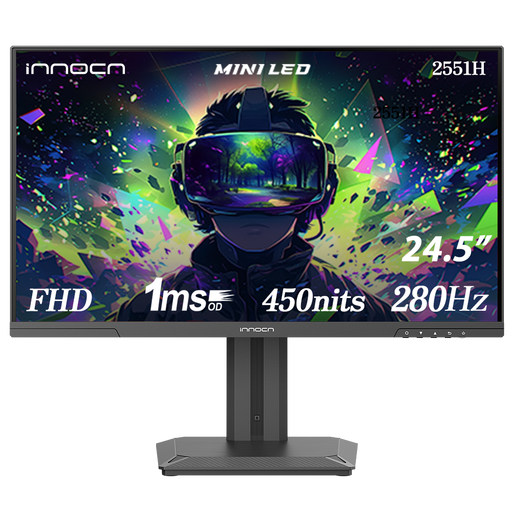 Image unavailable
A fixed 24.5-inch option to consider as a separate study screen.
 Image unavailable
A fixed 24-inch monitor to compare if you want a tilting stand.
No. More pixels do not guarantee that text will be more comfortable to read at your viewing distance. Dell specifies 1920 × 1080 pixels for the P2425H and 2560 × 1440 pixels for the P2425DE; try viewing one of your own tables at the text size you use.
No, it depends on the exact ports and cable. Dell specifies that the P2425H’s USB-C downstream port is for data only, with up to 15 W. Philips describes a single-cable connection for the 24E1N1300AE/00 with compatible devices; check your laptop’s capabilities too.
Choose a fixed monitor if you want a separate screen to stay at the same workspace and its stand fits on your desk. A portable screen is an option if you want to clear your workspace after studying; also consider whether the smaller screen size works for your tables and text size.
Compare the figures for the exact models in kWh per 1000 hours and take your own hours of use into account. The European Commission explains this unit on the energy label for displays; estimate any running costs using your own electricity tariff.
When you buy online from a business, you are often entitled to a 14-day cooling-off period; the Dutch government advises checking the relevant terms and exceptions. In the Netherlands, you are entitled to a product that is fit for purpose, and there is no fixed statutory warranty period. A manufacturer’s warranty is additional; if a product is faulty, the seller is your point of contact.