
Filming print details
You want to show fine lines and small imperfections on a stamp, so you choose the lens and shooting distance accordingly. Canon, Sony and Nikon each list separate macro lenses for their camera systems.


For fine print details, a mirrorless camera with a suitable macro lens gives you the flexibility to choose the magnification and framing. However, the right lens isn’t included with every camera kit. A compact camera with a close-up mode or a webcam may be more practical for a simple set-up or recording on a computer. Whatever you choose, test the focus, working distance, lighting and sound at your own table.
You want to show fine lines and small imperfections on a stamp, so you choose the lens and shooting distance accordingly. Canon, Sony and Nikon each list separate macro lenses for their camera systems.
You film your hands and stamps in longer, steady shots and want to switch between a wide view and close-up details. The right framing also depends on the lens and the space above your table.
You record directly on a computer or present live. In that case, a USB connection and a stable camera mount are important features to compare.
Best for: fine print details when you want to choose the lens and shooting distance yourself.
Bear in mind: the macro lens may need to be bought separately; allow space for lighting and a camera support, too.
Best for: anyone who wants a built-in close-up option without changing lenses.
Bear in mind: make a test clip first to see whether the close-up mode works for your stamp video and lighting.
Best for: anyone who mainly records directly on a computer and can mount the webcam above their workspace.
Bear in mind: check the focus from table distance; digital zoom can reduce sharpness.
| What to consider | What should you look for? | Who is this relevant to? |
|---|---|---|
| Clear print details | Compare the close-up capability and working distance; leave room for lighting and your hands. | I want to show fine print lines and small imperfections, so I choose the lens and distance accordingly. Around 36% of consumers prioritise clear print details. |
| Steady tabletop footage | Test both a wide view and a close-up from your planned camera height. | I want to keep my hands and stamps in shot while explaining, so I check both framings. Around 29% of consumers give steady tabletop footage top priority. |
| Colour and lighting | Try the white balance with your own lights and look out for shadows and possible flicker. | I want to film the paper and print with even lighting, so I check how the colours look under my lights. Around 21% of consumers prioritise consistent colours and effective lighting. |
| Recording on a computer and audio | Check the USB connection, mounting options, and picture and sound quality in a test recording. | I want to record directly on a computer and capture spoken explanations, so I test the connection, positioning and clarity of the audio. Around 14% of consumers give computer recording and audio top priority. |
The Canon EOS R50 kit with RF-S 18-150mm does not include the separate RF 35mm macro lens. Canon specifies a maximum magnification of 1:2 for that lens, which is sold separately.
Check exactly what’s included in the kit and the working distance of the lens you plan to use.
You may need a separate lens for macro shots; also check that your camera support suits your chosen set-up.
Logitech describes the Brio’s zoom as digital and warns that zooming in further can reduce sharpness.
Make a test clip of the smallest details that need to be visible in your tutorial.
For the E 30mm F3.5 Macro, Sony states that there is 2,4 cm of space in front of the lens at the specified close-up distance. This means you’ll need to pay extra attention to positioning the lighting around the stamp.
Test the lens and lighting together in your actual tabletop set-up.
At a very short working distance, you may need to rethink where you can position the lights and camera support.
With an EOS R50 and RF mount, you can choose an RF or RF-S lens for your tabletop set-up.
The ZV-E10 II uses interchangeable E-mount lenses, so you can choose one to suit your tabletop set-up.
The Z 30 is an interchangeable-lens camera designed for video. You can choose a Z macro lens separately.
The TG-7 is a compact camera with a built-in microscope mode and a fixed lens.
The Brio 4K is a webcam for recording on a computer.
These Joybuy products are webcams for recording on a computer and may suit a tabletop set-up for spoken explanations. Check the focus, mounting options, and picture and sound quality where you plan to film.
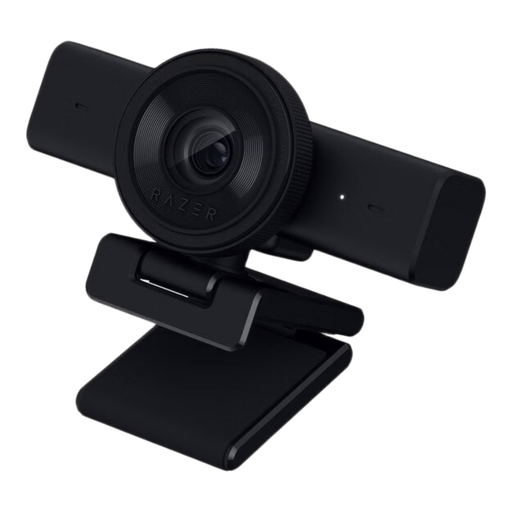 Image unavailable
This USB webcam may suit recording on a computer; check the focus at the distance from your table.
Video: 1440p/30 fps and 1080p/60 fps.
The description lists autofocus, manual focus and a 1/4-inch tripod thread.
The compatible operating systems listed are Windows 10 (64-bit) and Windows 11.
 Image unavailable
The listed autofocus and tabletop tripod may suit a permanent computer set-up; test the focus at your working distance.
The product description lists 4K, PDAF autofocus, a 75° field of view and dual microphones.
The connections listed are USB-A and USB-C; the description also mentions a lens cover.
 Image unavailable
The adjustable viewing angle and the listed desk or tripod mounting options can help you frame a tabletop shot.
The description lists 4K UHD video at 30 fps, a 99° field of view, 180° tilt and 360° rotation.
USB, plug-and-play set-up and a built-in microphone are also listed.
 Image unavailable
The title describes this model as a desktop webcam; check the focus and sound in your own recording set-up.
The title lists 4K UHD, autofocus, built-in dual microphones and a privacy cover.
The version listed is the EU version in black.
 Image unavailable
According to the title, this webcam is intended for computer use; make a test recording to check picture sharpness from table distance.
The title lists 2K QHD, a noise-cancelling microphone and a clip mount.
The version listed is silver and designed for desktop or laptop use.
No. 4K alone doesn’t tell you whether print details will be clear in your recording. Also consider how large the stamp appears in the frame and whether the lens or close-up mode can focus at your chosen distance. Logitech warns that digital zoom on the Brio can reduce sharpness.
Mount the camera securely and record both a wide shot and a close-up in your actual workspace. Check the framing, focus, shadows and white balance in both shots; also look out for possible flicker from your lights.
First, check exactly what’s included in the box: a camera body or zoom kit won’t necessarily include a macro lens. Then consider whether your set-up needs a separate support, lighting, memory card or microphone. What you need depends on the equipment and recording method you choose.
According to ACM ConsuWijzer, online purchases are generally covered by a statutory cooling-off period that ends 14 days after delivery; check whether an exception applies. Statutory guarantee rights also apply: if a product breaks during normal use sooner than you could reasonably expect, the seller must resolve the problem.