
Filming the details of coins
You want to show dates, lettering and relief in close-up, and are happy to choose a suitable lens and working distance. Sony and Canon publish magnification specifications for separate macro lenses.


To capture tiny inscriptions and relief in close-up, choose a mirrorless camera with a suitable macro lens: the stated magnification applies to the lens, not the camera body. Sony quotes 1:1 magnification for the separate SEL30M35, while Canon quotes up to 1:2 for the RF 35mm F1.8 Macro. With both, you’ll also need to consider the lens mount and working distance. If you’d rather not change lenses, compare compact cameras, but check that the close-up mode works in your chosen video mode and test for reflections using movable, diffused lighting.
You want to show dates, lettering and relief in close-up, and are happy to choose a suitable lens and working distance. Sony and Canon publish magnification specifications for separate macro lenses.
You film shiny coins against a dark surface and want to adjust the light and glare before choosing extra camera features. Basler AG suggests diffused lighting as an option for highly reflective surfaces.
You want to show several coins in sequence while speaking, so recording time and clear audio are important to you. Nikon states that the Z 30 has an external microphone input and a maximum continuous recording time, subject to certain conditions.
Choose this option: if tiny inscriptions and relief are your priority, and you want to choose your lens, working distance and lighting separately.
Bear in mind: a suitable macro lens may need to be bought separately. Also check that you’ll have enough room for your lighting setup at close range.
Choose this option: if you want a compact setup without changing lenses.
Bear in mind: check that the close-up mode works with the video settings you want to use.
| What to consider | What should you check? | Who is this important for? |
|---|---|---|
| Coin details | Compare the lens mount, maximum magnification and working distance; test your preferred framing in video mode. | If I want to show dates and relief in close-up, I’ll check whether the lens can achieve the framing I need. Around 36% of consumers put coin details at the top of their list. |
| Reflections | Make a test recording with one of your own coins and compare different light positions and diffused lighting. Basler AG suggests diffusing solutions for highly reflective surfaces. | With shiny coins, I want to be able to adjust glare without constantly moving the camera. Around 29% of consumers put controlling reflections at the top of their list. |
| Uninterrupted presentation | Check recording time with your chosen settings, power supply and storage, and decide whether you want to use an external microphone. Nikon states that the Z 30 can record continuously for up to 125 minutes, subject to the manufacturer’s conditions. | If I’m recording a longer tour, I want to know whether the recording can continue uninterrupted and whether my voice will be captured clearly. Around 21% of consumers prioritise a continuous, narrated tour. |
| Complete setup | Check which lens and accessories are included and whether the close-up function is available during video recording. | If you want to put together a simple kit, consider what you actually need to achieve the recording you want. Around 14% of consumers put a simple, complete setup at the top of their list. |
The magnification figures apply to the specific lenses named. So check whether the lens you’re buying can achieve the framing you want at the working distance of your setup.
Compare exactly what’s included in the kit and, if possible, ask for a test image in video mode at the distance you plan to film your coins.
A suitable macro lens may need to be bought separately.
Reflections on metal can obscure details, even against a dark background. Basler AG suggests diffusers or specially diffusing lights for highly reflective surfaces.
Test with a shiny coin and move or soften the light before choosing a camera based on its supposed low-light performance.
Setting up and adjusting diffused lighting may take extra time and equipment.
For the OM SYSTEM Tough TG-7, check that Microscope Macro mode is available with your chosen video settings and focusing distance.
Ask for confirmation that this combination works before choosing the camera for this type of recording.
The Dutch government distinguishes between a manufacturer’s warranty and your rights as a customer dealing with the seller; in the Netherlands, there is no fixed statutory warranty period.
Keep your proof of purchase and report any fault to the seller. If you’re considering an additional warranty, check what cover it actually provides.
The ZV-E10 II is a mirrorless camera with interchangeable E-mount lenses.
The EOS R50 has an RF mount; Canon lists the separate RF 35mm F1.8 Macro as compatible.
The Z 30 is designed with video in mind and uses Z lenses.
The Tough TG-7 is a compact camera with a fixed lens.
These Joybuy products are suited to compact video recording, streaming and product close-ups. Check each model to see whether its focusing distance is suitable for coins and whether you can achieve the framing you want in video mode.
 No image available
The product information describes this model as a vlog camera; check separately whether its focusing distance suits your coin recordings.
The listed specifications include a 1-inch sensor, a 20mm f/2.0 wide-angle lens and 4K video. According to the product information, 4K/240fps is available only in slow-motion mode.
 No image available
This compact video camera could suit a portable setup; the product information doesn’t say whether its close-up distance is suitable for coins.
The listed specifications include a 1-inch sensor, a 20mm f/2.0 wide-angle lens and 4K video. According to the product information, 4K/240fps is available only in slow-motion mode.
 No image available
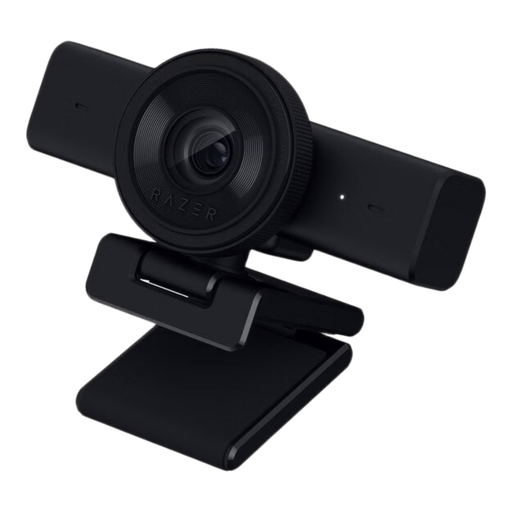
The product information mentions close-up recording and autofocus; check that the webcam and your chosen setup can frame your coins as you want.
The stated video mode is QHD 1440p at 30 fps, with an adjustable 80° field of view.
 No image available
The product information mentions autofocus on a product or document and an included tabletop tripod; check that this setup suits your coin recordings.
Listed features include 4K video, PDAF autofocus, a 75° field of view and USB-A/USB-C connectivity.
 No image available
This webcam is described as being for a computer setup; check in advance that the mount and focusing distance work for the recording you want to make.
The product information lists an 8MP camera, 4K video, autofocus, dual built-in microphones and a 99° field of view.
No. 4K alone doesn’t determine how large the coin appears in the frame. Check whether your chosen lens can achieve the framing you want at your working distance, and make a test recording in video mode. The stated magnification applies to the specific lens.
Set up the camera and coin securely, then move or soften the light. Basler AG suggests diffusing solutions for highly reflective surfaces. Check the result with your own coins, as the material and relief affect reflections.
For many online purchases from a business, there is a 14-day cooling-off period, according to the Dutch government; check whether this applies to your purchase. If there’s a problem with the product, contact the seller. The Dutch government states that the Netherlands has no fixed statutory warranty period.
If someone is recognisable in the video, the Dutch Data Protection Authority says that, in principle, you may share it on social media only with that person’s consent. If you’re filming only your coins, this rule about recognisable people does not apply.