If you mainly listen to individual soundtracks from one regular spot and can position speakers to your left and right, a stereo pair or active stereo system is an obvious choice. If you want to listen in different places, first compare how you’ll play music and where you can position a single home speaker. If most of your sound comes from the TV, check the connections and compare a soundbar with active stereo speakers. More powerful bass isn’t automatically an advantage in a flat: positioning, settings and the whole setup all matter.
Which setup is right for you?
Listener with a regular seat
If you want to hear separate left and right channels, you’ll need space to position two speakers around your listening spot. Klipsch describes The Fives as an active stereo system; IKEA Netherlands explains how two speakers can provide the left and right channels.
Listener in an open-plan living space
If you move between the living and dining areas, start by considering how you want to play music and where you can put a speaker. The Consumers’ Association notes that a stable Wi-Fi network is important for Wi-Fi playback, and that positioning can affect the sound.
Film fan who also plays music
If you also listen to soundtracks through your TV, its audio output needs to match the speaker or soundbar input. Klipsch describes the connection options for The Fives; JBL lists HDMI eARC for the Bar 300.
What should you consider when choosing?
Start by asking whether you mainly listen from one spot, move around your open-plan space or want to play TV audio. Then check that the source, connection and available space suit your chosen setup.
| What to consider |
What should you check? |
Who is this important for? |
| Stereo imaging and space |
Check whether the exact model supports a stereo pair or is sold as a stereo system, and decide where both speakers can go. |
If I listen to film soundtracks from one regular spot, I want to position speakers to my left and right and have room for both. Around 29% of consumers prioritise stereo placement. |
| Source and controls |
Check that your soundtrack service or device works with your preferred connection, such as Wi-Fi, Bluetooth or a physical input. |
If I use a particular service or external source, I want to know whether it works directly with the speaker I’ve chosen. Around 23% of consumers give source compatibility top priority. |
| TV connection |
Compare your TV’s audio output with the speaker input; check the PCM or stereo setting if needed. |
If I mainly listen to music through films on my TV, I want a connection that works with my TV and sound setup. Around 18% of consumers put TV sound first. |
| Positioning and bass |
Listen to the speaker from your usual spot and check which bass or equaliser settings the model offers. |
If I listen in a flat, I want to consider positioning and the potential impact on neighbours. Around 18% of consumers start by weighing up the setup, bass and neighbours. |
| Portability |
Decide whether you need a battery; if you want stereo, check whether you’ll need a second compatible speaker. |
If I regularly move my speaker to another spot, I don’t want to depend on a fixed setup. Around 12% of consumers put portability first. |
Common buying mistakes
-
Assuming Dolby Atmos works with every soundtrack
Dolby Atmos Music isn’t automatically available for every recording or playback route. JBL says that Dolby Atmos Music content is available for the Authentics 500 through compatible streaming services in the JBL One app.
Before you buy, check that the specific soundtrack, service and playback route you want to use are supported.
-
Looking at just one speaker when you want stereo
Stereo may require two speakers. Sony describes Stereo Pair for two identical ULT FIELD 5 speakers; for a wired source, Sonos lists a separate line-in adapter for the Era 100 and Era 300.
Compare the complete setup you need, not just the first device.
Allow for the second speaker or line-in adapter if your setup requires one.
-
Assuming every HDMI port carries TV sound
For TV audio, Klipsch lists an HDMI ARC, optical or analogue output for The Fives. A standard HDMI connection isn’t automatically suitable for this.
Check the connections and audio settings on your own TV before choosing a system.
-
Choosing bass without considering positioning and neighbours
The Consumers’ Association says that a speaker’s position can affect the bass. The Dutch government notes that nuisance to neighbours may fall under municipal by-laws in many areas.
Assess the sound from your usual listening spot and, if necessary, check your local authority’s APV and your housing agreements.
Brands to compare
Sonos
The Era 100 is a compact Wi-Fi and Bluetooth speaker; the Era 300 is an option if you want to play compatible Dolby Atmos Music content.
- Sonos lists Wi-Fi, Bluetooth and a line-in connection via a separate adapter for both models.
- Sonos lists Dolby Atmos Music support for the Era 300.
- That support doesn’t mean every soundtrack or playback route will deliver spatial audio.
Klipsch
The Fives is an active stereo system for anyone who wants separate left and right speakers, with the option of using a TV as the source.
- Klipsch lists HDMI ARC, optical and analogue inputs, Bluetooth and a subwoofer output.
- For TV sound, you’ll need a suitable TV output; also check whether you need to adjust the audio settings.
- The brand’s comparative sound claims aren’t based on an independent listening test.
JBL
The Authentics 500 is designed for music streaming; the Bar 300 is another option if TV audio is your priority.
- JBL lists Wi-Fi and Bluetooth for the Authentics 500, with Dolby Atmos Music available through compatible services in the JBL One app.
- JBL lists HDMI eARC and Wi-Fi streaming for the Bar 300.
- These connections describe different ways to use the products, not which model will sound better in your room.
Sony
The ULT FIELD 5 is a portable Bluetooth option if you want to move your speaker between listening spots.
- Sony describes Stereo Pair with two identical speakers and lists an adjustable equaliser.
- You’ll need two units for a stereo pair; the model is also designed for use beyond a fixed home setup.
Edifier
The R1280DB is an active bookshelf speaker system to compare if you’re looking for a fixed stereo setup.
- Edifier lists four drivers and a stated total power output of 42 W for the R1280DB.
- This manufacturer’s figure isn’t a measure of sound quality or suitability for every open-plan living space; check the connections on the variant being offered.
Joybuy products
This selection includes soundbars for TV audio and a wireless home speaker for music. For each model, check that the connections and positioning suit the way you plan to listen.
 No image available
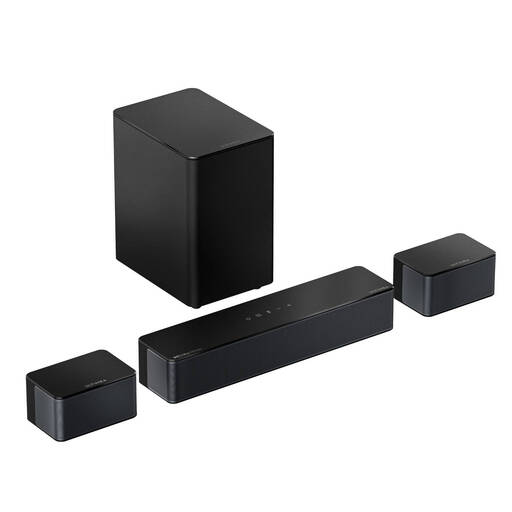
ULTIMEA Poseidon M4T 5.1-channel soundbar
An option to compare if you want to play film soundtracks through your TV and are looking for a multi-channel setup.
The product name lists Dolby Atmos, a 5.25'' wireless subwoofer and 450 W; the description mentions HDMI eARC and wired surround speakers with 20-foot extension cables.
View at Joybuy
 No image available
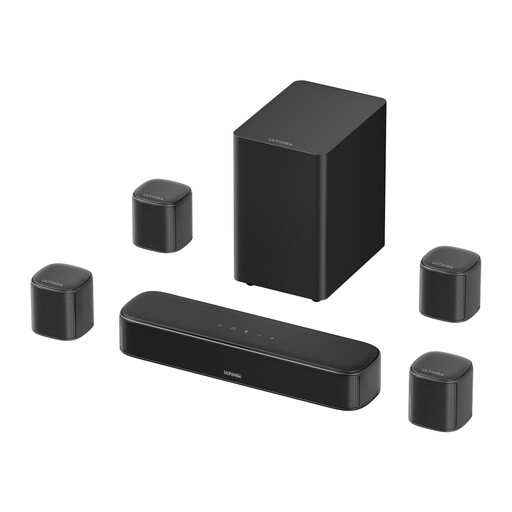
Ultimea Aura S4T 7.1-channel soundbar
A possible TV setup if you’re considering a soundbar with separate surround speakers.
The product name lists four surround speakers, a 5.25'' subwoofer and 350 W. The description mentions HDMI, optical and AUX connections, as well as wired speaker connections.
View at Joybuy
 No image available
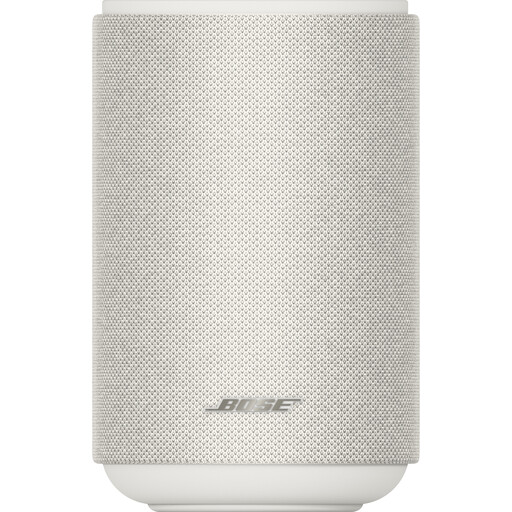
Bose Lifestyle Ultra Speaker, white
A home speaker to consider if you want to play music wirelessly and may later look into a stereo or home cinema setup.
The product description lists Wi-Fi, Bluetooth, AirPlay 2, Spotify Connect and Google Cast, plus control via the Bose Music app.
View at Joybuy
 No image available
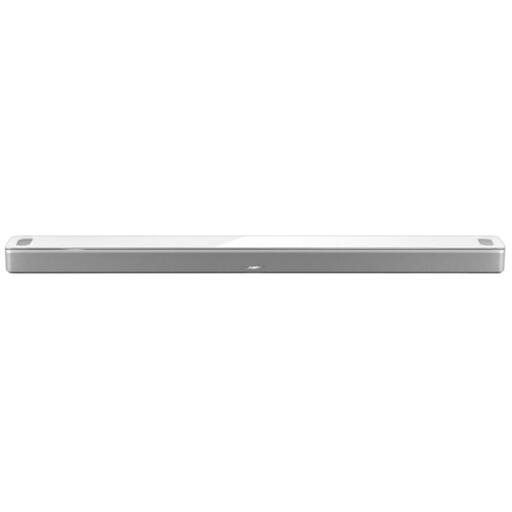
Bose Smart Ultra Soundbar, white
A TV-focused option to compare if you also want to stream music wirelessly.
The description lists HDMI eARC and an optical connection, as well as streaming via Wi-Fi, Bluetooth, AirPlay 2, Spotify Connect and Chromecast. The wall bracket mentioned is sold separately.
View at Joybuy
 No image available
Edifier ES300 Wi-Fi and Bluetooth speaker, 60 W
A single wireless home speaker to consider if you want to play music from one device.
The product name lists 60 W; the description mentions Wi-Fi, Bluetooth, AirPlay 2, USB and AUX, plus a built-in battery.
View at Joybuy
Frequently asked questions
Can I use any two wireless speakers as a stereo pair?
Don’t assume so: check whether the exact model supports stereo pairing. Sony describes Stereo Pair for two identical ULT FIELD 5 speakers; simply playing audio through both doesn’t mean they provide separate left and right channels.
How should I start positioning and adjusting my speaker?
Place the speaker on a firm surface and listen from your usual spot. The Consumers’ Association notes that its position relative to walls can affect the bass, so assess the positioning first and then adjust any bass or equaliser settings if needed.
Will active stereo speakers work with any HDMI connection on my TV?
No, not automatically. For The Fives, Klipsch lists an HDMI ARC, optical or analogue TV output; a standard HDMI connection doesn’t automatically send TV audio back. If needed, check whether the source should be set to PCM or stereo.
Who should I contact if my speaker is faulty?
In the Netherlands, the retailer is your point of contact for the statutory guarantee. The Dutch government says there is no fixed statutory guarantee period for all products; a manufacturer’s guarantee does not replace your statutory rights.
Is playing music in my flat legally allowed?
Check your local authority’s APV and any housing agreements. The Dutch government says that nuisance to neighbours may be an offence under municipal by-laws in many areas, so take local rules and your living situation into account.


