
Players using different setups
You take your controller to a shared console or PC and want to know in advance whether your exact model will work. Compatibility varies by model and platform.


First, choose a controller that works with the exact console or PC and game version at the shared setup. Then choose the controls you already know or want to practise with. A fightpad is compact, an arcade stick has a lever and large buttons, and a leverless controller uses separate buttons for directional inputs. Before a tournament, also check the rules on button functions and simultaneous directional inputs; Evo’s rules don’t automatically apply to every event.
You take your controller to a shared console or PC and want to know in advance whether your exact model will work. Compatibility varies by model and platform.
You want players to be able to swap over quickly, without accidental pauses or cables coming loose. A cable lock can help, but it doesn’t replace the tournament rules. Evo bans certain hardware features, including hardware-based input macros.
You’re choosing between a D-pad, an arcade lever and separate directional buttons, weighing familiarity against size and maintenance. HORI, Razer and NACON offer models with different control styles and features.
At a shared tournament setup, it’s sensible to check first that the controller works with the equipment, then consider the controls and tournament rules.
| What to consider | What to check | Who should prioritise this? |
|---|---|---|
| Compatibility | Check the full model name, platform and connection mode for the console or PC being used. | If I play on different setups, I want to know in advance whether my exact model will work; around 31% of consumers prioritise compatibility. |
| Swapping controllers and tournament rules | Check the cable attachment and button lock, and read the rules for the specific event. | If players need to swap over quickly, I want to avoid accidental disconnections or pauses; around 25% of consumers prioritise smooth, rules-compliant swaps. |
| Control style | Compare a D-pad, lever or separate directional buttons with your playing habits and the space available. | If I want to use a familiar layout or learn a new one, I consider how directional inputs are made; around 25% of consumers prioritise control style. |
| Maintenance and use | Check which parts are accessible and what’s included with the exact model. | If I want to maintain a stick or match the cable length to the setup, I look at access to parts and the cable included; around 19% of consumers prioritise maintenance and running costs. |
The percentages shown represent a hypothetical breakdown of consumers with different primary purchasing priorities; they are not measured market shares.
A USB connection alone doesn’t confirm that a controller will work with the console and game version used at a tournament. 8BitDo lists Windows and Switch for its Arcade Controller; HORI says the Wireless Fighting Commander OCTA Pro only works in wired mode on PS4.
Before you buy, check the full model name and available connection modes against the actual tournament setup.
A button lock can disable unwanted system buttons, but it doesn’t tell you whether programmable functions or a particular input mode are allowed. Evo bans hardware-based input macros; other events may have different rules.
Check the configured functions and the event rules, and disable any features that aren’t allowed.
An extended warranty isn’t the same as your statutory rights if a product is faulty. The Dutch government says there is no fixed statutory warranty period in the Netherlands.
Before paying for extra cover, compare its terms with your statutory rights.
HORI offers, among other products, a compact fightpad and an arcade stick with a lever, each available in specific platform versions.
The Kitsune is a leverless controller for PS5 and PC, designed for players who want to use separate buttons for directional inputs.
The PlayStation version of the Daija is an arcade stick with a lever and interchangeable parts.
The Arcade Controller is a leverless model for the Windows and Switch setups listed by 8BitDo.
Qanba describes the Drone 2 as an arcade stick with a lever for PS5, PS4 and PC.
This Joybuy selection includes gaming controllers for different setups. Check whether each model works with the exact console or PC and game version at your playing venue.
 No image available
The title mentions PC and a PS5 layout; check exact compatibility with your setup before choosing this controller.
The title lists Hall Effect sticks, 255-level Hall triggers, programmable rear buttons, RGB lighting, a 1000 mAh battery and USB-C.
The product description says macros can be assigned to programmable buttons. Check whether the features you use are allowed at the event; Evo bans hardware-based input macros.
 No image available
The title lists PC, Switch, Switch 2, Steam and Android; check that the exact version connects to the shared setup.
The product information lists wired, wireless and Bluetooth connectivity, six programmable buttons, haptic triggers and joysticks with adjustable resistance.
Before use, check whether programmable functions are allowed at the event; Evo bans hardware-based input macros.
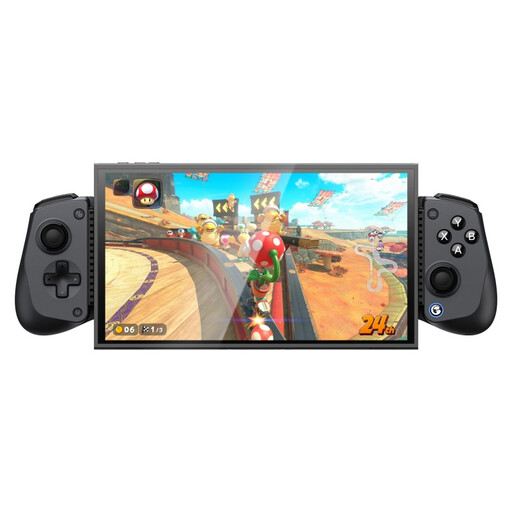 No image available
The product information lists PC, Switch and Switch 2 as compatible platforms; check support for the game and setup you use.
The description lists Hall Effect sticks and triggers, plus a turbo function. Evo bans rapid-fire, so check whether the feature is allowed at the event.
 No image available
The title lists Xbox Series X|S, Xbox One, PC, Android and Steam; check exact support for the shared setup.
The product information lists wired, 2.4GHz wireless and Bluetooth connectivity, Hall Effect sticks and triggers, programmable rear buttons and turbo.
Check whether programmable functions and turbo are allowed at the event; Evo bans hardware-based input macros and rapid-fire.
Check the exact controller and game version. Sony says officially licensed specialist PS4 peripherals, including arcade sticks, may work with PS5 games and supported PS4 games. That doesn’t mean every PS4 controller or USB controller is compatible.
Compare the full model name and listed platforms with the console or PC, game version and connection mode at the venue. For example, HORI says the Wireless Fighting Commander OCTA Pro only works in wired mode on PS4; 8BitDo lists Windows and Switch for the Arcade Controller.
Not automatically; check the rules for the specific event and the controller’s configured functions. Evo bans hardware-based input macros and rapid-fire. The Razer Kitsune offers several SOCD modes, but Evo’s rules don’t automatically apply to other events.
A fightpad suits players who are used to a compact D-pad layout, an arcade stick suits those who want a lever and large buttons, and a leverless controller suits players who want to use separate buttons for directional inputs. Your choice also depends on the space available, how familiar you are with the controls and the event’s rules on controller settings.