
Player who sits further away
You’re not always right next to your console and want a suitable wireless connection, ideally with a practical cable as a backup.


First, choose a controller that works with the tournament platform, then check the rules for that specific event. Wireless range doesn’t automatically mean wireless play is allowed. If you want to play from a distance but have a cable as a backup, compare the receiver, cable length and button layout for each model. A wired fightpad may be suitable if the cable reaches your playing position.
You’re not always right next to your console and want a suitable wireless connection, ideally with a practical cable as a backup.
Before you buy, you want to know whether your controller, connection and button settings meet the rules for the specific event.
You want to choose between a standard gamepad, a six-button fightpad and an arcade stick, without making assumptions about platform compatibility.
Check the tournament platform and event rules first. Then compare the connection, cable length and layout that suit your playing position.
| What to consider | What should you check? | Who is this important for? |
|---|---|---|
| Connection across the playing distance | Check the receiver and connection options for the exact model. Also measure whether the supplied cable reaches your intended set-up. | If you’re not close to the console, you’ll want to know whether wireless or wired play is practical. Around 26% of consumers give playing distance top priority. |
| Permission and settings | Read the current event and game rules on connections, adapters, macros and pause buttons. | If you want to play in a specific tournament, you’ll want to avoid finding out that your controller or settings aren’t allowed. Around 26% of consumers check this first. |
| Compatibility with the tournament platform | Check which console or PC and which game will be used, then compare these with the full model name and connection mode. | If the tournament system is different from your own set-up, you’ll want to make sure in advance that your chosen model works with it. Around 21% of consumers put platform compatibility first. |
| Buttons and directional controls | Compare the position of the directional controls and action buttons. If possible, try the layout before the tournament. | If you already have a familiar way of controlling movement and attacks, you’ll want a layout that suits it. Around 16% of consumers start with the controls when choosing. |
| Charging and included accessories | Check the stated battery life under relevant conditions and what’s included in the box. | If you want to plan ahead for preparation, charging and any accessories you need, check these details in advance. Around 11% of consumers make this their top priority. |
Wireless connectivity is a product specification; each event decides which connections and settings are allowed.
Read the rules for the specific tournament before buying, and check whether the model can also be used wired if needed.
You may find that you need a different controller or a suitable wired set-up.
According to 8BitDo, the 8BitDo Arcade Stick for Xbox and the other 8BitDo Arcade Stick support different platforms.
Compare the full model name and platform list, not just the brand name or image.
If the version isn’t compatible with your platform, you may need a different controller.
A stated range doesn’t confirm that the connection will work at the tournament venue. A cable is only useful as a backup if it reaches your playing position.
Measure the cable route and, where possible, test wireless use at the relevant distance.
Event rules may restrict hardware-programmable functions. Evo bans hardware macros in its published rules, but those rules don’t automatically apply to other tournaments.
Check which functions are active and read the rules for the event you want to enter.
Fightpads for PS5 and PC, including wireless and wired versions of the Fighting Commander OCTA.
Modular Pro BFG Reloaded controllers. According to the manufacturer, the PlayStation version reviewed has a six-button fightpad module.
Arcade sticks in different platform versions, including separate models for Xbox and Switch.
The DualSense is a standard PS5 gamepad for players who aren’t looking for a specialist fightpad or arcade layout.
This selection includes gamepads for Xbox and Windows set-ups, PS5, and PC or Switch use. Check that each model connects to the tournament platform and complies with the tournament rules.
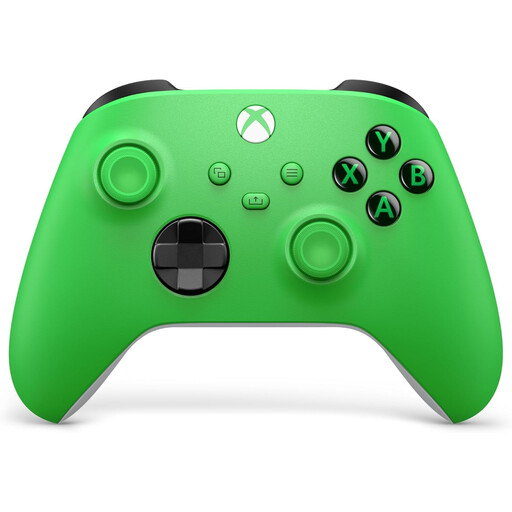 No image available
For an Xbox or Windows set-up where you want to play wirelessly or via USB-C.
The product information lists a hybrid D-pad and customisable button mapping via the Xbox Accessories app.
 No image available
For a PS5 set-up if you want to use a standard wireless gamepad.
The product name lists PS5, PC, Android and iOS; check which version you need for the tournament platform.
 No image available
For PC or Nintendo Switch if you want to choose between a cable and a wireless connection.
The product name lists six programmable buttons and support for Nintendo Switch 2. Check that the features and version comply with your tournament rules.
 No image available
For an Xbox or PC set-up where the preferred connection varies by platform.
The product information lists wired use for Xbox and PC, and wireless use for PC and Android. Check which settings are allowed at the tournament.
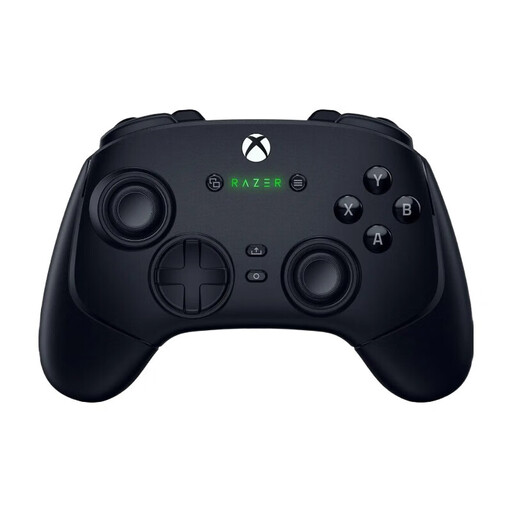 No image available
For a PC or Xbox set-up where you want to choose between wireless and wired USB-C use.
The product information lists mechanical action buttons, remappable buttons and profiles. Check in advance that the settings comply with your event’s rules.
It depends on the rules for the specific event and game. Evo’s published rules require players to bring a suitable controller and ban hardware macros. Check separately whether your tournament allows wireless play.
According to 8BitDo, plug the supplied 2.4GHz receiver into a USB port on your Xbox or Windows PC, then pair the stick. If a Windows PC recognises the stick but doesn’t receive any input, 8BitDo recommends checking Gamepad mode.
Yes. HORI lists wired play using the supplied 3 m USB cable. According to HORI, this version must be used wired on a PS4.
Contact the seller. ACM ConsuWijzer explains that your statutory guarantee depends on what you could reasonably expect from the product; the seller must resolve problems with a faulty product, for example by repairing or replacing it. A manufacturer’s guarantee doesn’t replace this right.
For eligible distance sales, the Netherlands Authority for Consumers and Markets says you’ll usually have 14 days from delivery to change your mind and cancel the purchase without giving a reason. Check who the seller is and which terms or exceptions apply to your order.