
Player using a shared tournament console
You want to bring your own controller and connect it to the game and platform being used without any surprises. Check support for the exact console in advance.


First, choose a controller that works with the tournament console and the game being played. Then decide whether you’d prefer a gamepad, a fightstick with a lever or a leverless controller. At a dining table, you’ll also need to consider the space available, a stable surface and a safe route for the cable. Before an event, check the current rules on button mapping and simultaneous directional inputs. Specifications alone don’t prove that one layout will deliver better tournament results.
You want to bring your own controller and connect it to the game and platform being used without any surprises. Check support for the exact console in advance.
You play at a dining table where the controller needs to sit securely and the cable must stay out of the way. Its shape and connection type matter just as much as the buttons.
You’re deciding between familiar gamepad controls, an arcade lever and separate directional buttons, and want to find out which layout feels comfortable first.
| What to consider | What should you check? | Who is this important for? |
|---|---|---|
| Compatibility | Check the exact model and platform; find out whether the connection requires a converter or specific firmware. | If I’m playing on a shared console, I want to know before I leave whether my controller works with the game and platform. Around 33% of consumers prioritise compatibility with the tournament console. |
| Control layout | Choose between a gamepad, arcade lever and leverless controls; consider which layout you want to practise with. | If I want to stick with familiar hand movements, I won’t choose a new layout based on specifications alone. Around 25% of consumers prioritise familiar controls. |
| Table setup | Compare the controller’s casing with the available playing space and work out where the cable can run safely. | If I’m playing at a shared dining table, I want to leave enough room and make sure the cable isn’t in the way. Around 25% of consumers prioritise a practical table setup. |
| Tournament settings | Check the event’s current rules on SOCD modes, macros and programmable buttons. | Before using a setting in a match, I want to know what the organiser allows. Around 17% of consumers prioritise permitted tournament settings. |
Compatibility with Windows or Switch doesn’t automatically mean the same model will work on PS5. The connection setup for the Mayflash F500 FLAT depends on the specific combination of equipment.
Compare the platform details for the exact model with the tournament console, and check whether you’ll need a converter or firmware before choosing.
The described PS5 setup for the Mayflash F500 FLAT may require a converter, which must be purchased separately.
A controller may offer SOCD modes or programmable buttons, but that doesn’t determine whether an event allows those settings.
Ask the organiser about the current rules and test the permitted setting in advance.
A controller’s casing takes up space on the table, and its cable needs a safe route, especially when other people are using the table too.
Measure the available playing space and decide in advance where the controller will sit and where the cable will run.
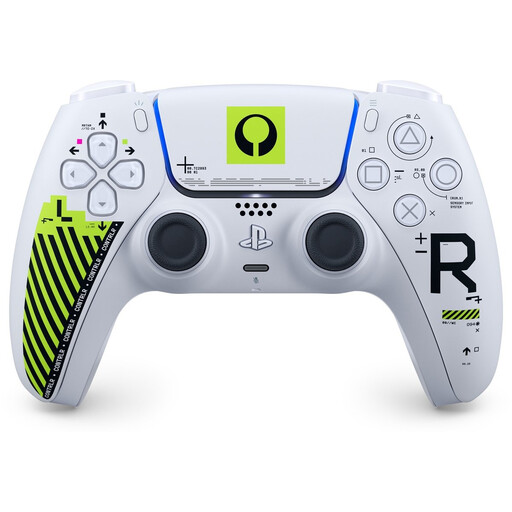
The DualSense is a gamepad option for PS5 players who prefer handheld controls to an arcade-style casing.
The Fighting Stick α is a lever-based fightstick for PS5, PS4 and Windows.
The Obsidian 2 is an officially licensed fightstick for PS5, PS4 and PC.
The Kitsune is a leverless controller option for PS5 and PC.
The Arcade Controller is a leverless option for Windows and Switch.
The F500 FLAT is a leverless option. Check the connection requirements and firmware for your specific setup.
This overview of possible setups follows the platforms and playing styles described; it isn’t an external ranking or quality assessment. The order doesn’t indicate a performance advantage.
| Position | Product name | Key specifications | Why it’s included | Platform |
|---|---|---|---|---|
| 1 | Sony PlayStation 5 DualSense Wireless Controller - White | Wireless gamepad for PS5. | PlayStation explains how to pair it with a PS5; this is an option for players who prefer a gamepad. | Joybuy |
| 2 | Fighting Stick α for PlayStation 5, PlayStation 4, and Windows 11/10 | Fightstick with HAYABUSA lever and buttons; casing opens for maintenance and customisation. | HORI specifies this model for PS5, PS4 and Windows; its position doesn’t represent a measured difference in quality. | HORI USA |
| 3 | Obsidian 2 Arcade Stick PS4/5/PC | PS4, PS5 and PC support; Sanwa components and tournament lock, according to Qanba. | Qanba lists these platforms and components as features of the Obsidian 2; this isn’t a claim that it outperforms another fightstick. | Qanba |
| 4 | Razer Kitsune | Leverless controls for PS5 and PC; four movement buttons, detachable USB-C cable and adjustable SOCD modes, according to Razer. | Razer describes a leverless option with a cable securing mechanism and adjustable modes; check which setting is allowed at each event. | Razer |
| 5 | 8BitDo Arcade Controller | Leverless controls for Windows and Switch; wired and wireless connections, according to 8BitDo. | 8BitDo lists Windows and Switch for this model; its position reflects the platforms mentioned and says nothing about whether it’s suitable for a PC or Switch tournament. | 8BitDo |
The products below are gamepads for PS5 or PC. Check that each model is compatible with your exact platform and tournament setup; a PS5 button layout isn’t the same as confirmed PS5 compatibility.
 No image available
For a PS5 tournament if you want to use a gamepad; pair the controller with the shared console in advance.
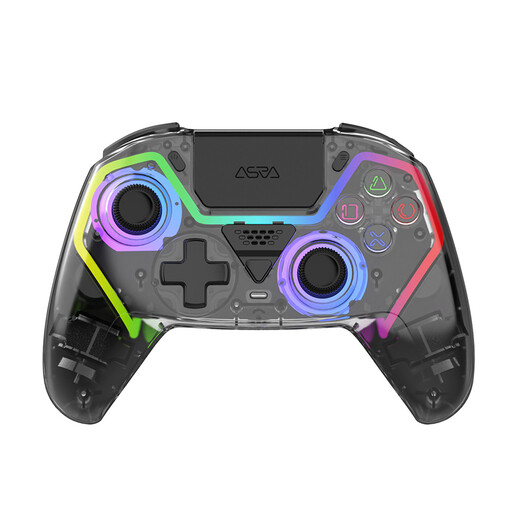 No image available
For anyone looking for a gamepad with joystick controls for a PS5 setup.
The product information lists Hall-effect joysticks and programmable rear buttons. Check that using these buttons is allowed under your event’s rules.
 No image available
The stated PC compatibility makes it suitable for a PC tournament; the PS5 button layout doesn’t confirm PS5 compatibility.
The product information lists Hall-effect joysticks and programmable rear buttons. Check the rules on programmable buttons before using them.
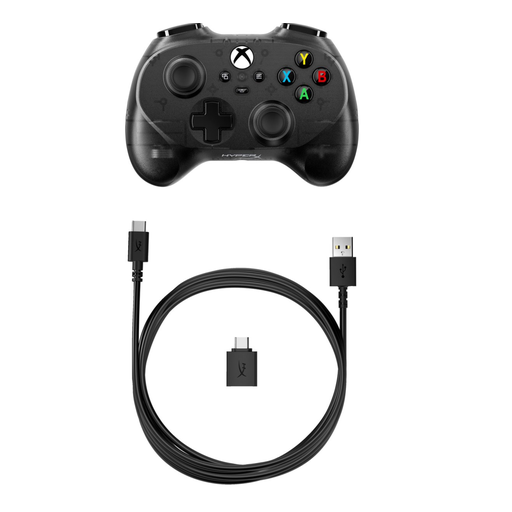 No image available
A compact, wired gamepad option for a PC tournament; remember to plan the cable route at the dining table.
The product information lists a 2,95 m cable and a weight of 165 g.
Pair the controller with that PS5 in advance. PlayStation explains that you can do this by connecting it with a USB cable and pressing the PS button.
For the described PS5 connection setup, Mayflash lists a converter that must be purchased separately. Before buying, check the exact controller version, converter, firmware and game.
Keep food and drink away from it and follow the care instructions for the exact model. HORI says the Fighting Stick α can be opened for maintenance; this isn’t an instruction to open other controllers.
No. According to the Dutch government, the Netherlands has no fixed legal warranty period; you’re entitled to a product that lasts as long as you could reasonably expect. If there’s a fault, contact the seller. Any manufacturer’s warranty is in addition to this.
For online consumer purchases, ACM ConsuWijzer says you’ll usually have 14 days from delivery to change your mind. Check the applicable exceptions and the conditions for trying out and returning the product.