Start with the control style that suits the way you hold your hands and the input layout you want to use: a fightpad is held in your hands, an arcade stick has a lever, and a leverless controller uses separate direction buttons. Then check that the exact version works with your console or PC, and whether you need an adapter or other parts. None of these layouts guarantees better performance or fewer hand problems.
Which controller is right for you?
Players who consider their hand position during long sessions
You want to assess button spacing, support and placement before playing for a long time with the same controls. Arboportaal describes repetitive movements in display screen work; this does not prove that a specific game controller prevents problems.
Console players who want to check connectivity
You play on a particular console and want to know whether the exact version works straight away, or whether you need an adapter or another controller. Check the full model name and platform version.
Players considering a different input layout
You’re thinking of swapping your familiar gamepad for a lever or separate direction buttons. Bear in mind that the hand movements are different, and you may need time to get used to the layout.
What should you look for when choosing?
Fightpad or standard gamepad
Best for: anyone who wants to hold a controller and keep a familiar grip.
Bear in mind: the button spacing and hand position differ from those of a panel on your lap or table.
Arcade stick with lever
Best for: anyone who prefers to enter directions using a lever and has room for a panel.
Bear in mind: the casing takes up space; also check which platform version you need.
Leverless controller
Best for: anyone who wants to enter directions using separate buttons and try out that layout.
Bear in mind: button spacing and placement vary by model; claims about speed are no guarantee of personal results.
| Consideration |
What should you check? |
Who should pay particular attention? |
| Hand position and button spacing |
Compare the button layout and dimensions with your hands and gaming space; try out the position where possible. |
If I play for a long time, I want the buttons and support to suit my hands and gaming space. Around 26% of consumers put hand position and button spacing at the top of their list. |
| Compatibility |
Check the exact version, system and any adapter or firmware requirements. |
If you play on a particular console or PC, you’ll want to know that your chosen version works with it. Around 26% of consumers give compatibility top priority. |
| Directional input |
Consider whether you want to use a D-pad, lever or separate direction buttons, and check that the buttons are within reach. |
If I want to switch layouts, I want to know which hand movements are involved. Around 21% of consumers choose directional input as their main consideration. |
| Connection and power |
Check the connection type and cable. For wireless use, check the stated battery life and the conditions it applies to. |
If you play for a long time, you’ll want to know in advance how the controller stays connected and when it may need charging. Around 16% of consumers prioritise connection and power. |
| Maintenance and extra parts |
Check which parts can be replaced and whether any required adapter or other part is available separately. |
If I want to be able to maintain parts, I also want to know what I’ll need for the version I’ve chosen. Around 11% of consumers give maintenance and any extra parts top priority. |
Common mistakes
-
Assuming every version works with the same platform
Product ranges may have separate PlayStation and Xbox versions. For F500 models on PS5, Mayflash specifies an additional MagicBoots-S5 converter and lists firmware requirements.
Before buying, check the full model name, platform version and the manufacturer’s connection instructions.
A separate converter may be needed for the F500 and PS5 combination in question.
-
Assuming leverless means better performance or greater comfort
Separate direction buttons change how you use the controller, but that alone doesn’t tell you how comfortable or effective it will be for you.
Assess the button spacing and hand position, and don’t take manufacturer claims about speed or accuracy as a guarantee of personal results.
-
Assuming the manufacturer’s warranty covers all your legal rights
In the Netherlands, your statutory guarantee depends on what you could reasonably expect from the product under normal use; there is no fixed statutory guarantee period of exactly two years. ACM ConsuWijzer explains the difference.
Keep your proof of purchase and contact the seller if the product is faulty.
Brands to compare
HORI
Offers both handheld fightpads and arcade sticks with a lever.
- For the wired Fighting Commander OCTA, HORI lists six action buttons and support for PS5, PS4 and certain Windows versions. The Fighting Stick α can be opened for maintenance.
- For an arcade stick, check which platform version you need. HORI’s claims about accuracy are manufacturer claims.
Razer
The Kitsune is a compact, wired leverless controller for PS5 and PC.
- Razer lists four direction buttons, optical switches, a detachable USB-C cable and a cable lock.
- Claims that this layout prevents input errors or improves performance are no guarantee for every player.
Nacon
The Daija is an arcade stick with a lever for players looking for a panel with access to its components.
- Nacon lists Sanwa components, a detachable cable and interchangeable stick heads.
- The PlayStation and Xbox versions support different platforms. Also check the dimensions and layout for your gaming space.
Victrix
The Pro KO is a leverless alternative with adjustable button placement and switches.
- Turtle Beach lists movable buttons and hot-swappable switches for the PlayStation version.
- Choose the right platform version; claims about speed don’t predict everyone’s personal results.
Mayflash
The F500 Elite is an arcade stick with a lever; check your platform’s connection requirements in advance.
- Mayflash lists Sanwa components.
- For use of the F500 series on PS5, Mayflash specifies a separate MagicBoots-S5 converter and firmware requirements.
8BitDo
For Xbox and Windows, it offers both a wireless arcade stick with a lever and a separate wireless leverless controller.
- According to 8BitDo, the two models have different dimensions, layouts and stated battery lives.
- The listed support for these models does not include PS5.
PlayStation
The DualSense Edge is an adjustable, handheld PS5 controller for anyone who isn’t looking for an arcade stick or leverless panel.
- PlayStation lists adjustable rear buttons and a lockable USB cable.
- Joystick modules are sold separately. Adjustability doesn’t prove that this controller will be more comfortable for your hands than a fightpad.
Joybuy products
These Joybuy products are standard handheld gamepads; check each model to make sure the listed platforms and connection type suit your fighting game sessions.
 No image available
NAXSIR Wireless Gamepad for Switch
For anyone who wants to hold a standard gamepad and play wirelessly during longer sessions.
View at Joybuy
 No image available
Hori HORIPAD Turbo for Switch and Switch 2 – Pokémon Eevee Cottage Core Edition
A wired gamepad for anyone looking for a handheld controller with a wired connection.
View at Joybuy
 No image available
BEITONG PanGu Modular Wireless Gaming Controller
For anyone looking for a handheld controller with an adjustable layout.
View at Joybuy
 No image available
BEITONG KP70 Elite Wireless Gaming Controller
For anyone considering a standard gamepad with extra programmable buttons; check that its connection options suit your system.
View at Joybuy
 No image available
Wolverine V3 Pro – Black
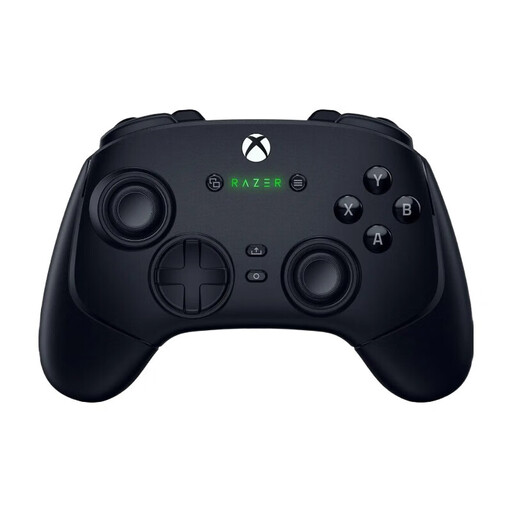
For anyone looking for a handheld controller with the option to choose between wireless and wired use.
View at Joybuy
Frequently asked questions
Is a leverless controller automatically better for long sessions?
No. A leverless layout doesn’t guarantee a personal performance or health benefit. Assess the button spacing and hand position for yourself; Arboportaal’s information about repetitive movements relates to display screen work and isn’t a test of game controllers.
Can every F500 Elite connect to a PS5 without an extra purchase?
Don’t assume so: Mayflash specifies a MagicBoots-S5 converter and firmware requirements for compatible sticks in the F500 series. Check the exact version and the latest installation instructions.
What should you check if you want to maintain a controller?
Check the instructions for your version and find out which parts are accessible or replaceable. HORI says the Fighting Stick α can be opened; Turtle Beach lists hot-swappable switches for the Pro KO. These features don’t automatically apply to other models.
What are your rights if a controller bought online doesn’t suit you or develops a fault too soon?
According to ACM ConsuWijzer, online purchases often come with a statutory cooling-off period of up to 14 days after delivery, subject to exceptions. If a product is faulty, you also have statutory rights against the seller under the applicable conditions; in the Netherlands, there is no fixed statutory guarantee period of exactly two years.


