First, choose a controller that works with your exact console and game version. Then decide between familiar thumb controls, a joystick or separate directional buttons. Before a tournament, also check your seating position, TV settings and event rules: a different type of controller does not, in itself, provide a proven performance advantage.
Who is this guide for?
Player with a dedicated console
You want to avoid buying a controller that doesn’t work with your console or game version. Pay particular attention to the difference between PS4 games played on PS5 and games made for PS5. PlayStation describes support for certain controllers with supported PS4 games on PS5.
Player considering a different control setup
You’re comparing thumb controls, a joystick and separate directional buttons. Think about the layout you already know and whether you’re happy to spend time practising with a different one.
Host of sofa tournaments
You want the controller and cable to suit your seating arrangement, the TV settings to be suitable, and everyone to know in advance which controller features are allowed during your matches.
What should you look for in a fighting game controller?
Gamepad or fightpad
Best for: anyone who wants a compact controller with familiar thumb controls for playing on the sofa. The DualSense is an option for PS5; HORI describes the Fighting Commander OCTA as having a six-button layout.
Bear in mind: the button layout may differ, and you may need a cable that reaches your seating position.
Arcade stick with joystick
Best for: anyone who prefers to enter directional inputs with a physical stick. MAYFLASH lists PS5, PS4, Switch and Windows among the platforms supported by the F700.
Bear in mind: the stick takes up space. According to MAYFLASH, the F700 measures 37,4 × 24,6 cm and weighs 3,45 kg. Check that it sits securely on your lap or table.
Leverless or all-button controller
Best for: anyone who wants to enter directional inputs using separate buttons and is willing to practise with that layout. Razer lists the Kitsune for PS5 and PC; 8BitDo lists Windows and Switch for the Arcade Controller.
Bear in mind: the SOCD mode and programmable features must comply with the event rules. The Evo rules consulted prohibit hardware macros, among other things; this is not a universal rule for every tournament.
Whichever option you choose, first check the exact controller model, console and game version. The platform support listed does not guarantee that every game or tournament supports the same features.
| What to consider |
What should you check? |
Who should pay particular attention? |
| Console and game version |
Check the full model name, your console and whether you’re using the PS4 or PS5 version of the game. |
If I want to play on my usual console, I need to know that the controller works with that exact version of the game. Around 33% of consumers prioritise compatibility with their console and game version. |
| Control layout |
Compare the D-pad or joystick, the position of the action buttons and the space available for your hands. |
If I want to keep a familiar layout or learn a different one, I’ll look for controls that suit my preferences. Around 27% of consumers prioritise their preferred or familiar layout. |
| Seating position and screen |
Measure the distance to the console and check the cable, receiver and TV game mode. |
If I play from the sofa, I want the cable or controller to suit my seating position and my TV settings to be suitable. Around 20% of consumers prioritise their home cinema setup. |
| Tournament settings |
Read the event rules and check whether macros can be disabled and the required SOCD mode can be set. |
If I’m hosting or playing in a tournament, I want to know in advance which features are allowed. Around 20% of consumers prioritise tournament settings. |
Common mistakes when choosing
-
Looking only for ‘PlayStation compatible’
Support for a PS4 game on PS5 doesn’t automatically mean that the same controller will work with the PS5 version of a fighting game.
Before buying, check the exact controller model, console and game version.
-
Buying a controller to fix TV lag
Your TV settings can also affect perceived responsiveness. LG Nederland describes Game Optimizer and ALLM for supported TV models.
Check your TV’s manual and try game mode with your current controller first.
-
Assuming every adjustable feature is allowed
Features such as macros may be covered by event rules. The Evo rules consulted prohibit hardware-programmed input mechanisms, but these rules don’t automatically apply to other tournaments.
Read the current rules for the specific tournament and check the active controller settings.
Brands to compare
Sony PlayStation
DualSense is a standard gamepad for PS5; FlexStrike is a separate range of arcade sticks with joystick controls.
- PlayStation describes DualSense support for PS5.
- Treat DualSense and FlexStrike as different types of controller; support for one range says nothing about the other.
HORI
The Fighting Commander OCTA is designed for anyone looking for a compact fightpad with six action buttons.
- HORI lists an adjustable D-pad and a wired connection for this version.
- The HORI product page consulted is for the US market and doesn’t confirm a UK version or availability.
Razer
The Kitsune is an all-button controller for players who want to play on PS5 or PC without a joystick.
- Razer lists a detachable USB-C cable, tournament lock and adjustable SOCD modes.
- The manufacturer’s comparative performance claims aren’t an independent comparison.
8BitDo
The Arcade Controller is an all-button option for the listed platforms: Windows and Switch.
- The manufacturer lists wired and wireless connection options, SOCD settings and programmable buttons.
- PS5 isn’t included in the listed compatibility, so don’t assume it supports PS5.
MAYFLASH
The F700 is an arcade stick with a joystick for anyone looking for a choice of listed platforms and connection methods.
- MAYFLASH lists PS5, PS4, Switch and Windows, with several connection methods.
- Check that its dimensions and weight suit your seating position, and that it works with your specific game.
Game controllers at Joybuy
This selection includes gamepads for Switch and PC, as well as a PS5 DualSense variant. Check the platforms listed for each model: compatibility for one controller doesn’t automatically apply to another.
 No image available
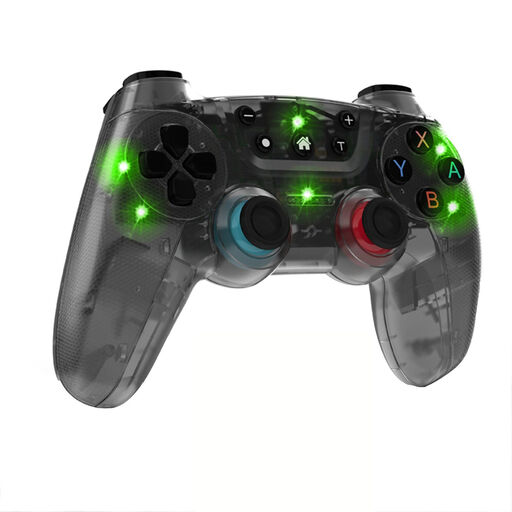
NAXSIR wireless gamepad for Switch, 04-66666666
For anyone looking for a wireless gamepad for a Switch setup; check that it supports your exact game.
Bluetooth; stated wireless range of 10 m; 6-axis gyroscope and dual vibration motors.
View at Joybuy
 No image available
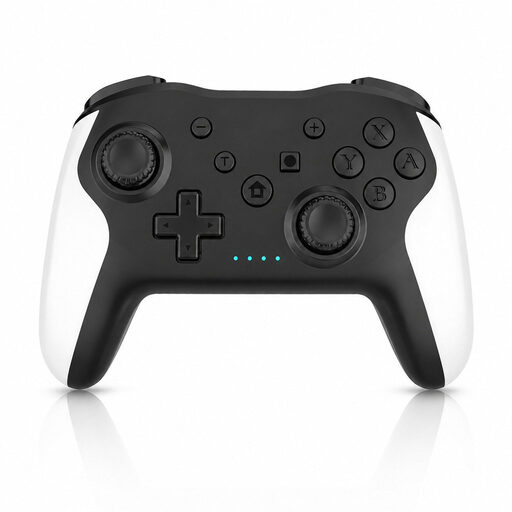
Game controller with dual vibration and gyroscope for Switch and PC
For a Switch or PC setup; check that your specific fighting game supports the controller.
The product name lists dual vibration and a gyroscope.
View at Joybuy
 No image available
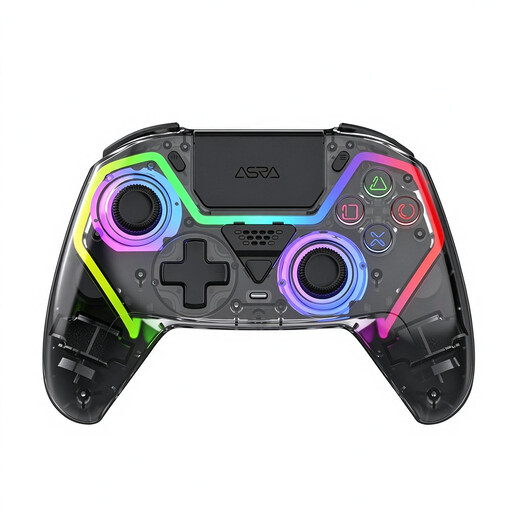
VIELLAN wireless PC game controller with Hall-effect joysticks
For anyone looking for a wireless gamepad for PC; the product name also mentions a PS5 layout, which alone doesn’t confirm PS5 compatibility.
The product information lists Hall-effect joysticks, Hall triggers, three programmable buttons and macro assignment. Check the tournament rules and disable any features that aren’t allowed.
View at Joybuy
 No image available
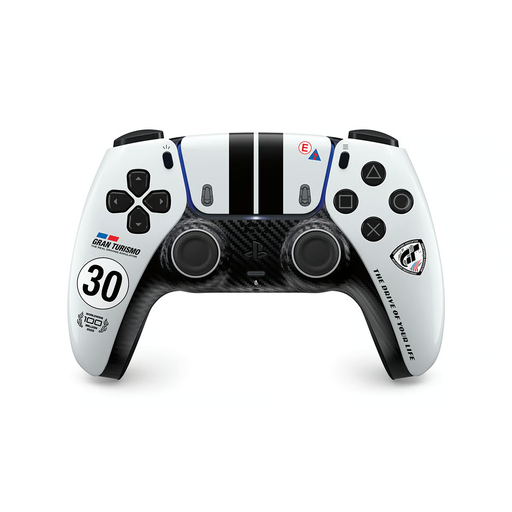
PS5 DualSense wireless controller, Gran Turismo Limited Edition
For anyone looking for a standard gamepad for a PS5 setup; check that it supports the exact game version.
The product information lists haptic feedback, adaptive triggers and a headset socket.
View at Joybuy
 No image available
GameSir Cyclone 2, Black-Bundle Edition
For a PC or Switch setup; check that it supports your specific fighting game.
The product name lists TMR sticks, a 1000 Hz polling rate, and Hall-effect and microswitch triggers. The product information lists Bluetooth, a wired connection and a wireless dongle.
View at Joybuy
Frequently asked questions
Does every PS4 controller work with the PS5 version of your fighting game?
No, don’t assume that it will. PlayStation describes support for DualSense and certain PS4 controllers with supported PS4 games on PS5. For the PS5 version, check the exact controller model and game.
How should you set up your TV for tournaments?
Check whether your TV supports a game mode or ALLM, and follow the instructions for your model. LG Nederland explains that Game Optimizer or ALLM can reduce the delay between console input and TV output on supported TVs; availability and settings vary by model.
Are macros and leverless controllers banned at tournaments?
There’s no universal rule for all tournaments. The Evo rules consulted prohibit hardware macros and rapid-fire, among other things; for other events, check their own current tournament rules.
What if a controller bought online doesn’t feel comfortable to use or breaks quickly?
According to ACM ConsuWijzer, online purchases generally come with a 14-day cooling-off period after delivery, subject to legal exceptions. Products must also meet the standard you could reasonably expect when used normally. If a product is faulty, contact the seller about your statutory rights.


