Which controller suits which player?

Organiser with players taking turns

Wants guests to be able to join in and take turns easily. A gamepad players already know, or a fightpad they can try beforehand, could be a good fit. PlayStation and Xbox describe their controllers as being for use with their respective platforms.

Player with a dedicated console or PC

Needs to check that the specific controller works with both the platform and the game version. PlayStation says that a DUALSHOCK 4 works on PS5 with supported PS4 games, but not with PS5 games.

Arcade control enthusiast

Wants to choose deliberately between a joystick with arcade buttons and separate directional buttons, while allowing for a learning curve and any tournament rules. Nacon describes Daija models for PlayStation and Xbox; Razer describes the Kitsune as a controller with directional buttons.

What should you consider when choosing?

Standard gamepad

A good fit when: guests already know the standard controller for their console.

Bear in mind: a standard gamepad doesn’t usually have six front-facing action buttons like a dedicated fightpad.

Fightpad

A good fit when: you want a handheld controller with six front-facing action buttons.

Bear in mind: guests will need to get used to the button layout; a specific layout doesn’t automatically mean better performance.

Arcade stick

A good fit when: a player deliberately wants to use a joystick and arcade buttons.

Bear in mind: Nacon’s PlayStation Daija doesn’t have analogue sticks or analogue triggers like a standard gamepad.

Leverless controller

A good fit when: you want to enter directions using separate buttons and are willing to learn this way of controlling the game.

Bear in mind: the controls are different from a joystick or D-pad; check the event’s own rules.

Concern What to look for Who should consider it?
Game and platform compatibility Check the exact game version and whether your console or PC supports the controller model. I want to avoid buying a controller that works with the console but not with the game being played at the tournament. Around 36% of consumers prioritise game and platform compatibility.
Taking turns with guests Compare a familiar standard layout with a fightpad; test the connection and any settings beforehand. When guests are taking turns, I want the controls to feel familiar and swapping over to require little preparation. Around 29% of consumers prioritise accessible shared use.
Joystick and arcade buttons Check the console version, the space you’ll need and the cable setup; also check which features are missing. Anyone who deliberately wants to play with a joystick and arcade buttons can choose a suitable model. Around 21% of consumers make this type of control their top priority.
Separate directional buttons Try the layout beforehand and check platform support and any event rules. I want to enter directions using separate buttons and am willing to get used to the layout. Around 14% of consumers prioritise leverless controls.

Common mistakes

  • Assuming ‘works on PS5’ means ‘works with my PS5 game’

    PlayStation says that a DUALSHOCK 4 works on PS5 with supported PS4 games, but not with PS5 games. A mismatch could mean you need a different controller for the game you’ve chosen.

    Check both the game version and support for the exact controller model.

  • Assuming every Daija works with both Xbox and PlayStation

    Nacon has separate Daija models for PlayStation and Xbox, with different console compatibility.

    Check the full product model and platform specifications, not just the product range name.

  • Assuming a tournament label means hardware macros are allowed

    The Evo rules consulted prohibit hardware-programmed inputs, rapid-fire and hardware macros. Those event rules don’t automatically apply to other tournaments or a gathering at home.

    Agree on house rules for a home tournament, and check the organiser’s current rules before taking part in an external event.

  • Confusing a paid-for extended warranty with your statutory rights

    ACM ConsuWijzer says that your statutory warranty rights still apply even if you haven’t bought an additional warranty.

    Before buying extra cover, read what it adds to your statutory rights.

Brands to compare

HORI

Makes fightpads for specific PlayStation and PC setups.

  • According to HORI, the Fighting Commander OCTA and OCTA Pro have six action buttons.
  • The OCTA Pro only works on PS4 when wired; check each model’s platform and connection requirements.

Sony PlayStation

DualSense is the standard gamepad for PS5; note the difference between it and older PlayStation controllers.

  • PlayStation describes DualSense as a PS5 controller.
  • A DUALSHOCK 4 works on PS5 with supported PS4 games, but not with PS5 games.

Nacon

Offers Daija arcade sticks in separate PlayStation and Xbox models.

  • According to Nacon, the PlayStation model has interchangeable stick heads and a detachable cable.
  • This model doesn’t have analogue sticks, analogue triggers, adaptive triggers or vibration.

Razer

Razer describes the Kitsune as a leverless controller for PS5 and PC.

  • The controller uses four movement buttons and has a detachable USB-C cable.
  • Claims about accuracy aren’t an independent comparison; allow time to get used to the different layout.

Xbox

The Xbox Wireless Controller is a standard gamepad for Xbox consoles and Windows PCs.

  • Xbox Netherlands lists features including a hybrid D-pad and button mapping.
  • The stated compatibility doesn’t include PS5; don’t assume controllers are interchangeable between console brands.

Game controllers at Joybuy

These Joybuy products are standard gamepads for a range of console and PC setups. Always check that both the controller and the exact game are compatible with the platform you’ll be using on tournament night.
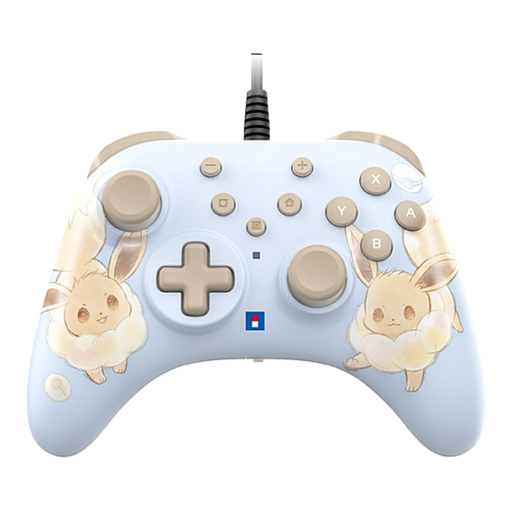
HORI HORIPAD Turbo for Switch and Switch 2, Pokémon Eevee Cottage Core Edition

HORI HORIPAD Turbo for Switch and Switch 2, Pokémon Eevee Cottage Core Edition

Wired gamepad for a Nintendo Switch or Switch 2 setup; check that the game you’ve chosen supports this controller.

The product information lists a Turbo function and programmable rear buttons. Check the tournament rules before using these features.

Joybuy
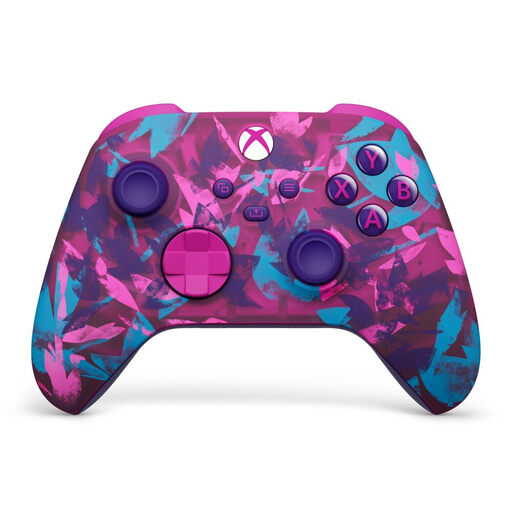
Xbox Wireless Controller, Heart Breaker Special Edition

Xbox Wireless Controller, Heart Breaker Special Edition

For an Xbox or Windows PC setup; check that the specific fighting game supports it.

The product information lists Xbox Series X|S, Xbox One and Windows 10/11 PC, a hybrid D-pad and switching between previously paired devices. The connection described varies by device.

Joybuy
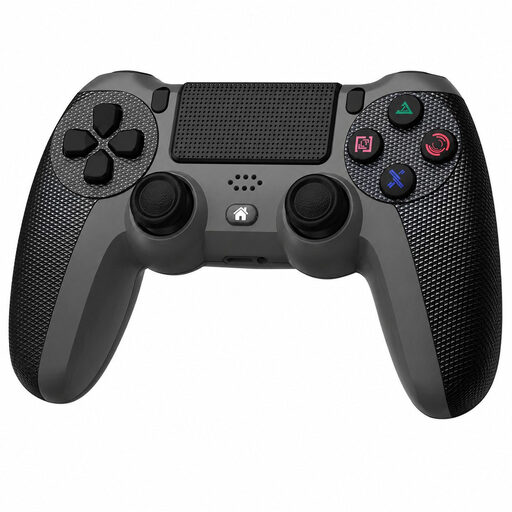
Wireless game controller, compatible with PS4 and PC

Wireless game controller, compatible with PS4 and PC

The product name lists compatibility with PS4 and PC; check that it works with your specific game and preferred connection before choosing it for a tournament.

The product information lists a touchpad, motion sensor, 3.5mm socket and Turbo function. Check the rules before using the Turbo function.

Joybuy

Sony PlayStation 5 DualSense Wireless Controller, white

Sony PlayStation 5 DualSense Wireless Controller, white

Wireless PS5 gamepad for a PS5 setup; check that the game version is compatible with this controller model.

The product information lists haptic feedback, adaptive triggers and a built-in microphone.

Joybuy
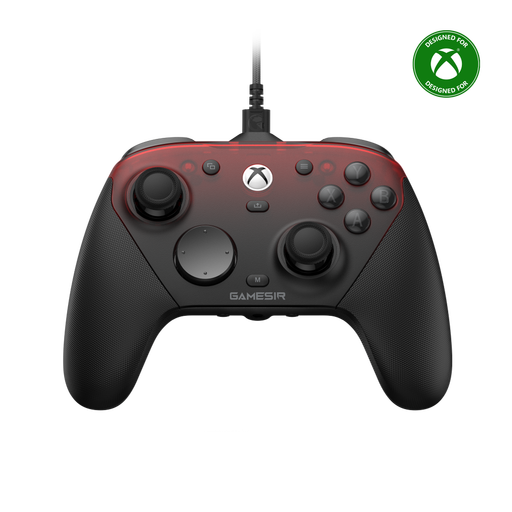
GameSir G7 Pro Tri-Mode, Shadow Ember

GameSir G7 Pro Tri-Mode, Shadow Ember

For an Xbox, PC or mobile setup, depending on the stated platform support; check that the controller works with the game you’ve chosen.

The product information lists Xbox Series X|S, Xbox One, PC, Android and Steam, with wired and wireless use depending on the device. It also lists Hall effect joysticks and triggers, and programmable rear buttons; check the tournament rules for these features.

Joybuy

Frequently asked questions

Will my DUALSHOCK 4 work with a PS5 fighting game?

Not with a PS5 game, according to PlayStation. A DUALSHOCK 4 does work on PS5 with supported PS4 games, so check which game version will be played in the tournament.

What should I set up before the guests start playing?

Test every controller with the game you’re going to play. For the PlayStation Daija, set the platform switch to PC, PS4 or PS5 and connect the cable; check the mode and connection for the HORI OCTA Pro beforehand.

Are programmable buttons and macros allowed?

For a home tournament, the organisers set the house rules. The Evo rules consulted prohibit hardware-programmed inputs, rapid-fire and hardware macros, but allow macros from the game’s settings menu, according to those rules. Don’t automatically apply those conditions to another event.

What are my rights when buying online in the Netherlands?

For an eligible distance purchase from a business, there is generally a 14-day cooling-off period, with exceptions explained by the Dutch government. You also have statutory warranty rights if a product doesn’t meet what you could reasonably expect under normal use; ACM ConsuWijzer makes clear that a manufacturer’s warranty doesn’t replace these rights.
