
Case-file comparer
You compare photos with maps, notes or other references, so screen space and a useful window layout are your priorities. Apple Support explains how to use windows on compatible iPads.


Start by deciding how you want to view photos and references side by side. A large screen alone doesn’t guarantee a useful window layout. Apple Support explains how to use windows on compatible iPads, while Microsoft recommends checking app and driver compatibility on Arm devices. Then compare readability, portability and what’s included, as you may need to buy a stylus, keyboard or charger separately.
You compare photos with maps, notes or other references, so screen space and a useful window layout are your priorities. Apple Support explains how to use windows on compatible iPads.
You view photos while out and about or outdoors, and weigh readability and ease of handling against the conditions attached to water-resistance claims. Consumentenbond notes that extra-large tablets are less easy to carry around.
You need to find photo files, take them with you or open them in your existing software, so compatibility with your apps and files matters. For Surface devices with Arm, Microsoft recommends checking compatibility with specific apps and drivers.
A large iPad, Android tablet or Windows 2-in-1 could suit this task, but your apps, where you work and how you open files will determine which is right for you.
A good fit if: you want to view photos and references side by side, and the apps and files you need work on iPadOS. Apple Support explains how to use windows on compatible iPads running iPadOS 26 or later.
Trade-off: Apple lists the 13-inch Wi-Fi model as weighing 616 g; compatibility with an Apple Pencil doesn’t mean one is included.
A good fit if: you want an Android tablet with an S Pen. Samsung lists a 10.9-inch screen for the FE and a 13.1-inch screen for the FE+.
Trade-off: Samsung’s IP68 rating is based on a fresh-water laboratory test and isn’t a guarantee for every type of water or outdoor use.
A good fit if: you want to compare large-screen options, such as the 12.7-inch Lenovo Yoga Tab Plus, or are looking for an 11.2-inch 3:2 screen like the Xiaomi Pad 8.
Trade-off: Lenovo lists a pen and keyboard bundle for model ZAEG0018NL; Xiaomi says the Pad 8 doesn’t come with a power adapter. Check what’s included with the exact model.
A good fit if: your existing workflow requires a Windows programme or Windows file management.
Trade-off: Microsoft lists the keyboard for the Surface Pro 12 inch as optional and recommends checking compatibility with specific apps and drivers on Arm devices.
For this task, the main considerations are window layout, photo detail, use on the go and access to files.
| Consideration | What to check before buying | Most important if |
|---|---|---|
| Photos alongside references | Try your own photo, map and document apps in your preferred window layout. | I want to see photos and maps at the same time, rather than constantly switching between apps. That’s why around 36% of consumers prioritise screen space and windows. |
| Photo detail and reflections | View representative photos in the lighting you’ll be working in, and note the difference between typical and peak brightness. | When I need to assess small differences in research photos, I want to see the details without reflections getting in the way. Around 29% of consumers prioritise the assessment of photo detail. |
| Use on the go | Compare the weight and view the screen in your own outdoor lighting; check the conditions attached to any IP rating. | If I also take the tablet into the field, portability and the conditions of use matter. Around 21% of consumers give priority to mobile field use. |
| Files and apps | Check file formats, offline access, transfer options and app versions; for Windows on Arm, check drivers too. | When I need to keep using my existing files and programmes, I want to know in advance whether they’ll work with my workflow. Around 14% of consumers prioritise continuity for files and apps. |
Screen size doesn’t tell you whether your photo and reference apps work well side by side. Apple Support explains how to use windows on compatible iPads.
Try the combination of apps, files and windows you want to use before deciding based on screen size.
Peak brightness applies under specified conditions. Samsung bases the IP68 rating for the FE models mentioned and the S Pen on a fresh-water test at a depth of up to 1.5 metres for up to 30 minutes; use at the beach or in a swimming pool isn’t recommended.
View your own photos in suitable lighting and check the conditions for the exact model.
Microsoft points out that app and driver compatibility needs careful consideration on Surface devices with Arm.
Check the exact programme names and versions, and ask the software provider about the devices you need.
Compatibility with a stylus or keyboard doesn’t necessarily mean it’s included with the model you choose.
Compare the exact model and what’s in the box. Depending on the model, you may need to buy a stylus, keyboard or power adapter separately. For example, Lenovo lists a bundle for ZAEG0018NL, while Xiaomi doesn’t list a power adapter for the Pad 8.
Check this before buying so you know which accessories you’ll still need for your workflow.
Apple offers the iPad Air in 11- and 13-inch models for viewing photos alongside references on iPadOS.
The Galaxy Tab S10 FE and FE+ are Android options with different screen sizes and an S Pen.
The Yoga Tab Plus is a large-screen Android option; what’s included in the bundle depends on the model.
The Pad 8 is an Android option with an 11.2-inch 3:2 screen and several storage configurations.
The Surface Pro 12 inch is a Windows 2-in-1 worth comparing if your choice depends on existing Windows tasks.
These tablets have larger screens for viewing photos and references. For each model, check that your apps support the window layout you want.
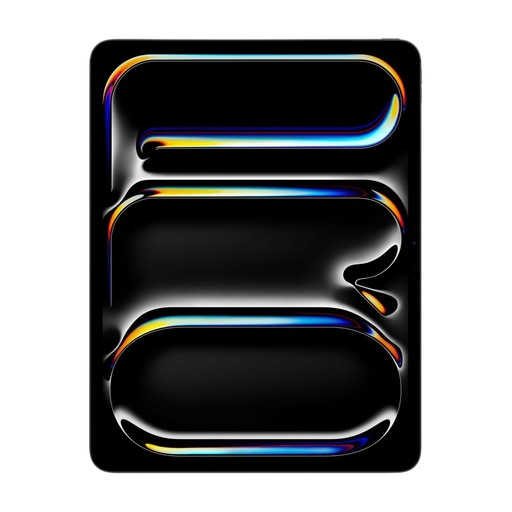 Image unavailable
The 13-inch screen is well suited to viewing photos and references side by side.
The product information lists an OLED screen with a resolution of 2752 × 2064 pixels and 256 GB of storage. Apple Pencil and Magic Keyboard are listed as compatible accessories; the box contents list the iPad Pro and a USB-C cable.
 Image unavailable
The 13-inch screen gives you room to view photos and several references; Apple explains how to use windows on compatible iPads.
The product information lists a Liquid Retina screen, 12 GB of memory and 128 GB of storage. Accessories such as Apple Pencil and Magic Keyboard are sold separately.
 Image unavailable
The listed 13.4-inch screen meets the need for space to view several references.
The product name lists a 120 Hz screen, 256 GB of storage and Android 15. Check that your photo and reference apps work on this model.
 Image unavailable
The 12.1-inch screen gives you workspace for photos and references; the product information lists a Lenovo Pen included for annotations.
The product information lists a 2.5K screen, 8 GB of RAM and 256 GB of storage.
 Image unavailable
The 12.7-inch screen gives you room to view photos and references.
The product name lists 256 GB of storage and compatibility with a T-Pen; the product information describes using the pen to take notes. The stated 20 GB of RAM consists of 8 GB RAM and 12 GB virtual RAM.
Try your own photo, map and document apps in your preferred window layout. Apple Support explains how to use multiple app windows on compatible iPads running iPadOS 26 or later; screen size alone doesn’t confirm that your apps support this layout.
No. Samsung bases the IP68 rating for the FE models mentioned and the S Pen on laboratory conditions involving fresh water at a depth of up to 1.5 metres for up to 30 minutes, and advises against use at the beach or in a swimming pool. Follow the conditions for the exact model.
Check which file formats your apps can open and how to make the references you need available. For a Surface with an Arm processor, Microsoft also recommends checking compatibility with specific Windows apps and drivers.
It depends on the model. Microsoft lists the Surface keyboard as optional, Lenovo lists a pen and keyboard bundle for ZAEG0018NL, and Xiaomi says the Pad 8 doesn’t come with a power adapter. Check what’s included with the model you choose.
The Dutch Data Protection Authority considers images in which people can be identified to be personal data covered by the GDPR. Check the rules that apply to the specific use and sharing of the images.