
Playing at home without a separate monitor
If you don’t take your laptop out much and want to play farming simulators on a large built-in screen, start by comparing screen size and resolution.


If you mainly play at home without a separate monitor, compare 17- and 18-inch laptops by their exact screen resolution and configuration. If you often take your laptop with you, a 16-inch model paired with a suitable external display may better suit the way you use it. The minimum requirements for Farming Simulator 25 don’t guarantee a particular image quality or frame rate.
If you don’t take your laptop out much and want to play farming simulators on a large built-in screen, start by comparing screen size and resolution.
If you also carry your laptop around regularly, weigh up a 16-inch model against a larger laptop, and consider using an external display at home. The Consumers’ Association describes a screen of 17 inches or larger as a size that can replace a desktop PC.
If you play other games as well as a farming simulator, check the requirements for each game and the exact GPU, memory and storage configuration. GIANTS Software lists separate system requirements for Farming Simulator 25.
It comes down to balancing the built-in screen space, suitability for your games, portability and the configuration you actually need.
| What to consider | What should you check? | Who is this important to? |
|---|---|---|
| Large built-in screen | Compare the screen size and native resolution of the exact model; screen size alone says nothing about gaming performance. | If I mainly play at home without a separate monitor, I want enough screen space on the laptop itself. Around 40% of consumers prioritise the built-in screen. |
| Game compatibility | For Farming Simulator 25, GIANTS Software lists, among other things, a minimum of 8 GB RAM, a GPU with at least 3 GB of video memory and DX12 support. These are minimum requirements, not a promise of a particular frame rate or settings. | I want to know first whether the game I play will run on the model I choose. Around 30% of consumers prioritise game compatibility. |
| Screen space and portability | Compare the dimensions of the entire laptop. If you want to connect a monitor at home, check the video output and supported display output for the exact model. | If I take my laptop with me regularly, a more portable size matters alongside having a screen at home. Around 20% of consumers give portability top priority. |
| Storage and what’s included | Farming Simulator 25 lists 45 GB of available storage space. Also check the SSD capacity you need for your other games and what’s included with the specific model. | I want space for my games and to know in advance which accessories come with my purchase. Around 10% of consumers prioritise storage and clarity about what’s included. |
Screen resolution, GPU, memory and storage can vary between models. The range name alone won’t tell you which configuration you’re buying.
Compare the full model and part number with the specifications for that particular model.
The minimum requirements for Farming Simulator 25 from GIANTS Software don’t specify a frame rate or image settings for a particular laptop and screen resolution.
First check the game’s requirements, then assess separately whether the configuration you’ve chosen suits your preferred resolution and settings.
The Joybuy listing for the MSI Katana 17 HX B14WGK-264NL contains conflicting information about the charger.
Before ordering, ask the seller to confirm exactly what’s included with that model.
If the charger isn’t included, you may need to arrange a suitable one separately.
The OMEN 17 is worth considering if you’re looking for a 17.3-inch built-in screen. HP lists a Full HD screen and an RTX 5060 laptop GPU for the 17-db1630nd.
The Nitro V 17 AI range includes 17.3-inch models. Acer lists a Full HD screen and an RTX 5050 for the NH.QYSEH.006.
The Legion Pro 5 is a 16-inch alternative if you want to balance screen space with portability.
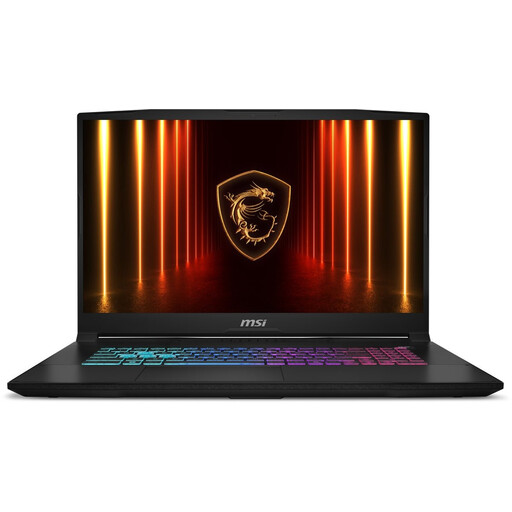
The Katana 17 HX is a 17.3-inch range with various screen and GPU configurations.
The Alienware 18 Area-51 is an 18-inch option for anyone looking for a particularly large built-in screen.
These Joybuy models focus on 17- and 18-inch options for playing on a large built-in screen. Compare the screen resolution, GPU, memory and storage for each specific model; specifications alone don’t guarantee a particular level of gaming performance.
 No image available
Well suited to anyone who mainly wants to play at home on a large built-in screen.
18-inch WUXGA screen, 1920 × 1200, 144 Hz; Ryzen 7 260; RTX 5070 Laptop GPU; 16 GB memory; 1 TB SSD. The charger must be purchased separately.
 No image available
An option to compare if you’re looking for an 18-inch built-in screen.
18-inch WQXGA screen, 2560 × 1600, 240 Hz; Ryzen 9 8940HX; RTX 5060 Laptop GPU; 16 GB memory; 1 TB SSD. The charger is sold separately.
 No image available
Well suited to anyone weighing up a large built-in screen and space for several game installations.
17-inch QHD+ screen, 2560 × 1600, 240 Hz; Intel Core Ultra 7 255HX; RTX 5060 Laptop GPU with 8 GB; 32 GB DDR5; 1 TB SSD.
 No image available
A 17.3-inch model to compare if screen space at home is your priority.
17.3-inch QHD screen with 165 Hz; RTX 5060; 16 GB RAM; 1 TB SSD. QWERTY keyboard.
 No image available
Well suited to anyone looking to pair a 17.3-inch built-in screen with QHD resolution.
QHD screen, 2560 × 1440, 165 Hz; Intel Core i7-13620H; RTX 5060 Laptop GPU; 16 GB DDR5 RAM; 1 TB SSD.
No, the minimum requirements don’t tell you that. GIANTS Software lists, among other things, 8 GB RAM, at least 3 GB of video memory with DX12 support and 45 GB of available storage space. However, these requirements don’t specify a frame rate or guarantee high settings at a particular resolution.
Farming Simulator 25 lists 45 GB of available storage space. When choosing an SSD, also allow for the operating system, other programmes and the rest of your game library; the capacity you need depends on what you want to install.
Check what you’ve agreed will be included and ask the seller to confirm before ordering. The Joybuy listing for the MSI Katana 17 HX B14WGK-264NL says both that the charger is included and that it must be purchased separately.
According to ACM ConsuWijzer, online product purchases generally come with a statutory 14-day cooling-off period from delivery; check whether a legal exception applies. The seller is responsible for resolving the issue if the product doesn’t meet what you’re entitled to expect. A commercial manufacturer’s warranty doesn’t replace this statutory right.