Who is this guide for?

Players who want to check compatibility first

You play on PC or console and want to know whether both the controller and your chosen connection will work with your game. Steam lists USB support for DualShock and DualSense controllers in Farming Simulator 25; the official Stardew Valley FAQ mentions controller support for specific platforms.

Players with limited socket space

You’d rather not plug in an extra power adapter. In that case, an available USB port, the connected Switch dock or a controller with AA batteries could be worth considering. Check which connection or battery solution you’ll need.

Players who want to plan around charging breaks

You want to know in advance whether you can replace the batteries, use a cable or need to charge the built-in battery. Xbox and Nintendo’s battery and connection information can help you weigh up the options for each model.

What should you look for?

What to consider What should you check? Who is this important for?
Game and platform compatibility Check the exact game and platform, and whether USB, Bluetooth or a receiver is supported. If I want to be sure my chosen connection works with my game, I check support for that exact combination. Around 33% of consumers say compatibility is their main concern when buying.
A spare socket Check whether the controller uses AA batteries or can be connected or charged via an existing USB port. Also check whether it needs a receiver. If I don’t want to plug an extra adapter into a socket, I look at both the power source and the available USB ports. Around 27% of consumers prioritise an option that doesn’t need an extra socket.
Playing without a charging break Compare replaceable batteries, stated battery life and the option to play with a cable. Manufacturers’ figures depend on usage conditions. If I’m planning long gaming sessions, I want to know whether I can replace the batteries or need to schedule a charging break. Around 20% of consumers prioritise uninterrupted play.
Cable and gaming setup Check the cable length, the USB port required and whether a wireless receiver will take up space. If my seating position or available connections affect how I can play, I factor in the cable or receiver. Around 20% of consumers choose mainly based on their gaming setup and controls.

Common pitfalls

  • Assuming wireless means no connection is needed

    Some wireless controllers use a USB receiver. It takes up a USB port, even though the controller itself doesn’t use a cable.

    Check in advance that your PC or console has a free, accessible USB port and that the receiver is included with the version you’re considering.

  • Assuming similarly named controller versions are the same model

    8BitDo lists different platforms and connections for the Ultimate 2C Wireless and the Ultimate 2C Bluetooth. Bluetooth on the Wireless version is listed for Android, while Windows use is specified via 2.4 GHz or cable.

    Check the full variant name and compatibility with your device before ordering.

  • Assuming PC Bluetooth works with every game

    PlayStation describes Bluetooth support for DualSense on Windows PCs, but Steam’s listing for Farming Simulator 25 specifies USB support for DualSense.

    Compare the information for the exact game with your preferred connection, and keep a USB cable and port available if needed.

  • Looking only at controllers with AA batteries

    An Xbox Wireless Controller with AA batteries needs replacement batteries or a separate charging solution.

    Check which batteries or accessories are included with the version you choose, and decide in advance how you want to power the controller.

Brands to consider

Xbox

The Xbox Wireless Controller is an option for compatible Xbox systems and Windows PCs if you want to use AA batteries.

  • Xbox lists Bluetooth for compatible Windows devices and a USB-C cable connection.
  • AA batteries need to be replaced or charged separately; check game support too.

Nintendo

The Nintendo Switch Pro Controller is designed for use with Nintendo Switch and can be charged via an available USB port on the connected dock.

  • Nintendo lists an included USB Type-C cable and around 40 hours of battery life under variable usage conditions.
  • The built-in battery needs charging; platform-specific information doesn’t confirm compatibility with PC or other consoles.

Logitech G

The F310 is a wired PC gamepad; the F710 is a wireless PC gamepad with a USB nano receiver.

  • Logitech lists a USB cable and XInput and DirectInput modes for the F310.
  • The F310 cable or F710 receiver needs an available USB port, so wireless use of the F710 doesn’t mean no connection is required.

8BitDo

The Ultimate 2C Wireless is a Windows version with a 2.4 GHz or cable connection; the separate Ultimate 2C Bluetooth is a Switch model.

  • For the Ultimate 2C Wireless, the manufacturer lists a USB receiver or cable for Windows.
  • Listed platforms and connections vary by version, so check the full model name and the port you’ll need.

PlayStation

DualSense is a platform-specific option for PS5 players and may also suit PC games that support the connection you want to use.

  • PlayStation describes USB-C and Bluetooth connections with Windows PCs.
  • Steam’s listing for Farming Simulator 25 specifies USB support for DualSense, so check the connection required for each game.

Controllers at Joybuy

This Joybuy selection includes rechargeable wireless controllers and wired models for a range of Switch, PC and Xbox setups. Check which connections your game and platform support.

Nintendo Switch Pro Controller, black

Nintendo Switch Pro Controller, black

A good fit for a Switch setup if you can use the existing dock to charge the controller.

Nintendo lists around 40 hours of battery life under variable usage conditions and an included USB-C cable.

The built-in battery needs charging; check that the required USB port on the connected dock is available.

Joybuy

BEITONG KP70 Elite wireless game controller

BEITONG KP70 Elite

Worth considering if you can confirm that the controller’s listed connections and compatibility suit your device.

The product information lists PC, Nintendo Switch, Steam and Android, with wired, wireless and Bluetooth connections.

The built-in battery is rated at 1500 mAh; the stated charging time is 3–4 hours at 5 V/1 A.

Joybuy

GameSir T7 wired Xbox controller, blue

GameSir T7 wired Xbox controller, blue

The wired connection may suit an Xbox or Windows PC setup with a free USB port.

The product title lists Xbox Series X|S, Xbox One, Windows 10/11 and Steam; check support for your game.

The stated detachable USB-C cable is 3 m long and must remain connected while you play.

Joybuy
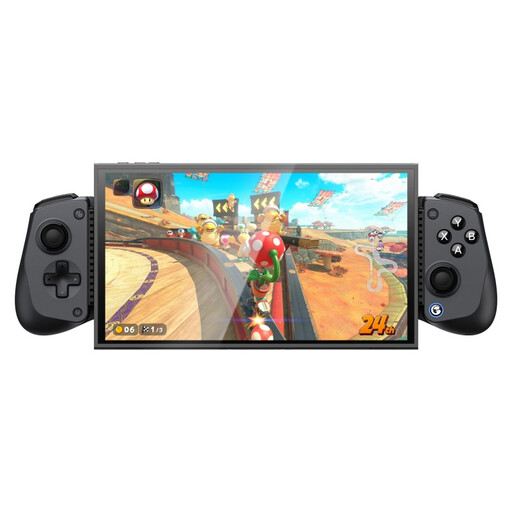
GameSir X5s Bluetooth controller

GameSir X5s Bluetooth controller

Consider this model if you use one of the listed Switch, PC or mobile devices and want to explore Bluetooth or a USB-C cable.

The product title lists Switch 2, Switch, Android, iOS and PC; the product information specifies Bluetooth and wired USB-C use.

The battery is rated at 840 mAh. The 2.4 GHz receiver is not included.

Joybuy
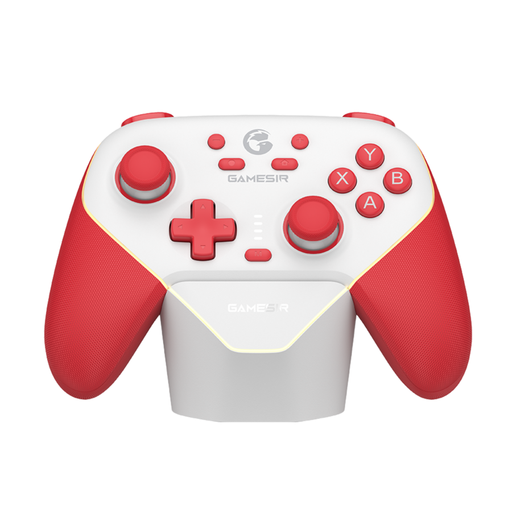
GameSir Super Nova Switch Tri-Mode controller, red and white

GameSir Super Nova Switch Tri-Mode, red and white

An option if you use one of the listed Switch, PC or mobile devices and the available connections suit your game.

The product information lists Bluetooth, wired use and a wireless dongle, as well as a built-in 1000 mAh battery.

The stated play time is up to 25 hours; the battery needs charging.

Joybuy

Frequently asked questions

Will every wireless PC controller work wirelessly with Farming Simulator 25?

No, you can’t assume so just because a controller is wireless. Steam lists full controller support, but specifies DualShock and DualSense controllers as USB Only for this game. Check support for your controller, game version and connection.

How can you charge a Switch Pro Controller without using an extra socket?

According to Nintendo, you can connect the included USB charging cable to an available USB port on the connected Switch dock. You can also charge it directly using a suitable power supply, but that does require a socket.

Does a wired controller need its own charger?

According to Logitech, the F310 connects via its USB cable and doesn’t need a separate controller charging session. Check that your PC has a free, accessible USB port.

What warranty and cancellation period apply to online purchases in the Netherlands?

According to the Dutch government, products are covered by a legal guarantee: you’re entitled to a product that works as it should. For distance purchases, a 14-day cancellation period applies in many cases. Check the terms and any exceptions that apply to your purchase.
