What should you look for when buying?
Start by checking that your game and device support the controller. Then compare its size and connection method with the space and ports available on your desk.
| What to consider |
What should you check? |
Who is this important for? |
| Game and platform compatibility |
Check whether your version of the game supports controllers and whether the controller works with your device using your chosen connection method. |
If I switch between devices, I want to know first whether the game and controller work together. Around 36% of consumers rank compatibility as their top priority. |
| Space for the controller and connection |
Compare the stated dimensions with your available storage space and check where a cable or USB receiver will go. |
At a small desk, I want to be able to put my things away easily and avoid awkward cable routing. Around 29% of consumers prioritise saving space. |
| Button layout |
Check whether the game supports the inputs you want and whether the model’s extra buttons can be customised. |
If I often use menus and repeat certain actions, I want a button layout that suits my preferences. Around 21% of consumers put controls first. |
| Power and use |
Check whether the exact model uses batteries, a rechargeable battery or a cable, and what’s included in the box. |
I want to know in advance whether I’ll need to charge it or replace the batteries, and whether I’ll need anything extra. Around 14% of consumers say power and additional requirements are their main concern. |
Connection options vary by model. For example, 8BitDo lists Bluetooth for the Ultimate 2C Wireless on Android, and 2.4 GHz or wired use on Windows. Don’t assume Bluetooth works on every platform.
Joybuy products
This selection includes controllers for Nintendo Switch, Windows and Xbox devices, and mobile devices. Before buying, check that your specific game and device support the controller and its connection method.
 No image available
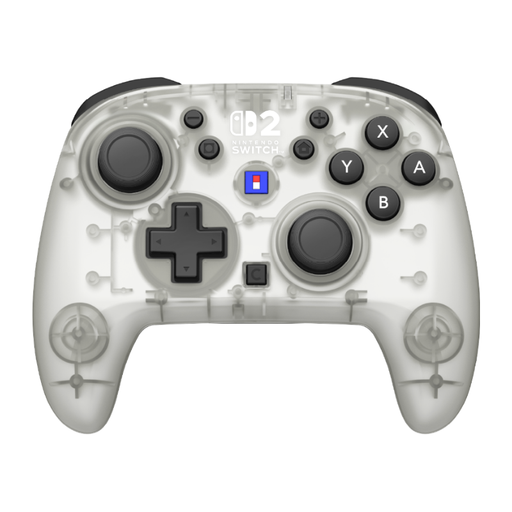
Hori Horipad Turbo Frost for Nintendo Switch and Switch 2
A wireless option to compare if you play on Nintendo Switch or Switch 2 and are looking for programmable rear buttons.
The product information lists dimensions of 5,7 × 14,5 × 11,4 cm and a battery life of 10 hours.
View at Joybuy
 No image available
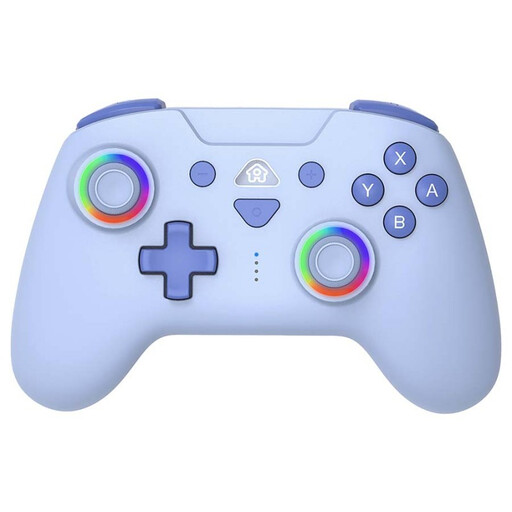
SUBSONIC wireless controller for Switch and Switch Lite, blue
An option to compare if you play wirelessly on Switch or Switch Lite and want programmable rear buttons.
The product information lists Bluetooth, two programmable rear buttons, a rechargeable battery and an included USB-C cable.
View at Joybuy
 No image available
KONIX controller pair for Switch, Switch OLED and Switch 2
This controller pair is an option to compare if you play on one of the listed Switch systems and want to play wirelessly.
The product information lists Bluetooth, a gyroscope, NFC, dual vibration motors and a stated battery life of up to 8 hours.
View at Joybuy
 No image available
Xbox Wireless Controller Robot White
An option to compare if you play on a supported Windows PC or Xbox and want to play wirelessly.
The product information lists Xbox Wireless, Bluetooth and USB-C, plus compatibility with Windows 10 PCs, Xbox Series X|S and Xbox One. You can customise the buttons using the Xbox Accessories app.
View at Joybuy
 No image available
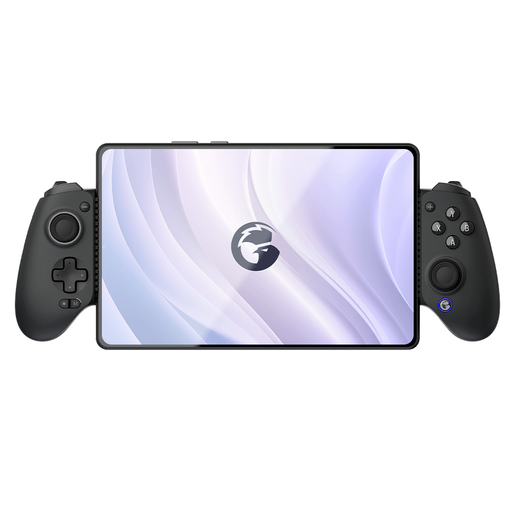
GameSir G8 Galileo Plus Bluetooth controller
An option to compare if you use a mobile device or another listed platform and want to connect the controller to that device.
The product information lists support for Switch, PC, iOS and Android, plus an adjustable phone holder for devices up to 179 mm wide.
View at Joybuy
Frequently asked questions
Will every PC controller work with Stardew Valley automatically?
No. ConcernedApe specifically confirms support for Xbox One and Xbox 360 controllers on PC. If you’re considering another model, check that its connection method works with your PC and whether the game or gaming platform requires any settings.
How do I connect a compact SN30 Pro?
Follow the pairing instructions for your device in the 8BitDo manual. For Windows, 8BitDo describes Bluetooth and a wired USB connection. For Switch, the manual describes Bluetooth and wired use via the dock, with the specified system setting enabled.
Can a wired Switch controller be used without the dock?
Not the PowerA Enhanced Wired Controller for Nintendo Switch reviewed here: PowerA states that this model only works when the Switch is docked.
What costs and rights should I be aware of after buying?
Check whether batteries, a rechargeable battery, cable or receiver are included with the exact model. According to the Dutch government, statutory guarantees apply in the Netherlands, but there’s no fixed statutory guarantee period. For online purchases from a business, you’ll generally have a 14-day cooling-off period.


