
Vandaag of morgen in huis

Kwaliteit gegarandeerd

Welkomstaanbiedingen ontgrendelen: GRATIS bezorging | Tot 80% korting | Gratis 30 dagen JoyPlus-proefperiode
Download de app
When the temperature rises, a good fan is not a luxury but a necessity. Whether you need to keep your PC cool during an intense gaming session, work with focus in a warm home office, or simply find some relief on the go. However, the fan market is vast and filled with marketing terms that confuse more than they clarify.
Many people make a choice based on looks or a vague promise, only to discover later that their purchase is noisy, weak, or simply unsuitable for their needs. Let's look at the two most common pitfalls so you can avoid making a bad purchase.
To choose the right fan, you don't need to read a technical manual. Focus on a few key specifications that determine whether a model is right for your situation.
The noise level, expressed in decibels (dB), is crucial for your comfort. Marketing terms like "quiet" are subjective. Always look at the maximum dB value.
These two specifications determine a fan's effectiveness, but they serve different purposes.
The type of fan depends entirely on your purpose. A handheld fan is perfect for on the go. A tower fan with a remote control offers convenience for an entire room. For PC builders, the standard sizes 120mm fan and 140mm fan are the most relevant. Larger fans can often run at a lower RPM for the same airflow, resulting in less noise.
Based on these criteria, we have highlighted a few popular choices that suit specific needs.
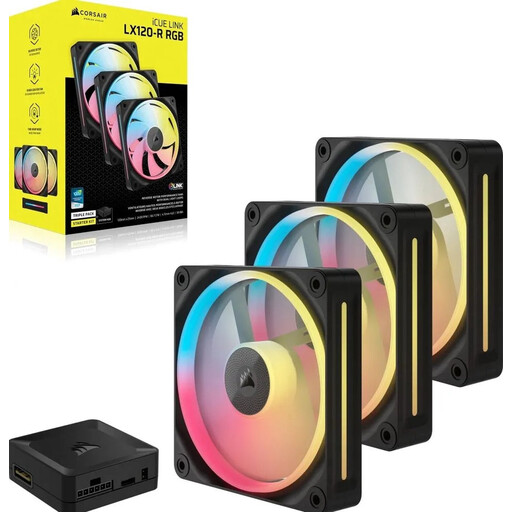
Why This Fits Their Persona: This set is aimed at serious PC builders who want both cooling performance and a sleek look. The combination of high rotational speed and static pressure makes it ideal for a CPU cooler or water cooling radiator.
This fan avoids the 'airflow vs. pressure' pitfall by offering a high static pressure of 3.8 mmH2O, specifically designed to efficiently push air through radiators.
High performance with a maximum speed of 2400 RPM. The iCUE LINK system significantly simplifies cable management, resulting in a cleaner build.
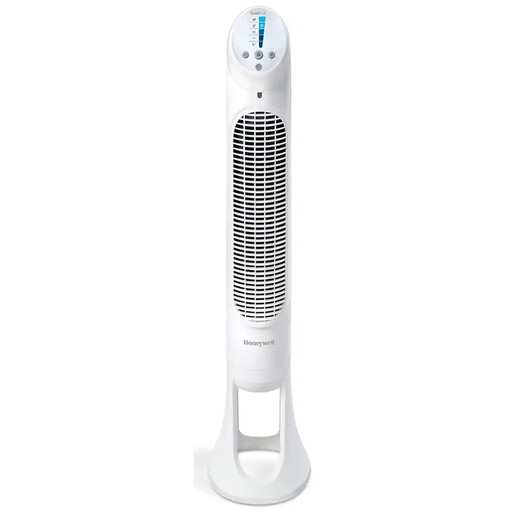
Why This Fits Their Persona: Perfect for a home office or bedroom. This tower fan combines a slim design with features focused on comfort, such as a quiet mode and a remote control.
This model tackles the "whisper-quiet" myth by offering five distinct speed settings, including a specific sleep mode that is genuinely quiet, instead of making vague promises.
Practical features like a programmable timer (1-8 hours), a remote with its own storage compartment, and an auto-dimming display for night-time use.
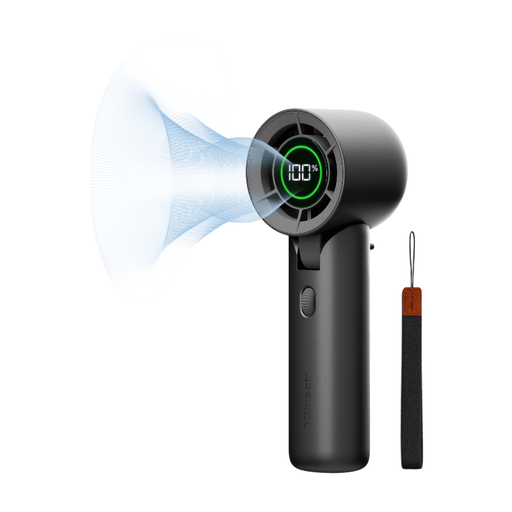
Why This Fits Their Persona: Ideal for commuters, students, or travellers. This handheld fan is compact, lightweight, and has a battery life that lasts all day, ensuring you're never without a cool breeze.
Many handheld fans have short battery life and only 3 speeds. This model offers a runtime of up to 32 hours and variable speed control (0-100), giving you much more control.
Long battery life and charging via a universal USB-C port. The tilting head also makes it convenient for hands-free use on a desk.
We have compiled a complete, up-to-date list of products that fully meet these strict selection criteria and relevant safety standards.
A fan labelled as 'quiet' typically produces between 20 and 35 dB on its lowest settings. This is comparable to the noise in a quiet library. However, always check the specifications for the noise level at higher speeds, as that's where the biggest difference lies. Anything below 40 dB is generally considered non-disruptive in a normal environment.
That depends on its location. For an open spot in your computer case where air can flow freely (intake or exhaust), high airflow (CFM/m?/h) is beneficial. This is called an airflow-optimised fan. If you are placing the fan on a radiator, a CPU cooler, or behind a dense dust filter, high static pressure (mmH2O) is absolutely necessary to push the air through the resistance.
The power consumption of fans is generally low. A typical tower fan consumes between 30 and 60 watts on its highest setting. A PC fan consumes significantly less, usually only a few watts. Compared to an air conditioner, which can easily consume 1000 watts or more, a fan is a very energy-efficient way to stay cool.
