What should you look for when buying?
For a desk in a large living room, focus on airflow over the distance you need, noise at that same setting and the space available for a stable position. The Consumentenbond measures airflow at different speeds and distances.
Floor-standing tower fan
A good fit if: you want a slim floor-standing design and need airflow to reach your desk and other seating areas in turn.
Bear in mind: a tower fan isn’t height-adjustable or tiltable. Oscillation spreads the breeze around, but doesn’t direct it continuously at one spot.
Table or desk fan
A good fit if: you mainly need airflow close to your desk and have space on the worktop.
Bear in mind: this option is mainly for one person and is less suitable if you also want airflow to reach other seating areas.
Pedestal fan
A good fit if: you want to adjust the height or vertical direction of the airflow.
Bear in mind: a pedestal fan takes up more space than a tower fan.
Home ventilation or air conditioning
A good fit if: you want to bring fresh air into your home or lower the air temperature in the room.
Bear in mind: a fan moves air but doesn’t cool it; home ventilation and air conditioning serve different purposes.
| What to consider |
What should you check? |
Who is this important for? |
| Airflow at your desk and in the seating area |
Compare the airflow at relevant distances and settings. Check whether the oscillation and position will reach the seats you want. |
If I want a breeze both at my desk and in the seating area, I check that the airflow reaches both spots. Around 36% of consumers say reach is their top priority. |
| Noise while you work |
Look for information about noise and airflow at the same setting, and compare measurements at different distances where possible. |
If I need to concentrate, I want to feel the airflow without being distracted by the noise. Around 29% of consumers put noise while working first. |
| Position and stability |
Measure the available floor space, check the base dimensions and make sure the desk won’t block the air outlet. |
If I have little free floor space next to my desk, I want to know whether the fan will fit there securely. Around 21% of consumers start with position and stability. |
| Controls and energy use |
Check the controls, timer and which setting the stated power consumption applies to. |
If I use the fan regularly, I want the settings to be easy to operate and to be able to estimate its energy use. Around 14% of consumers put controls and energy use first. |
Fans at Joybuy
The products below include pedestal fans and a desk fan as alternatives to a tower fan. The desk fan is mainly designed to provide airflow directly at one workspace; the pedestal models offer a different way to distribute air around your desk and seating areas.
 No image available
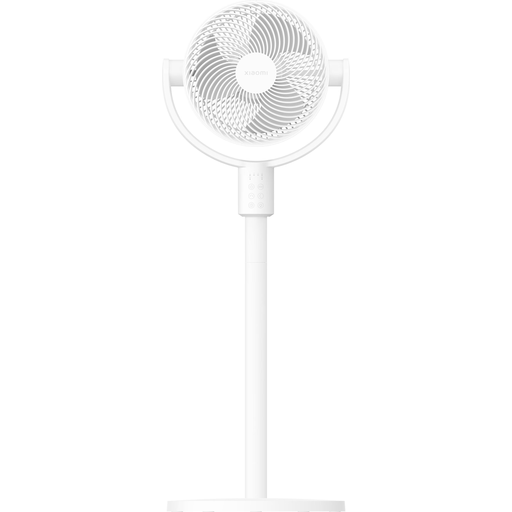
Xiaomi Smart Standing Air Circulation Fan
A pedestal alternative if you want to distribute airflow around your desk and other seating areas; check the reach in your own set-up.
The product title lists app control, 3D automatic oscillation, adjustable height, 2 modes and 100 speeds.
The product title also lists an airflow of 1440 m³/h, a claimed reach of 13 m and a quiet sleep mode of 28 dB.
View at Joybuy
 No image available
Xiaomi Smart Standing Fan 2
A pedestal model to consider if you want to distribute air between your workspace and other seating areas; check the height and reach for your room.
The product title lists app control and 100 adjustable speeds. The description mentions automatic oscillation and adjustable height for use on a table or the floor.
View at Joybuy
 No image available
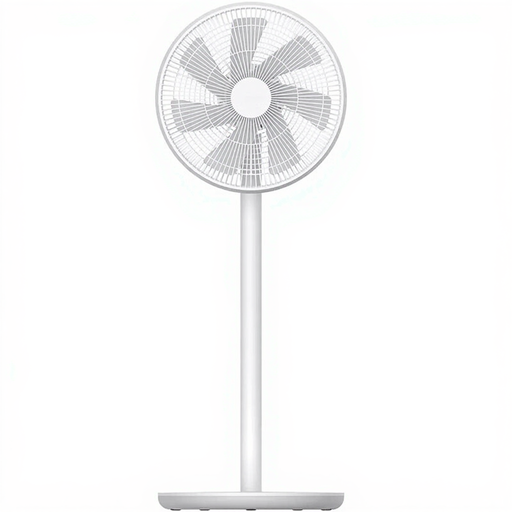
Xiaomi Smart Standing Fan 2 Lite
A pedestal alternative if you want to position the airflow at a particular height; check whether it will also reach the other seating areas.
The product title lists app control, 90° oscillation and adjustable height.
The product title also states an airflow distance of 12 m; check whether this claim matches the distance and layout of your living room.
View at Joybuy
 No image available
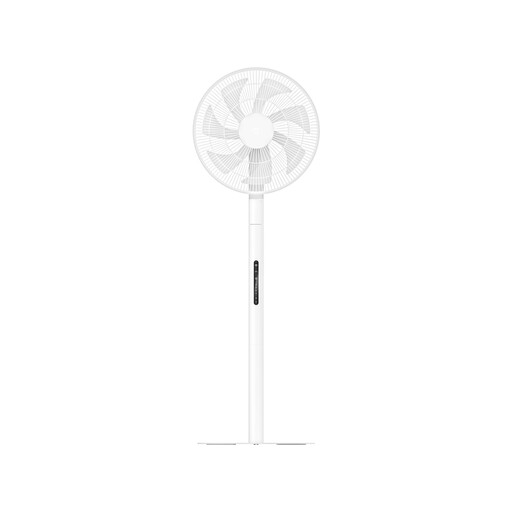
Xiaomi Mijia Smart Standing Fan Pro Slim
A pedestal alternative if controlling the fan from your desk or another seat is important; check whether the airflow reaches the spots you need.
The product title lists control via app, remote and touch, as well as Type-C charging support.
The product title also gives a claimed reach of 14 m; this isn’t an independent measurement of airflow in your room.
View at Joybuy
 No image available
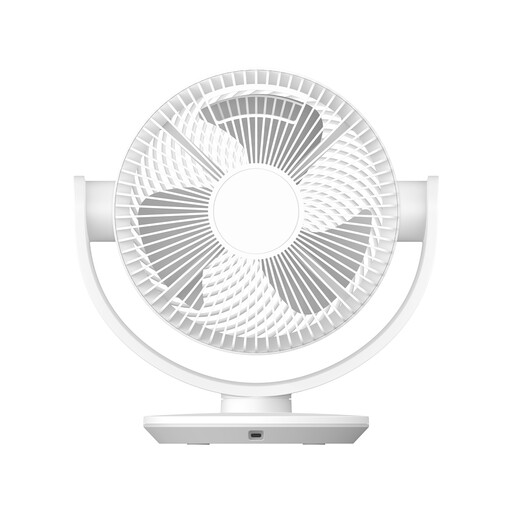
Xiaomi Smart Desktop Air Circulation Fan EU
A desk fan to consider if you mainly need airflow directly at one workspace; it’s less suitable if you want the breeze to reach other seating areas too.
The product description lists a power rating of 18 W and dimensions of 324 × 200 × 334 mm.
View at Joybuy
Frequently asked questions
Does a tower fan actually make the living room colder?
No, a fan moves air and can make you feel cooler without lowering the air temperature. Milieu Centraal explains the difference; you still need home ventilation for fresh air, and a different cooling solution to lower the room temperature.
Where should I put a fan next to my desk?
Choose a stable position where the air outlet can blow past your desk and the seats you want are within the oscillation range. Measure the available space, including the base; according to the Consumentenbond, tower fans aren’t height-adjustable or tiltable.
How do I compare noise with airflow?
Compare noise and airflow at the same setting and, where possible, at the same distance. A noise rating for the quietest setting doesn’t necessarily tell you how loud the fan will be on the setting that moves enough air to your desk.
How do I calculate a fan’s energy use?
Multiply the power used in kilowatts by the number of hours the fan runs. If a Tristar VE-5985 uses its stated maximum electrical power of 35 W the whole time, running it for 8 hours a day over 30 days would use 8.4 kWh; this is a calculation example, not a measured monthly energy figure.
Can I return a fan bought online within 14 days?
For a standard online consumer purchase, ACM ConsuWijzer says you’ll generally have a statutory cooling-off period of up to 14 days after delivery, with some exceptions. Check which terms apply to your purchase, and remember that the cooling-off period is separate from your rights if the product is faulty.


