
A regular hobby spot
You usually sit in the same place and want to direct the airflow towards yourself without the fan oscillating. Philips describes the CX2050/00 as having a tilting head.


For one fixed seat, a tilting desk fan is a good choice. If you also want to reach a nearby work surface, an oscillating function may be more practical. Also compare the noise at the setting you actually intend to use, the space available and the power supply. A fan moves air, but it does not replace fresh-air ventilation or the removal of stale air.
You usually sit in the same place and want to direct the airflow towards yourself without the fan oscillating. Philips describes the CX2050/00 as having a tilting head.
You read, listen or do precise work beside your chair and want to assess the noise at a setting that provides enough airflow. The Consumers’ Association notes that the number of speed settings alone tells you little about a fan’s maximum airflow.
You move your workspace around or don’t always have room on a table, so you want to compare a desk model with one that can also stand on the floor. Duux describes the Whisper Flex² Smart as a model that can be converted from a desk fan to a pedestal fan.
Choose this if: you mainly want to direct the airflow from one fixed chair and have a stable table or shelf.
Bear in mind: a tilting head won’t automatically distribute the air from side to side.
Choose this if: you want to reach a nearby work surface as well as your chair. Tristar says the VE-5923 has a 75-degree oscillation function that can be locked in place.
Bear in mind: while oscillating, the airflow is spread over a wider area rather than being directed constantly at one person.
Choose this if: the best spot for the fan changes depending on your hobby, or you sometimes want to put it on the floor. Duux says the Whisper Flex² Smart is 54 cm high in desk mode and 92 cm in pedestal mode.
Bear in mind: Duux says the battery is optional, so don’t assume it can be used wirelessly unless you add one.
| What to consider | What should you check? | Who should pay particular attention? |
|---|---|---|
| Airflow at your seat | Check the tilt, oscillation function and settings of the exact model, and whether the airflow reaches your chair. | If I mainly sit in one fixed place, I want to be able to direct the airflow towards that chair. Around 36% of consumers say directed airflow at their seat is their main priority. |
| Noise while you pursue your hobby | Compare noise and airflow at the same useful setting and distance; look for an independent test if possible. | When reading or doing precise work beside the fan, I want enough airflow without distracting noise. A quiet workspace is the main priority for around 29% of consumers. |
| Space and stability | Measure the available space and check the base, overall height, cord position and stability on the intended surface. | When my work surface is already full, the fan needs to fit securely without getting in the way of my things. A suitable set-up is the deciding factor for around 21% of consumers. |
| Moving it and power | Check how the model is powered and whether a battery, if available, is included with the exact version. | If I move my chair or hobby equipment, I want to be able to use the fan somewhere else. Portability is the main priority for around 14% of consumers. |
According to the Consumers’ Association, the number of settings tells you little about the maximum airflow or the difference between the lowest and highest setting.
Assess airflow and noise together at the setting you want to use beside your chair.
A fan moves air; that’s different from removing stale air and bringing in fresh air.
Ventilate your hobby room appropriately for the work you’re doing. Milieu Centraal recommends extra ventilation when doing DIY indoors.
Duux says the battery for the Whisper Flex² Smart is optional. Without the required battery, the model won’t solve the problem of not having a power socket beside your chair.
Before buying, check whether the battery is included with the exact version and find out about any extra cost if you need one.
The CX2050/00 desk fan is an option for a fixed spot beside your chair.
The VE-5923 is a desk fan for anyone who wants to switch between fixed and oscillating airflow.
According to Duux, the Whisper Flex² Smart can be converted from a desk fan to a pedestal fan.
Solis describes the Duo Fan as a rechargeable alternative that can be used as either a desk or pedestal fan.
This selection includes desk fans and portable models for directing airflow towards a chair, including directional fans and models for use on a table or floor.
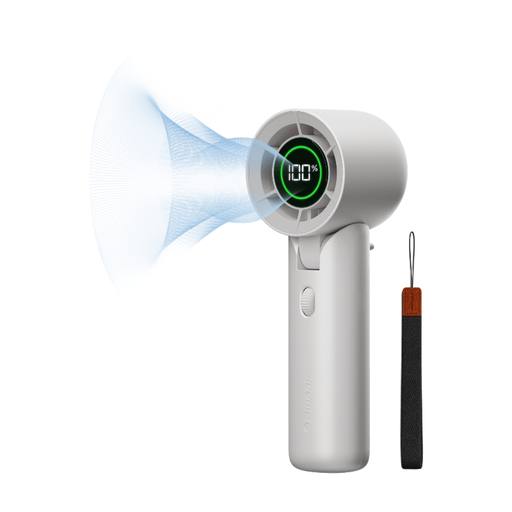 Image unavailable
According to the product information, this portable fan is intended for personal use, including at a desk.
The description lists USB-C charging, up to 100 speed settings and a tilting head of up to 75°.
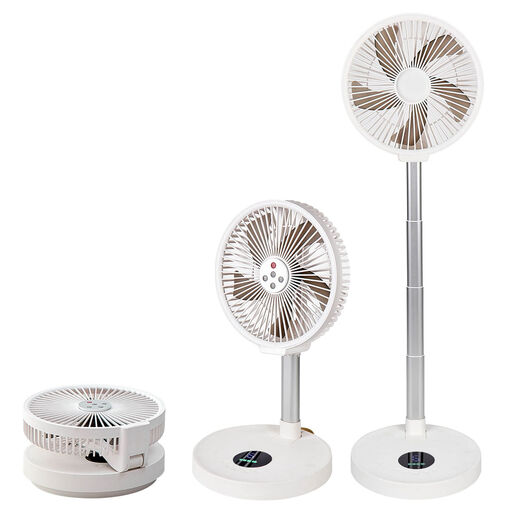 Image unavailable
This model may suit you if you want to move the fan between table and floor height.
The description lists six speeds, a timer, a built-in battery and USB-C charging. The height is adjustable; in floor-fan mode, it stands 88 cm tall.
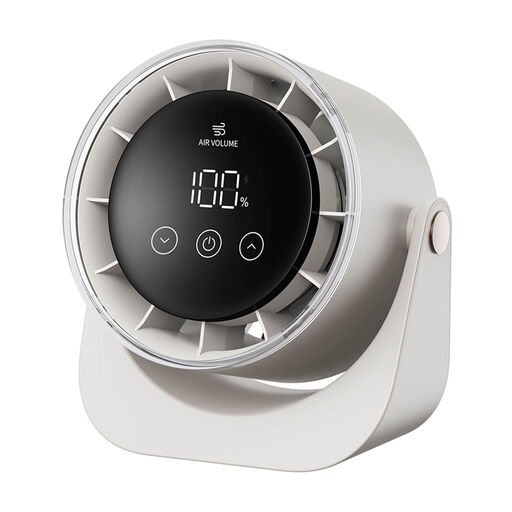 Image unavailable
According to the product information, this compact model is intended for desk use and for taking with you.
The description lists a rechargeable battery and display; the title mentions 100 speed settings and a 90° tilt adjustment.
 Image unavailable
According to the product information, this model can be set up on a table or the floor, making it suitable for a spot that changes depending on the activity.
The description lists app control, adjustable height and 100 speed settings.
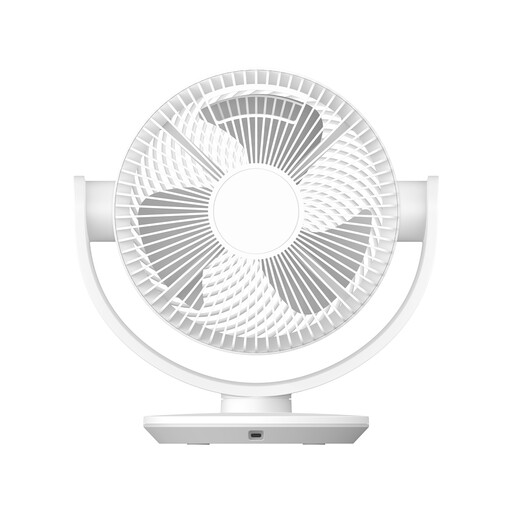 Image unavailable
This desktop air circulation fan may suit you if you’re looking for a model for a desk or work surface.
The product information lists 12 V, 18 W, a 1.8 m cord, dimensions of 324 × 200 × 334 mm and a weight of 2.0 kg.
No. A fan moves air; for fresh air, stale air needs to be able to escape and fresh air needs to be able to enter. Milieu Centraal recommends extra ventilation when doing DIY indoors.
Choose a tilting head if you mainly want the airflow to reach one seat. If you also want to direct air towards a nearby work surface, check whether the model oscillates and whether you can lock that function in place; Tristar lists this option for the VE-5923.
Place the fan on a stable surface and follow the instructions for the exact version when positioning and cleaning it. The Consumers’ Association also tests how easily desk fans tip over, so take stability into account when choosing.
No, not automatically. According to the Dutch government, you’re entitled to a product that works properly when you buy it, and the seller must provide a solution if something goes wrong. Check what any paid-for cover adds to your existing rights.
A CE mark is not an independent performance test or prior approval by a central EU body. According to the European Union, the manufacturer affixes the mark when applicable harmonised EU rules require it for the product; also check the information and instructions for the exact version.