Start with the TV you already have: if it plays family videos through the right app or feature, you may not need an extra device. For videos on a phone, Cast or AirPlay could be a good option; for files on a drive or NAS, connections, the playback app and file compatibility matter more. In a shared home, also check whether the network allows casting and which accounts or personal content will be visible.
Who is this guide for?
Phone caster
Your family videos are on a phone, and you want to watch them together on the TV without copying the files first. Apple Support explains how to use AirPlay from an iPhone, iPad or Mac; Google Photos offers a casting option for photos and videos on Android.
Owner of a personal video collection
You store recordings on a computer, NAS or drive and want to check whether the playback option is compatible with your files and storage. The Consumers’ Association and NVIDIA describe different ways to play media on a TV and the connections available on specific devices.
Privacy-conscious housemate
You share a TV or network but want to decide which accounts and personal videos are visible. Google TV supports multiple profiles; also check which media and activity are synced with devices you’re signed in to.
What should you look for when choosing?
First decide where your videos are stored and how you want to play them. Then check that the shared network and account settings will work for you.
| Consideration |
What to look for |
Who is this most important for? |
| Playing videos |
Try a representative file using the app and source you actually plan to use; a USB port doesn’t guarantee that every format will work. |
I want to know in advance whether my own family videos will play through the app and source I’ve chosen. Around 31% of consumers prioritise playback compatibility. |
| Shared network |
Check that your phone and TV can find each other on the permitted network; if you’re using a wired connection, check whether the exact model has Ethernet. |
If casting relies on my housemates’ Wi-Fi, I want to know whether it’s allowed. Around 25% of consumers prioritise network access. |
| Privacy on the TV |
Check which profile is signed in and which video you’re selecting; agree who can access the TV and network. |
I want to share a video without accidentally showing other personal content or accounts. Around 25% of consumers prioritise this level of control. |
| Local storage |
Compare the USB and network ports on the exact model, then test a representative video and audio file in the app you intend to use. |
When my recordings are stored on a drive or in a media library, I want to know whether the connections and playback app are suitable. Around 19% of consumers prioritise local files and connections. |
Common pitfalls
-
Assuming a streaming device will play every video file you own
A streaming app or USB port doesn’t guarantee support for a locally stored video and audio format.
Before choosing, test a representative family video using the storage option and app you plan to use.
-
Expecting casting to work on a restricted housemate or guest network
Google says that client isolation on a network can block Cast. The former Chromecast guest mode is no longer supported.
Check what network access is allowed before choosing a device if casting is your main way to play videos.
-
Confusing versions with different generations or connections
Specifications can vary between generations, so a port or accessory on one version won’t necessarily be available on another.
Compare the full model name and connections on the version being sold with the manufacturer’s details.
Brands to compare
Google
Google TV devices may suit you if you use apps or cast from a compatible device. The exact features vary by model.
- Google lists 32 GB of storage and Ethernet for the Google TV Streamer (4K).
- Google says this model requires an HDMI cable, sold separately. The Consumers’ Association notes that playing locally stored media is less straightforward with this option.
Apple
Apple TV 4K could be an option if you mainly want to play family videos from an iPhone, iPad or Mac using AirPlay.
- Apple explains how to use AirPlay from an iPhone, iPad and Mac to Apple TV 4K.
- Check the generation: Apple’s Dutch specifications page describes the 4th generation, while the Joybuy page mentioned here is for the 2022 version.
NVIDIA
The SHIELD TV Pro may suit you if you have an existing collection of files and need local connections and a suitable playback app.
- NVIDIA lists two USB 3.0 ports and Gigabit Ethernet for this model.
- The listed ports and formats don’t guarantee that your own files will play in the app you choose; test a representative file.
Xiaomi
The TV Box S (3rd Gen) is a Google TV box with Cast and a USB port.
- Xiaomi lists 32 GB of storage and one USB 2.0 port for this generation.
- Don’t assume the USB port will play every local file; also check that the connections work with your chosen storage option.
Strong
The LEAP-S3+V2 is a Google TV box with Cast, USB and Ethernet.
- Strong lists Android 14, Google Cast, USB and Ethernet for the LEAP-S3+V2.
- Check the full model name: these specifications don’t automatically apply to other LEAP-S3 versions.
Joybuy products
These Joybuy products are televisions with Google TV and built-in Google Cast, for anyone who wants to cast family videos to the TV from a compatible device. Google says that client isolation can block Cast. Before buying, also check that the specific product being sold carries the required CE marking.
 No image available
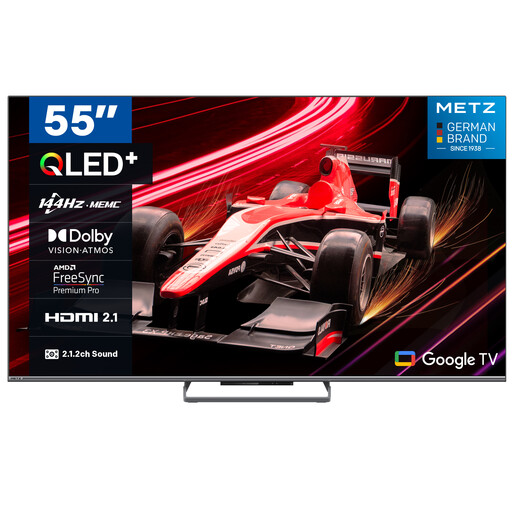
METZ 55MQE8000Z 55-inch QLED Google TV
Suited to anyone who wants to watch family videos on the TV from a compatible device using Google Cast; this is a television, not a separate streaming device.
The product name lists 55 inches (140 cm), QLED, 4K HDR 10+, 144 Hz and Google Cast. Cast can be blocked by client isolation on the network.
View at Joybuy
 No image available
METZ 65MQE8000Z 65-inch QLED Google TV
Suited to anyone who wants to watch family videos on the TV from a compatible device using Google Cast; this is a television, not a separate streaming device.
The product name lists 65 inches (165 cm), QLED, 4K HDR 10+, 144 Hz and Google Cast. Cast can be blocked by client isolation on the network.
View at Joybuy
 No image available
METZ 55MNE8000Z 55-inch QD-Mini LED Google TV
Suited to anyone who wants to watch family videos on the TV from a compatible device using Google Cast; this is a television, not a separate streaming device.
The product name lists 55 inches, QD-Mini LED, 4K HDR 10+, 144 Hz and Google Cast. Cast can be blocked by client isolation on the network.
View at Joybuy
 No image available
METZ 32MQE7100Z 32-inch portable QLED smart TV
Suited to anyone who wants to send family videos from a compatible device to a portable TV using Chromecast; it’s not a separate streaming device.
The product name lists 32 inches, HD, QLED+, Chromecast and Power Bank compatibility. Cast can be blocked by client isolation on the network.
View at Joybuy
 No image available
METZ 43MQF7500Z 43-inch QLED 4K UHD Google TV
Suited to anyone who wants to send family videos to the TV from a compatible device using built-in Chromecast; this is a television, not a separate streaming device.
The product name lists 43 inches (109 cm), QLED, 4K UHD, HDMI 2.1 and Chromecast. Cast can be blocked by client isolation on the network.
View at Joybuy
Frequently asked questions
Do I need a streaming device if my smart TV can play videos?
Not necessarily: first check whether your TV can play your family videos using an available app or built-in feature. A separate device is only worth considering if that option isn’t available or doesn’t work.
Why can’t my phone find the streaming device on the shared Wi-Fi?
With Google Cast, being on a different network or having client isolation enabled can block the connection. Ask the network administrator which connection is allowed, and don’t rely on the former Chromecast guest mode, which is no longer supported.
How can I stop my entire photo collection appearing on the shared TV?
Select the video you want and check which TV profile is signed in before casting. Google TV supports multiple profiles, but Google also says that media and activity can be synced across devices you’re signed in to.
What can I do if the device doesn’t work properly after I buy it?
Under Dutch statutory guarantee rules, the seller must provide an appropriate solution if a product is faulty; there is no fixed statutory guarantee period. For an eligible online distance purchase, you’ll generally have 14 days to change your mind. The Dutch government explains these rights; exceptions may apply.
What safety requirement applies to a wireless streaming device sold in the Netherlands?
The Dutch Authority for Digital Infrastructure says that products can only be sold in Europe if they carry the required CE marking. Check the marking on the specific device being offered; the model name alone doesn’t confirm it.


