What should you look for when choosing?
First, decide which need matters most for your video night. Then measure the room and check your video source, connections and the specifications listed for the exact model.
| What to consider |
What should you check? |
Who is this most relevant to? |
| Visibility in ambient light |
Check whether the lights will stay on, what image size you want and how the light output has been measured. |
If the lights will stay on during the gathering, I want the picture to remain visible. Around 36% of consumers prioritise visibility in ambient light. |
| Playing your own videos |
Make a note of where your videos are stored, then check the video output, projector input and supported playback method. |
I want to play my own videos from a laptop or another device, for example; for around 29% of consumers, connecting their own videos is the main priority. |
| Getting the picture to fit the room |
Measure the available wall width and possible projector positions, then check these against the model’s placement options. |
If there’s limited space on the wall and for the projector, I want to know whether the picture I want will fit. This is the top buying priority for around 21% of consumers. |
| Being able to move the projector |
Check the stated battery life, charging options and brightness of the exact model. |
When we get together in different places, I want to be able to move the projector without always looking for a power socket. Around 14% of consumers prioritise portability. |
Joybuy projectors
This selection from Joybuy includes portable projectors and an Epson model for a fixed setup. Compare them based on your video source connection, the space available and how you want to use the projector.
 No image available
XGIMI MoGo 4 Match Night EU Edition with EA SPORTS FC 26 Game Code
A portable option to consider if you want to move the projector between viewing spots.
The product name lists Full HD 1080p, Google TV, 450 ISO lumens and a stated battery life of 2.5 hours. Bear this battery life in mind if you’re planning a longer video night.
View at Joybuy
 No image available
Optoma Photon Go
Worth a look if you have limited space in front of the screen. Before buying, check that the connections and projection distance will work in your room.
View at Joybuy
 No image available
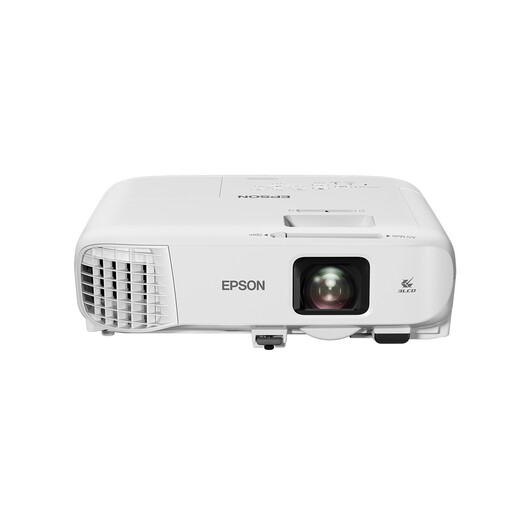
Epson EB-992F 3LCD Full HD 1080p
A fixed setup to consider if the lights may stay on during your gathering. Assess visibility in relation to the room and image size too.
The product name lists 4000 ANSI lumens.
View at Joybuy
 No image available
ETOE Dolphin 2 RGB Laser
A portable option to consider if you want to project without needing a power socket nearby at all times. Bear your planned viewing time and the room’s lighting in mind.
The product name lists Full HD 1080p, 800 ANSI lumens, HDMI 2.1 and a battery life of 2 hours.
View at Joybuy
 No image available
Magcubic HY350Max
Worth a look if you want to connect an HDMI source; check that the complete playback setup works with your devices.
The product name lists native Full HD 1080p, 900 ANSI lumens and HDMI compatibility. Match visibility to the lighting and the image size you want.
View at Joybuy
Frequently asked questions
Can you play family videos from your laptop?
You can, using a suitable direct connection, as long as your laptop and projector have compatible video connections. Check in advance whether you’ll need a suitable cable or adapter; Epson lists HDMI for the CO-FH02, and BenQ does so for the GV50.
Does the room need to be completely dark?
Not necessarily, but ambient light affects how clearly you can see the projection. Match the stated light output and image size to the lighting that will stay on during the gathering; BenQ Netherlands explains how ambient light affects projections.
What should you check when setting up and maintaining the projector?
First, measure the available wall space and the distance to the planned projector position. Then check the manual for your chosen model for guidance on placement, ventilation and any cleaning, as maintenance instructions can vary between models.
What are your rights when buying online in the Netherlands?
For an eligible online consumer purchase in the Netherlands, the Dutch government says you generally have 14 days to change your mind, although exceptions may apply. You may also have statutory rights if a product is faulty; the cooling-off period and remedies for a fault are separate matters.
What should you check for product safety?
Check the product information and documentation for the specific model and seller. According to Ondernemersplein, the manufacturer of a device that meets the applicable requirements must provide the CE marking and an EU declaration of conformity; this alone doesn’t establish whether a particular item meets those requirements.


