
Family with an existing console
You want to play quiz games together around the TV, so check which controllers the game supports on your console.


First, choose the quiz game and the device it runs on. Then check whether you need physical controllers or whether phones will do. Jackbox Games uses phones as controllers, while Ubisoft specifies particular controllers for each platform for Trivial Pursuit Live! 2. Nintendo offers separate Joy-Con and phone modes for Everybody 1-2-Switch!, with different player numbers and internet requirements. Also check that the game’s language and content are suitable for the players.
You want to play quiz games together around the TV, so check which controllers the game supports on your console.
You want everyone to join in without buying a gamepad for each person, so check the phone mode, browser and connection requirements.
As well as the controls, consider the language and content of the questions. An age rating doesn’t tell you how difficult a quiz is.
Start with the exact game and mode you want to play. Then work out which controllers or phones you’ll need, and what you already have at home.
| What to consider | What should you check? | Who is this important for? |
|---|---|---|
| Game and platform compatibility | Check the exact game title, console version and officially listed controls. If you use older Joy-Con with Switch 2, bear in mind that, according to Nintendo, they can’t be attached to the console or charged with it. | If I already own a console, I want to know whether the quiz I’ve chosen actually supports my controller. Around 33% of consumers say game and platform compatibility is their main concern. |
| Number of players and setup | Count the controllers and compatible phones you have, check the maximum number of players for each mode, and make sure everyone can see the shared screen. Nintendo lists 2–8 players with Joy-Con and 2–100 in phone mode for Everybody 1-2-Switch!. | If everyone wants to play at the same time, the controls need to suit both the group and the space around the screen. Around 27% of consumers prioritise having enough places for players. |
| Language and content | Check the languages and questions in the exact game. The family filter varies between Jackbox games; also check what PEGI does and doesn’t assess. | If young players are joining in, I want the questions and content to suit the group. An age rating doesn’t tell you whether the questions will be easy to understand. Around 20% of consumers say the quiz’s language and suitability are their main concern. |
| Extra devices and costs | Check which phones and controllers you already have, and only buy extra controls once you’ve confirmed the game’s requirements. With Jackbox, one host buys and starts the game; players use their phones as controllers. | If I want to avoid buying extra controllers unnecessarily, I’ll compare the required devices and ways to play first. Around 20% of consumers prioritise keeping extra costs down. |
With Jackbox, players can use their phones. Everybody 1-2-Switch! also has a separate phone mode alongside its Joy-Con mode.
Choose the game and mode first, then count how many devices you’ll need.
For Trivial Pursuit Live! 2, Ubisoft specifies particular controllers for each platform and doesn’t officially list other controllers as supported.
Check the compatibility information for the exact game version and console.
Nintendo lists English, French, German, Spanish and Russian for the Switch version of Trivial Pursuit Live! 2, but not Dutch.
Before you buy, check which languages are available for the questions and on-screen text.
Sony lists download restrictions for certain PlayLink apps on newer versions of Android.
Before you buy, check that the app for your chosen game is available and works on the device you plan to use.
Joy-Con and the Switch Pro Controller are listed for quiz games that support these Switch controls. Everybody 1-2-Switch! also has a phone mode.
The DUALSHOCK 4 is a controller for PS4 games. PlayLink games, meanwhile, use a phone as the controller.
The Xbox Wireless Controller is a listed way to play supported quiz games on Xbox One.
With the phone option, a host starts the game on the shared screen and players use their phones as controllers.
For Trivial Pursuit Live! 2, Ubisoft lists the controllers to use with the Switch, PS4 and Xbox One versions.
This selection focuses on physical controllers for quiz game setups using Nintendo Switch, Switch 2 or PS4. Check whether each model is actually supported as a controller for your game.
 No image available
For a Switch quiz that supports Joy-Con controls; check the mode available in your chosen game.
The product description says each Joy-Con can be used as a standalone controller and offers up to 20 hours of play on a full charge.
 No image available
For a quiz game setup using Nintendo Switch 2; check that your chosen game and mode support these controllers.
The product title lists a Joy-Con 2 pair for Nintendo Switch 2.
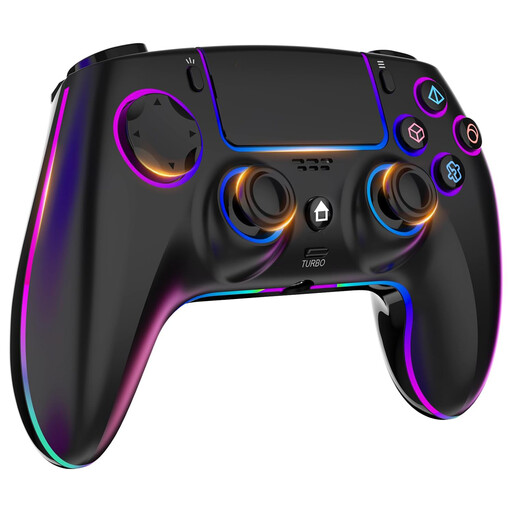 No image available
The product title lists PS4 and PC, but for Trivial Pursuit Live! 2 on PS4, Ubisoft names the DUALSHOCK 4 and doesn’t list other controllers as officially supported. Check support for the exact quiz game.
 No image available
The product title lists support for Switch, PC, iOS and Android, as well as a charging dock. For Trivial Pursuit Live! 2 on Switch, Ubisoft lists Joy-Con or the Switch Pro Controller, so check whether your specific quiz game supports this controller.
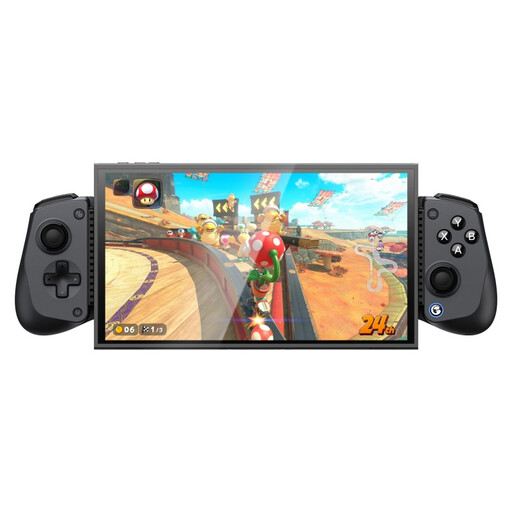 No image available
The product title lists Switch 2, Android, iOS and PC. For Trivial Pursuit Live! 2 on Switch, Ubisoft lists Joy-Con or the Switch Pro Controller, so check whether the exact game supports this controller.
No. According to Jackbox Games, one host buys and starts the game. Players enter the room code shown on the shared screen and use their phones as controllers. Check that their mobile browser is supported.
No. Nintendo says an active internet connection is needed for communication between the Switch and smart devices in phone mode. You don’t need an internet connection for Joy-Con mode.
According to Nintendo, older Joy-Con can be paired wirelessly with Switch 2, but can’t be attached to the console. You can charge them using a Nintendo Switch or a suitable licensed charging accessory. Also check that your chosen game supports the controllers.
No. PEGI rates the age suitability of the content, not the difficulty. Also check the language and the types of questions in the exact game.
When you buy from a business at a distance, you generally have 14 days to change your mind; exceptions and the circumstances of the purchase may apply. The Dutch government also states that you’re entitled to a product that works properly, and that there’s no fixed statutory guarantee period in the Netherlands. If there’s a fault, contact the seller.