
Families with a Switch
You want to check whether your existing Joy-Con are enough and how many players the quiz game supports with those controls. Nintendo describes the Joy-Con style of Everybody 1-2-Switch! as suitable for 2–8 players.


Before buying extra hardware, check which controls your chosen quiz game supports. Jackbox uses players’ phones, while Everybody 1-2-Switch! offers both a Joy-Con style and a phone style. The best option for you also depends on which console you have, how many people are playing, and whether internet access, charging and extra storage space are a concern.
You want to check whether your existing Joy-Con are enough and how many players the quiz game supports with those controls. Nintendo describes the Joy-Con style of Everybody 1-2-Switch! as suitable for 2–8 players.
You want to play in a small living room with fewer controllers lying around, provided the game, phones and connection are suitable. Jackbox Games says players can join using an internet-enabled device, with the host’s screen visible to everyone.
You want to check in advance that the content, language and controls of the exact quiz game are suitable for everyone playing. Available settings and language options can vary between titles.
Choose this if: the game supports phones and you have the devices you need. Jackbox players use an internet-enabled device; Everybody 1-2-Switch! also offers a phone style.
Bear in mind: you’ll need a suitable host device, a screen everyone can see and a working internet connection.
Choose this if: your console and quiz game support the Joy-Con style. Nintendo says this style of Everybody 1-2-Switch! supports 2–8 players and can be played without internet.
Bear in mind: Joy-Con and Joy-Con 2 are not interchangeable across all consoles and charging options.
Choose this if: your quiz game supports a standard gamepad and you’d also like to use it with other compatible games.
Bear in mind: a gamepad won’t automatically replace the Joy-Con or phone controls required by a specific quiz game.
Choose this if: you already have a PS4, a compatible PlayLink quiz game and working companion apps.
Bear in mind: PlayStation has reported download restrictions for certain PlayLink apps on newer Android versions since 14 December 2023. Check the app on the device you plan to use.
| What to consider | What should you check? | Who should pay particular attention? |
|---|---|---|
| Game and console compatibility | Check the exact game title, console version, supported controls and permitted number of players. | I want to avoid buying an extra controller that isn’t suitable for my quiz game or Switch version. Around 36% of consumers prioritise compatibility with their game and console. |
| Space and ease of joining in | Count the compatible phones and check that everyone can see the host’s screen. Also check whether the game needs internet access. | In a small living room, I don’t want more things to store away, and everyone needs to be able to join in easily. Around 29% of consumers prioritise limited storage space and ease of participation. |
| Language and suitability for families | Check the language, age rating and content settings for the exact title. | When children of different ages are playing, I want to know in advance whether the language and challenges are suitable for them. Around 21% of consumers prioritise family-friendly content and language. |
| Buying and charging | Make a note of which controllers and phones you already have, and check how the controller you choose is charged. | I’d rather use devices I already own than buy extra hardware and charging accessories. Around 14% of consumers prioritise avoiding additional purchases and charging requirements. |
Quiz games can use different input methods. A standard gamepad won’t necessarily work if the game requires phones or separate Joy-Con.
Check which play style the exact game supports before choosing your hardware.
Nintendo says Joy-Con 2 controllers don’t work with the original Switch. Original Joy-Con can be used wirelessly with Switch 2, but can’t be charged while attached to that console.
Check both the console generation and charging options before choosing a set.
Games vary in their language options and content settings. For example, Jackbox lists filters for individual titles; the published language list for The Jackbox Party Pack 10 doesn’t include Dutch.
Check the language, age rating and available settings for the exact title.
PlayStation has reported download restrictions for certain PlayLink apps through Google Play on newer Android versions since 14 December 2023.
Check that the required companion app is available and works on every device you plan to use.
A relevant choice for Joy-Con controls on a compatible Switch console, if your chosen quiz game supports that play style.
A phone-based option for titles where players join using an internet-enabled device.
The Nano Enhanced Wireless Controller is a compact gamepad for families who also play other compatible Switch games.
The Ultimate 2C Bluetooth is a separate gamepad option if your chosen game supports a standard gamepad.
PlayLink may suit a family that already has a PS4 and a compatible quiz game, and wants to use phones as controllers.
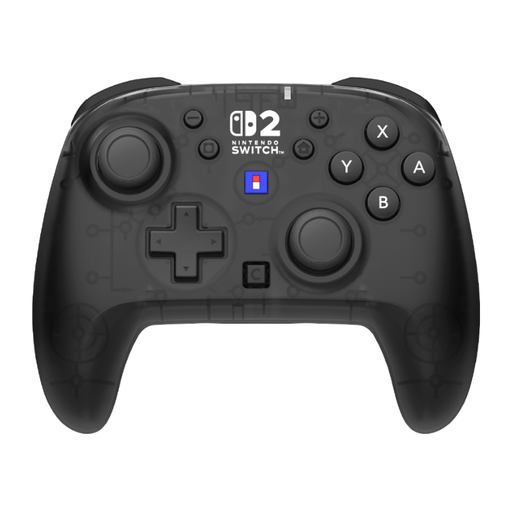
These Joybuy products are standard gamepads for Switch games that support this type of controller. Before buying, check whether your chosen quiz game accepts a gamepad.
 No image available
An option for a Switch quiz game that supports a standard gamepad.
Bluetooth; compatible with Switch 2, Switch, Switch Lite and Switch OLED. The product description lists up to 40 hours of battery life, motion detection and 2 programmable buttons.
 No image available
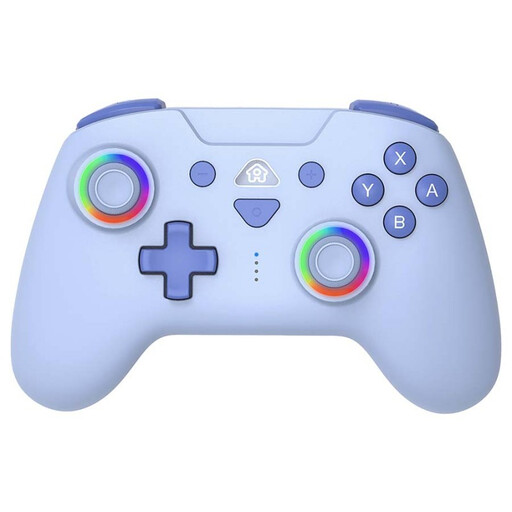
Suitable for a quiz game that supports a standard wireless Switch gamepad.
The product description lists compatibility with Nintendo Switch, Switch OLED and Switch 2, a gyroscope and accelerometer, and up to 10 hours of battery life. USB-C charging cable included.
 No image available
An option if your chosen game supports a standard wireless controller.
The product name lists Nintendo Switch 2 and Switch OLED. The product description lists up to 40 hours of battery life, a TMR joystick and 2 programmable rear buttons.
 No image available
May suit a quiz game that supports a standard wireless controller.
The product name lists Switch and Switch Lite. The product description lists a rechargeable battery, motion sensors and programmable M1 and M2 buttons.
 No image available
A pair of controllers to consider if your quiz game supports standard gamepads.
The product name lists compatibility with Nintendo Switch 2. The product description lists Bluetooth, a 6-axis gyroscope and up to 8 hours of battery life.
No, Nintendo also describes a phone style. The Joy-Con style is designed for 2–8 players, while the phone style is for 2–100 players. Choose the play style and minigame first to work out how many devices you’ll need.
No, Nintendo requires an active internet connection to communicate with smart devices. According to Nintendo, the Joy-Con style can be played without internet.
You can use original Joy-Con wirelessly with Switch 2, but you can’t charge them while they’re attached to the console. Nintendo lists an original Switch or a compatible separate charging accessory as charging options.
No, according to Jackbox, each player opens jackbox.tv in a browser and enters the room code. The host does need a suitable device with the game, plus a screen the players can see.
In the Netherlands, faulty products are covered by a legal guarantee from the seller. For a controller bought online, you generally have up to 14 days from delivery to change your mind; check the applicable exceptions and returns policy. ACM ConsuWijzer explains these consumer rights.