
Families with an existing games console
Want to know whether their current controller works with both the quiz and the console. Ubisoft lists different controller options for each platform for Trivial Pursuit Live! 2.


Choose the quiz first, then check which system and controls it supports; you may not need an extra controller. For Trivial Pursuit Live! 2, Ubisoft lists different controllers for each console, while Nintendo says every player in Switch multiplayer mode needs a compatible controller. Jackbox players use a browser-enabled device, while Nintendo says Everybody 1-2-Switch! can also be played with smartphones. However, it’s a collection of mini-games, not a substitute for every general knowledge quiz.
Want to know whether their current controller works with both the quiz and the console. Ubisoft lists different controller options for each platform for Trivial Pursuit Live! 2.
Want everyone to join in together in the bedroom without buying more controllers than the game requires. Nintendo says Everybody 1-2-Switch! can be played using Joy-Con or smartphones.
Want to check before buying whether the language and content are suitable for the players. Jackbox Games says many, but not all, of its titles have a family-friendly filter.
Ubisoft lists different controller options for each platform for Trivial Pursuit Live! 2. Nintendo says every player needs a compatible controller in Switch multiplayer mode. Jackbox Games describes joining via a browser-enabled device using a code shown on the host screen.
| What to consider | What should you check? | Who is this important for? |
|---|---|---|
| Game and compatibility | Check the game version, console and supported controller; compatibility with one platform tells you nothing about another. | I want to make sure my controller works with both the quiz and the console; around 33% of consumers prioritise compatibility. |
| Number of players | Count the players and the compatible devices you already have; check whether the game uses individual controllers, Joy-Con or phones. | If everyone is playing at the same time, I want to know how many devices I’ll need before buying anything else; around 27% of consumers focus mainly on player numbers. |
| Language and content | Check the languages, age ratings and settings for the specific title. Jackbox Games says not every game has a family-friendly filter. | I want everyone to understand the questions and the content to be suitable for my family; around 20% of consumers focus mainly on language and content. |
| Set-up and power | Check that everyone can see the host screen and that connectivity, batteries and charging are taken care of. | I want to get started easily in the bedroom and know which devices or charging options I’ll need; around 20% of consumers focus mainly on the set-up and any additional requirements. |
Using a phone as a controller can do away with separate game controllers for a supported title, but remember to check the language and content too. For the Dutch Switch release of Trivial Pursuit Live!, Nintendo lists English, French, German, Spanish and Russian; Dutch is not included.
You don’t necessarily need a console controller for a browser-based quiz. Controls vary by title and platform.
Choose the quiz and system first, then check which controls the publisher recommends.
From 14 December 2023, Sony reported limitations affecting companion apps for games including Knowledge is Power. An extra PS4 controller won’t fix an issue with the app you need.
Before buying anything, check whether the specific game and companion app will work on the devices you plan to use.
Nintendo says original Joy-Con can work wirelessly with Switch 2, but can’t be attached to the system or charged with it.
Check whether you have an original Switch or a suitable charging accessory.
You may need a separate accessory for charging.
Not every Jackbox title has a family-friendly filter, and a language list for one game doesn’t mean a quiz can be played in Dutch.
Check the language, age rating and content for each title before choosing your controller.
A good option for families playing a quiz on Switch or trying team mini-games with Everybody 1-2-Switch!
A possible option for households with a supported Xbox or Windows set-up and a compatible quiz.
DUALSHOCK 4 is a PS4 controller listed by Ubisoft for the PS4 version of Trivial Pursuit Live! 2; PlayLink is a separate option that uses a companion app.
A games publisher for families who want to use phones or other browser-enabled devices as controllers.
These Joybuy picks are for quizzes where you want to use a compatible controller with a console you already own; check that the specific game supports it.
 No image available
For anyone playing a quiz on a supported Nintendo Switch system, provided the game supports this controller. The product information lists Bluetooth, a built-in battery offering up to 40 hours, TMR sticks, two programmable buttons and four RGB modes.
 No image available
An option for Trivial Pursuit Live! 2 on Xbox One: Ubisoft lists the Xbox Wireless Controller for this version. The product information mentions Xbox Wireless, Bluetooth and USB-C, with AA batteries listed as a power option.
 No image available
For a Switch quiz that supports Joy-Con; Ubisoft lists Joy-Con for Trivial Pursuit Live! 2 on Switch. The two controllers can be used separately, and the product information states a battery life of up to 20 hours.
 No image available
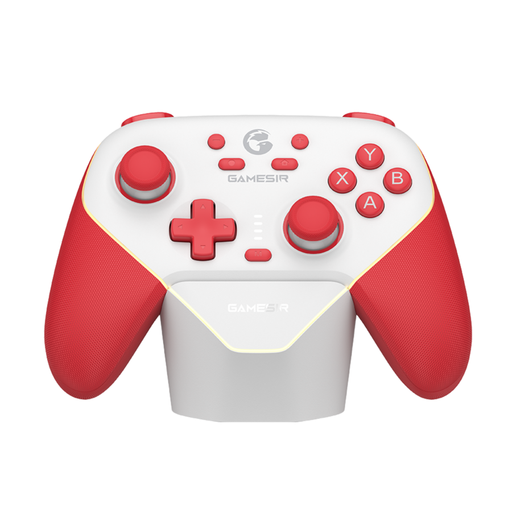
For anyone using a Switch and choosing a quiz that supports this controller. The product information lists Bluetooth, a wired connection and a wireless dongle, and names Switch, PC, iOS and Android as compatible platforms.
 No image available
For a quiz set-up with Nintendo Switch 2, provided your chosen title supports these controls. The product information says the set contains one left and one right controller, and mentions wireless use and a rechargeable battery.
For multiplayer mode on Switch, Nintendo says every player needs a compatible controller. Ubisoft lists different supported controller families for each platform, so check which version and console you’re using.
Make sure everyone can see the host screen. Players open the game website on a browser-enabled device and enter the room code shown on screen. Check in advance that the title you’ve chosen and the available devices are suitable.
Nintendo says you can pair original Joy-Con wirelessly with Switch 2, but you can’t attach them to the system or charge them with it. To charge them, you’ll need an original Switch or a suitable charging accessory.
If a product develops a fault after normal use, the retailer must offer an appropriate free remedy, according to ACM ConsuWijzer. Online purchases also generally come with a 14-day cooling-off period from delivery; this is separate from your rights if a product is faulty.
No. The Dutch government describes age ratings for video games as recommendations. Also check the specific content and settings: Jackbox Games says not every title has a family-friendly filter.