What should you look for in a USB stick for family photos?
First, check the ports and clearance around them on your devices. Then work out how much storage your photo folder needs and compare write speeds. Also decide where you’ll keep a separate copy and how you’ll check that you can open photos from it.
| What to consider |
What to look for |
Who is this important for? |
| A copy you can restore |
Keep the copy separate from the source device, update it and try opening a few photos. VeiligInternetten and SeniorWeb describe external storage, including a USB stick, as one possible back-up location. |
If I want to restore family photos after losing a device, I also keep another copy and check it. Around 26% of consumers consider the ability to restore files their top priority. |
| Connector and clearance |
Compare the USB ports on your devices with the connector and dimensions of the exact model. |
If there’s little room next to the computer, I want to know whether the stick can stay plugged in without getting in the way. If I use several devices, I check that it supports both types of port. Around 26% of consumers give connector type and clearance top priority. |
| Storage capacity |
Check the size of the photo folder you want to copy, allow for future growth and see how much space is available. Usable space may be lower than the stated capacity. |
If I want to keep my existing photos and new files together, I compare the folder size with the stick’s capacity. Around 21% of consumers put storage space first. |
| Write speed |
Compare the stated write speed for the exact model. A maximum read speed doesn’t tell you how quickly files are written to the stick. |
If you regularly copy large photo folders, you’ll want to know how long it might take to transfer them. Around 16% of consumers make transfer time their main consideration. |
| Access to private photos |
If you’re considering encryption, check how the stick is unlocked and whether it works on the devices you’ll use to restore your photos. |
If losing a stick could also mean losing access to private photos, I look at how the model controls access. Around 11% of consumers put access security first. |
USB sticks on Joybuy for this use
These product picks are aimed at storing photos via USB-A or, for devices with different ports, using a model with both USB-A and USB-C. Compare the capacity with your photo folder and check the ports and clearance around the connectors on your devices.
 No image available
Kingston DataTraveler Exodia, 128 GB
This USB-A model is suited to back-ups from a device with that port. Compare 128 GB with the size of your photo folder.
USB-A; 128 GB; USB 3.2 Gen 1; dimensions: 60,8 × 21,4 × 10,4 mm.
View at Joybuy
 No image available
SanDisk Ultra Flair, 64 GB
This USB-A stick is an option if the computer you’re using to back up your photos has that port and 64 GB is enough for your collection.
64 GB; USB 3.0. The product description mentions software-based password protection with 128-bit AES encryption; check that the process works for the devices you’ll use to restore your photos.
View at Joybuy
 No image available
Kingston DataTraveler SE9 G3, 64 GB
The stated dimensions may matter if there’s little room next to the USB-A port. Compare them with your computer before choosing.
USB-A; 64 GB; up to 220 MB/s read and 100 MB/s write according to the product description; dimensions: 39 × 12,2 × 4,6 mm.
View at Joybuy
 No image available
MOVESPEED YSUYC-256GSN, 256 GB, silver
The product name lists USB-A and USB-C, making it suitable for use with devices that have different port types. Compare 256 GB with your photo collection.
USB-A and USB-C; 256 GB. The product description mentions fingerprint access and AES-256 encryption; check how access and recovery work on the devices you use. The product name lists a maximum read speed of 550 MB/s and a maximum write speed of 500 MB/s.
View at Joybuy
 No image available
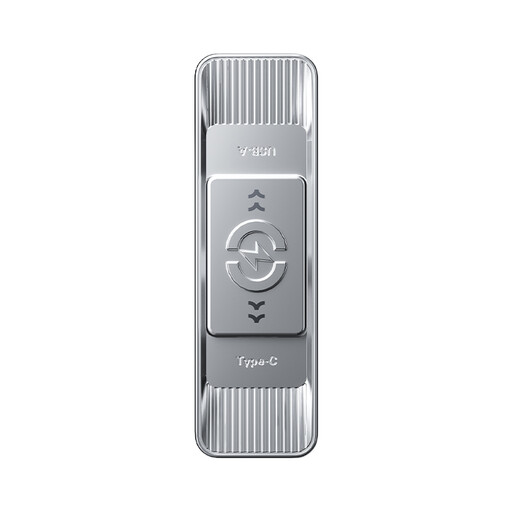
MOVESPEED YSUSP05-512GSR, 512 GB, silver
The dual connector is designed for use with USB-A and USB-C ports. Consider whether 512 GB suits your collection and the extra space you’ll need as it grows.
USB-A and USB-C; 512 GB. The product name lists a maximum read speed of 570 MB/s.
View at Joybuy
Frequently asked questions
Can I use a USB stick as the only place to store my family photos?
Not if you want to be able to restore your photos after they’re lost or damaged. Keep a separate copy too, and check that you can open files from it. A USB stick is one possible back-up location, not a guarantee that the location itself won’t be lost.
Does the stick need to stay connected for automatic back-ups?
A scheduled back-up to an external drive or USB stick can only run when it’s connected. If leaving it connected isn’t practical, set regular times to plug it in and check the copy afterwards.
How much storage space will my photo back-up need?
First check the size of the files you actually want to copy, and allow for new photos and videos. Usable space may be lower than the stated capacity; Samsung notes that system files, among other things, can take up space.
What are my rights in the Netherlands if a USB stick bought online doesn’t work properly?
According to ACM ConsuWijzer, online purchases generally come with a 14-day cooling-off period from delivery, subject to legal exceptions. You’re also covered by the statutory guarantee if a product doesn’t meet the standard you could reasonably expect when used normally; the retailer is responsible. A manufacturer’s guarantee doesn’t replace this right.
Do I need to consider the GDPR when storing family photos privately?
According to the Dutch Data Protection Authority, the exception for personal or household use applies when photos remain private or are shared only with a very limited group. Wider publication or business use is different from keeping a private back-up.


