
Preserve your bound family archive
If you want to capture albums, bound records or fragile pages without pressing the spine flat, compare contactless scanning with a book-edge scanner.


For bound or fragile family documents, contactless scanning is a better choice if you don’t want to press the spine flat. A flatbed is a practical option for loose photos and papers. If you mainly have sturdy, loose sheets, a scanner with an automatic document feeder can reduce the need to feed them in by hand. Whichever option you choose, check the supported formats and the file output you need, then assess a test scan before digitising your archive.
If you want to capture albums, bound records or fragile pages without pressing the spine flat, compare contactless scanning with a book-edge scanner.
If you mainly have suitable loose documents, weigh up the time it takes to feed them in by hand against the benefits of double-sided scanning and searchable files.
If you’re laying out individual photos and documents, pay attention to the scanning area and the settings that let you check each scan.
Choose this option: if albums or other bound items shouldn’t be pressed flat. CZUR describes its ET series as applying no pressure to the spine; IRIS lists searchable PDF output for the Desk 6 Pro.
Check: the exact model variant, available desk space, and results with curved pages and OCR on your own originals.
Choose this option: for photos and loose papers that you place on the scanning bed one at a time; a book-edge model may be useful if text runs close to the spine.
Check: whether the original fits on the scanning bed and which software comes with the model you choose. You’ll still need to position the book on a book-edge scanner.
Choose this option: if you mainly scan large quantities of suitable loose sheets; Brother specifies double-sided scanning and a 60-sheet feeder for the ADS-4100.
Check: which types of media can go through the feeder. Being suitable for booklets is not the same as scanning bound pages without contact.
Choose this option: if you want to scan individual pages in different places and don’t need a dedicated spot for your scanner.
Check: whether you’re happy to move the device over fragile originals, and how you’ll transfer the files afterwards.
| What to consider | What should you check? | Who is this important for? |
|---|---|---|
| Bound and fragile originals | Compare contactless scanning with a book-edge scanner; check the format and make a test scan of text near the spine. | If I want to scan a fragile album without pressing the spine flat, the scanning method is crucial. Around 36% of consumers prioritise preserving bound originals. |
| Loose stacks and finding information later | Check for double-sided feeding, supported paper types, and whether the scanner and software support the PDF output you need. | If I want to process lots of loose sheets and find text later, I look at the feeder and file output. Around 29% of consumers make this their main priority. |
| Photos and loose originals | Check whether the original fits on the scanning bed and assess a test scan; a stated maximum resolution doesn’t guarantee the result for every original. | If I mainly scan loose photos and keepsakes one at a time, I want to be able to check each scan. Around 21% of consumers say this is their main need. |
| Workspace and portability | Compare the space needed for setup, storage options and how files are transferred from the scanner to the computer. | If I don’t have a dedicated scanning spot, how easy the scanner is to move or store influences my choice. Around 14% of consumers prioritise flexibility in where they scan. |
Automatic document feeders are designed for suitable media. Bound or fragile items need a different scanning method; a feeder’s capacity doesn’t make those originals suitable for separating into sheets.
First, sort your materials into bound, fragile and sturdy loose originals. Then choose a scanner based on the group you expect to scan most often.
Originals that aren’t suitable for feeding through a scanner may take longer to process because you’ll need to scan them individually.
A stated resolution or file feature doesn’t automatically tell you how clearly faded or curved originals will come out. Searchable output also doesn’t mean that every word will be recognised accurately.
Make a test scan and check the edges, small text and how easily you can find OCR text before scanning your entire archive.
A scan may contain personal information the recipient doesn’t need. The Dutch government recommends using the KopieID app to create a secure copy, allowing you to hide unnecessary details.
If you need to share a copy, cover any details that aren’t needed for the recipient’s purpose.
These brands and models illustrate different scanning options; their inclusion isn’t an endorsement of the brand as a whole or an indication of availability.
The ET series is designed for contactless scanning of bound pages; compare the exact model for size and features.
The OpticBook 3800L is a book-edge flatbed scanner for anyone mainly scanning bound A4 material.
The Desk 6 Pro and Book 7 represent different options: overhead scanning and portable handheld scanning.
The Perfection V39II is an A4 flatbed scanner for loose documents and photos; the ES-C320W uses a document feeder.
The ADS-4100 is worth considering if your family documents mainly consist of suitable loose sheets.
The options below are mainly suited to loose documents, from a flatbed and document feeder combination to sheet-fed and handheld scanners. Contactless scanning remains a separate option for bound or fragile pages.
 No image available
A combination scanner for feeding loose documents and using the flatbed for books or fragile materials.
A4; 600 × 600 dpi; 50-sheet double-sided automatic feeder; output to editable PDF.
 No image available
Suited to loose documents in a compact home office; the straight-through path is an option for certain booklets, not for contactless scanning of bound pages.
A4; 600 × 600 dpi; Wi-Fi; U-turn and straight-through paths for booklets up to 5 mm thick.
 No image available
Designed for loose sheets, with a feeder for stacks; a flatbed scanner is listed as optional and isn’t included with the scanner described.
A4; 600 × 600 dpi; 100-sheet automatic feeder; double-sided scanning; slow mode for delicate documents.
 No image available
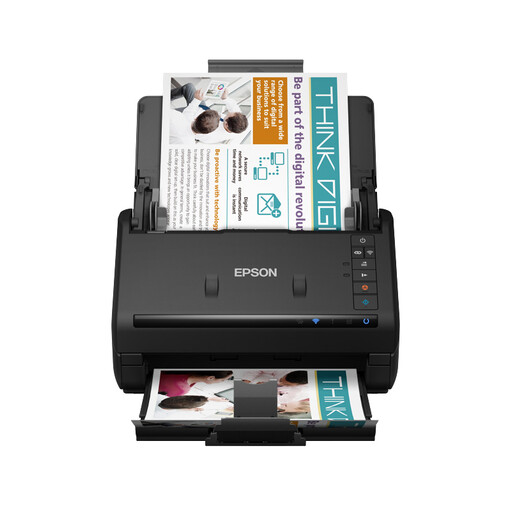
A feeder scanner for loose sheets, with Wi-Fi for a home office where the scanner doesn’t need to sit right next to the computer.
A4; 600 × 600 dpi; 100-sheet automatic feeder; double-sided scanning; Wi-Fi and USB 3.0.
 No image available
A portable USB scanner for loose documents up to A4; it isn’t a flatbed or contactless solution for bound pages.
A4; 600 × 600 dpi; OCR software for searchable PDFs.
The Dutch government allows you to make a private copy of copyrighted material for your own use, but not to distribute or publish it. This answer is about personal use; check the rights separately if you want to share the scan with others.
If you need to share one, the Dutch government recommends using the KopieID app to hide information the recipient doesn’t need. This is different from forwarding an unedited archive scan.
According to IRIS’s setup guide, scans are first saved to the inserted microSD card. You can access them on a computer using USB mode; this model doesn’t let you start a scan from software.
According to the Dutch government, the seller must provide a solution if there’s a problem with a product. For distance purchases, you may also have a 14-day cooling-off period in many cases; the cooling-off period and a remedy for a faulty product are separate matters.