What should you look for when buying?
First, see whether your current phone will do the job with a consistent setup. Then compare cameras and lenses for the details you still need to capture.
| What to consider |
What should you look for? |
Who is this most important for? |
| Colour and white background |
Compare test shots with the actual bag and check the white balance and evenness of the lighting. |
I want the fabric colour in the photo to match the bag, including against a white background. Around 31% of consumers say accurate colour reproduction is their top priority. |
| Fabric and small details |
Check the magnification and focusing distance of the exact lens. |
I want to show seams, weave or fastenings clearly in close-ups, not just the whole bag. Around 23% of consumers prioritise this level of detail. |
| A repeatable workflow |
Consider whether you have a stable support and enough space for a fixed background and lighting. |
I photograph several bags one after another and want to keep the camera angle and lighting consistent. Around 15% of consumers prioritise this repeatability. |
| Complete setup |
Compare what’s included in the kit with what you already own; don’t assume a lens, light or support is included. |
I want to know whether my existing phone and equipment will do the job before investing in a camera kit. Around 31% of consumers prioritise the overall cost and making use of existing equipment. |
Cameras and kits at Joybuy
This selection of Joybuy products includes cameras and kits for a range of product photography setups. For each model, check that the lens and any lighting included will work for your fabric bag photos.
 No image available
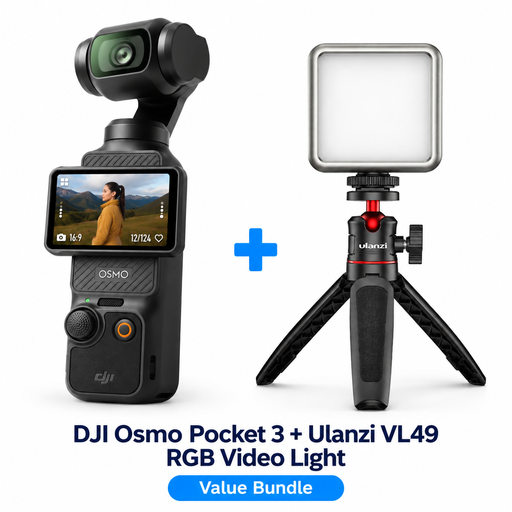
DJI Osmo Pocket 3 Creator Combo with Ulanzi VL49 RGB LED video light
An option to consider if you want a light included with your camera.
Bundle: DJI Osmo Pocket 3 Creator Combo and Ulanzi VL49 RGB LED Video Light.
View at Joybuy
 No image available
Komery W6, 64 MP, 12× optical zoom
Check test shots to see whether the camera delivers the fabric detail and colour reproduction you need.
The product name lists 12× optical zoom, 4K and Wi-Fi.
View at Joybuy
 No image available
Sony ZV-E10, body only
Consider this version if you already have a lens you want to use, or would prefer to choose one separately.
Body only: no lens is included. Check which lens you’ll need for your intended use.
View at Joybuy
 No image available
Sony ZV-E10 with 16-50mm Zoom, Black
A kit to consider if you want an interchangeable lens with your camera. Check that the lens suits the overall shots and detail photos you want to take.
Lens: E PZ 16–50mm.
View at Joybuy
 No image available
Sony Alpha A6100 with 16-50mm f/3.5-5.6 OSS II
Check that the included lens suits the framing you want and the distance you’ll be shooting from to capture fabric details.
Lens: 16–50mm f/3.5-5.6 OSS II.
View at Joybuy
Frequently asked questions
Do I need a macro lens to photograph the whole bag?
Not necessarily. An overall shot and a highly magnified photo of a seam call for different framing and may require different lens features. For close-ups, check the magnification and focusing distance of the exact lens.
How can I start using a white background without buying a studio straight away?
Start with a flat surface, a white background and carefully positioned lighting. Take test shots to assess the fabric colour and shadows; a stable support will help you recreate the same framing.
Who should I contact if a camera I bought as a consumer is faulty?
Report the problem to the seller. According to the Dutch government, the seller must provide a solution if something goes wrong; an additional manufacturer’s warranty does not replace your statutory right to a product that works properly.
Do I always have 14 days to change my mind when buying a camera online?
For online purchases made as a consumer, there is generally a statutory 14-day cooling-off period, according to Ondernemersplein. This does not automatically apply to business purchases made by entrepreneurs. Check which terms and exceptions apply to your purchase.
Can I use other people’s product photos in my bag listing?
Not without permission. The Dutch government states that you may only use other people’s copyrighted photos publicly with the creator’s permission; private use is different from publishing them.


