
Eye viewer who wants to cast to the TV
You want to know how to get Eye Film Player from your source device onto your TV, and which casting methods are described.


You don’t automatically need a new streaming device: Eye Film Player describes watching via a browser, HDMI from a computer or Chromecast. To cast from Chrome, you can use a compatible Google Cast receiver; before buying, also check your TV’s connections, your network and support for any other services you want to use.
You want to know how to get Eye Film Player from your source device onto your TV, and which casting methods are described.
You want to check whether your computer and TV already have the HDMI connections you need before buying an extra device.
You’re comparing how easy each option is to use from your seat, the network connection available and how clearly you can see the picture.
| What to consider | What should you check? | Who is this important for? |
|---|---|---|
| Access to the film | Eye Filmmuseum describes watching via a browser, HDMI from a computer and Chromecast. Check which option suits your film and source device. | I want to be sure I can play my chosen film on my TV. Around 33% of consumers put access to the film first. |
| Existing connections | Check the HDMI connections on your computer and TV, and see whether a cable is included with the device you’ve chosen. Eye Filmmuseum lists HDMI from a computer as one way to watch. | If my computer and TV already have HDMI, I want to check whether that’s all I need. For around 27% of consumers, their existing set-up is their main buying concern. |
| Controls and network | Check the network connection near your TV and the connections on the exact model. Google Store Netherlands lists ethernet for the Google TV Streamer; Xiaomi Netherlands lists 2.4 and 5 GHz Wi-Fi for the TV Box S (3rd Gen). | I want to navigate easily from my seat and know which connection I can use. Around 20% of consumers put controls and network first. |
| Readability from your seat | Check the screen from where you usually sit. Google TV Help notes that output also depends on the content being streamed; Google Streaming Help explains how to adjust text size. | If I watch from the dining table, I want to be able to make out the text and picture clearly. For around 20% of consumers, readability from their seat is their main concern. |
Eye Filmmuseum also lists silent films with new music. Whether you hear music therefore depends on the version you choose.
Read the film’s description and consider both the picture and any musical accompaniment.
Eye Filmmuseum describes watching via a browser, HDMI from a computer and specific casting methods. The name of a TV platform alone doesn’t tell you how Eye Film Player will work on it.
Before buying, work out how you’ll get your chosen film from your source device onto the TV.
According to Apple, only the third-generation version with 128 GB and Wi‑Fi + Ethernet has built-in ethernet. Eye Filmmuseum’s reference to Apple TV3 doesn’t automatically determine how playback works on every Apple TV 4K generation.
Check the full model generation and its connections, and find out which playback option suits your set-up.
The Google TV Streamer (4K) is a standalone box for anyone looking to combine Google Cast, a remote control and, if needed, a wired network connection.
The TV Box S (3rd Gen) is a Google TV box with Wi-Fi, a remote control and an HDMI cable included.
Apple TV 4K is a box worth comparing if you also want to use services and controls within your Apple set-up.
This selection includes an Android TV streaming box and TVs with Google TV. Check whether the playback method for your chosen film works on each model.
 No image available
A good option if you want to connect a streaming box with a remote control to your TV; check how Eye playback works on this model first.
Android TV interface and remote control included. Netflix is not currently supported.
 No image available
A good fit if you want to cast from Chrome to a TV with Chromecast; check that your chosen Eye film plays using this method.
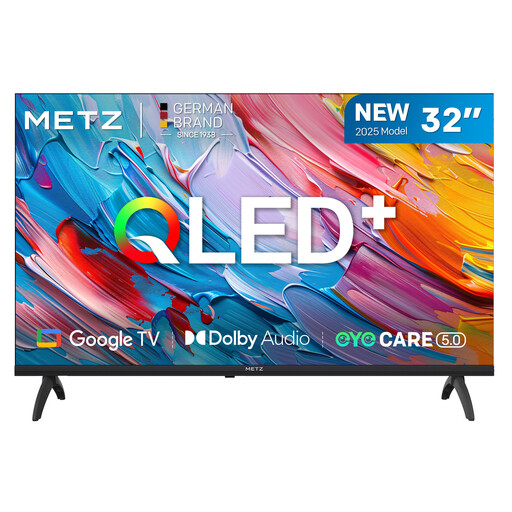
32 inch, HD Ready 1366 × 768, HDR10, Wi-Fi, Google TV and Chromecast.
 No image available
A good fit if you’re looking for a Google TV with several HDMI connections; check your preferred Eye playback method first.
32 inch, Wi-Fi, ethernet and three HDMI 2.1 connections.
Eye Film Player lists free films that don’t require an account. According to Eye, you need an account to rent films, and you have 48 hours to watch them. Check the terms for the film you’ve chosen.
Open Eye Film Player in Chrome on a computer or Android device and cast to a compatible receiver on the same Wi-Fi network. Eye Filmmuseum says casting via Chrome on iOS doesn’t work with its player. Alternatively, Eye says you can connect a computer to your TV using HDMI.
No. Google says the output also depends on the TV and the content being streamed. Check the picture from where you usually sit; the streamer won’t change your TV’s viewing angle or brightness.
According to ACM ConsuWijzer, online purchases generally come with a legal cooling-off period of up to 14 days after delivery, although there are exceptions. The seller must also resolve issues under the legal guarantee if a product, when used normally, doesn’t do what you could reasonably expect. A fixed guarantee of exactly two years is not the general rule in the Netherlands.
No. According to EUR-Lex, the term of protection for a film depends, among other things, on the death of the last surviving person among the named creators; separate rights may apply to music recordings. The year a film was made therefore doesn’t prove that every version can be freely distributed. Watch through a provider that offers the film rather than assuming it’s out of copyright because of its age.