
Silent film night organiser
You mainly want to know whether the chosen film can be played on the shared screen from the source available. Eye Filmuseum describes playback options using a computer connected via HDMI and casting from Chrome.


You don’t automatically need a separate streaming device to watch silent films on Eye Film Player. Eye describes ways to watch, including connecting a computer to your TV via HDMI and casting from Chrome with Chromecast. If one of these options already works with your TV, you can try it first. Bear in mind that apps can disappear from smart TVs, as the Dutch Consumers’ Association explains. Only choose a streaming stick or box if its playback method, controls and connections suit your film service and viewing setup.
You mainly want to know whether the chosen film can be played on the shared screen from the source available. Eye Filmuseum describes playback options using a computer connected via HDMI and casting from Chrome.
You want to choose and control films together without having to connect a computer every time. Check whether the service you want works on your existing TV or on the device you’re considering.
You have a screen in a spot where a wired connection may be more appealing than a device that connects wirelessly. The Google TV Streamer (4K) and NVIDIA SHIELD TV Pro have ethernet; Xiaomi says the TV Stick 4K (2nd Gen) requires a wireless connection.
First, check how the film service lets you play the film you want to watch. For Eye Film Player, Eye Filmuseum describes options including casting from Chrome and connecting a computer to the TV via HDMI.
Suitable if: the film you want is already available through a working TV app, or you can connect a computer to the TV via HDMI.
Bear in mind: the computer needs to remain available while you watch; the Dutch Consumers’ Association says that apps can disappear from smart TVs.
Suitable if: the TV has a free HDMI port, the Wi-Fi is usable and the app or casting method you want works with the stick you choose.
Bear in mind: Xiaomi says the TV Stick 4K (2nd Gen) can only be used where a wireless connection is supported; this alone doesn’t confirm that it has a standalone Eye app.
Suitable if: there’s a network connection near the TV and you need ethernet or specific ports on a box. The Google TV Streamer (4K) and NVIDIA SHIELD TV Pro have ethernet.
Bear in mind: still check that the playback method works for the film you want; Google says the required certified HDMI 2.1 cable is sold separately.
Suitable if: you’re deliberately choosing this generation for its controls and connections, after checking how the film service plays content.
Bear in mind: only the Wi-Fi + Ethernet model has ethernet; Apple says an HDMI cable is sold separately.
| What to consider | What to look for | Who it matters to |
|---|---|---|
| Access to the film | Check the film service’s playback instructions for your source device and TV; Eye describes casting from Chrome and connecting a computer via HDMI. | If I’m organising a silent film night, I want to know first whether the chosen film will play on the shared screen. Around 36% of consumers also put access to the film first. |
| Shared controls | Check whether you can use the service with the remote control or whether you’ll need a computer or phone. | If several people will choose or pause the film, I want to know which device controls playback. Around 29% of consumers prioritise easy control on a shared TV. |
| Connection where you watch | Check the Wi-Fi signal where the TV is, whether ethernet is available and which connections and cables the exact model needs. | If the TV is somewhere with unreliable Wi-Fi, I want to know in advance which connection options are available there. Around 21% of consumers choose the network connection as their first consideration. |
| Readability and picture | Watch the film on the TV you plan to use and check that intertitles remain legible and the picture isn’t stretched or cropped unintentionally. | If intertitles and the original picture format matter to me, I want to check how the film looks on screen. Around 14% of consumers put film playback ahead of other buying factors. |
Output resolution alone doesn’t tell you the picture quality or aspect ratio of a particular film source. For example, Eye Filmuseum gives an aspect ratio of 1:1.33 for one archive film.
Check the source version and view the picture on the TV you plan to watch together before choosing a higher output resolution.
Eye Filmuseum describes playback options via HDMI and casting from Chrome, but this doesn’t confirm that every device has a standalone Eye app.
If possible, try the existing TV or HDMI setup with the film service you want first. Only buy a streaming device once you know how you’ll be able to play the film on it.
According to Xiaomi, the Xiaomi TV Stick 4K (2nd Gen) requires a wireless connection. Google says the certified HDMI 2.1 cable for the Google TV Streamer (4K) is sold separately.
Compare the connections and contents of the exact model’s packaging with what’s available by your TV.
The Google TV Streamer (4K) is a box for anyone looking for Google TV and ethernet.
The Xiaomi TV Stick 4K (2nd Gen) is a compact Google TV stick for an HDMI screen with usable Wi-Fi.
The Apple TV 4K (3rd generation) is an option if you’re deliberately choosing this model and its playback method.
The SHIELD TV Pro is designed for people looking for ethernet, USB ports or playback of their own media files as well as streaming.
This selection includes projectors, a portable Android TV streaming device and a Google TV television. For each model, check that the film service and playback method you want work with your planned TV setup.
 No image available
If you want a large projected picture, the product information lists built-in apps and access to the Play Store; check that the film service you want is available.
The product title lists a projection range of 50–200 inches, digital zoom of 50%–100% and 180° rotation. It also lists Wi-Fi 6, Bluetooth, HDMI compatibility and a remote control.
 No image available
If you’re looking for a compact Android TV streaming device, the product title lists a remote control as included; check in advance whether your film service is supported.
According to the product description, Netflix is not currently supported.
 No image available
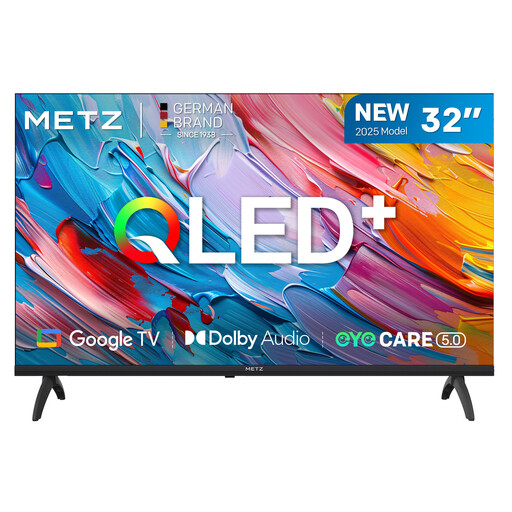
If you want to watch on a television, the product title lists Google TV; check that the service you want is available on it.
The product information lists Wi-Fi and ethernet, three HDMI ports, two USB ports and HDR10/HLG.
 No image available
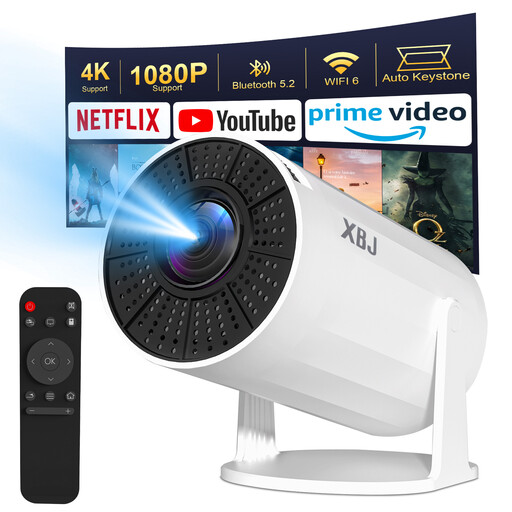
If you’re looking for a projection setup, the product information lists built-in Android TV features; check whether the film you want can be played through a supported app or connection.
The title lists Wi-Fi 6, Bluetooth 5.2, 1080P and 4K decoding, automatic keystone correction, 180° rotation and a screen size of 40–200 inches. According to the product description, the projector has no battery and needs to remain plugged in. The description also says that HDCP restrictions prevent direct wireless streaming from a phone.
Not necessarily. Eye Filmuseum describes options including connecting a computer via HDMI and casting from Chrome with Chromecast. Check which option works with your existing equipment; the instructions don’t confirm that every streaming device has a standalone Eye app.
Eye Filmuseum recommends using Chrome on a desktop computer or Android device and checking that the source device and Chromecast are connected to the same Wi-Fi network. According to Eye, this Chrome casting option doesn’t work through Chrome on iOS.
According to Eye Filmuseum, many films are free to watch without an account; you need an account to rent a film, and the rental period is 48 hours. Eye also says there are no recurring subscription fees.
For a faulty product, the seller is responsible for providing an appropriate solution, depending on what you can reasonably expect from the product, according to ACM ConsuWijzer. Online purchases also usually come with a 14-day cooling-off period after delivery; ACM ConsuWijzer explains the exceptions.
No. Don’t assume you have permission just because a film is old or available online for free. The Dutch government says that downloading from an illegal source is prohibited and that copyrighted films may not be shown publicly without permission. Whether showing a film in a shared space counts as making it available to the public depends on the circumstances; check the rights and terms of use for the specific film before holding a public film night.