What to consider when choosing
First, check the game mode and the controls you already have. Nintendo Support and PlayStation Support distinguish between the number of connected controllers and the number of players a game supports.
| What to consider |
What to look for |
Who is this important for? |
| Compatibility |
Check the full model variant, platform and local play mode. Also check whether a particular system version is required. |
If I want to make sure the controller works with both my platform and the game I’ve chosen, I check both before buying. Around 36% of consumers put compatibility first. |
| Active players |
Count the players who’ll be playing at the same time and the controllers available. Check whether the game requires individual Joy-Cons or complete controllers. |
When several people are playing at once, I want to know how many suitable controls are actually needed. Around 29% of consumers put the number of usable controls first. |
| Cables and space |
Check whether wireless play is supported, whether the cable is long enough and whether it can be placed safely out of the way. |
If spectators and players are moving around the same screen, I don’t want a cable crossing their path. Around 21% of consumers prioritise the setup and room to move. |
| Power and essentials |
Check the power source, charging options and whether cables or batteries are included with the exact version. |
If you want to know straight away which batteries, cables or charging equipment you’ll need, it’s important to check what comes with the version you’ve chosen. Around 14% of consumers start by checking these essentials. |
Controllers for local group gaming
This selection includes extra controllers for Xbox and Windows setups, and for Switch and Switch 2 setups, with both wireless and wired options. Check that each model’s connection, play mode and power requirements suit your setup.
 No image available
Xbox Wireless Controller for Xbox Series/PC - Ice Breaker Special Edition
An option for an Xbox or Windows setup if you want to play wirelessly.
The product description lists Xbox Series X|S, Xbox One and Windows 10/11, with Xbox Wireless and Bluetooth.
The description says two AA batteries are included. Check the contents of this version’s box.
Joybuy
 No image available
Hori Wired Controller Horipad Turbo for Switch and Switch 2 - Pokemon Eevee Cottage Core Edition
A wired option for a Switch or Switch 2 setup if you can position the cable safely.
The product title lists Switch and Switch 2. The description mentions USB and programmable rear buttons.
The controller is wired, and the USB cable isn’t included, according to the product description.
Joybuy
 No image available
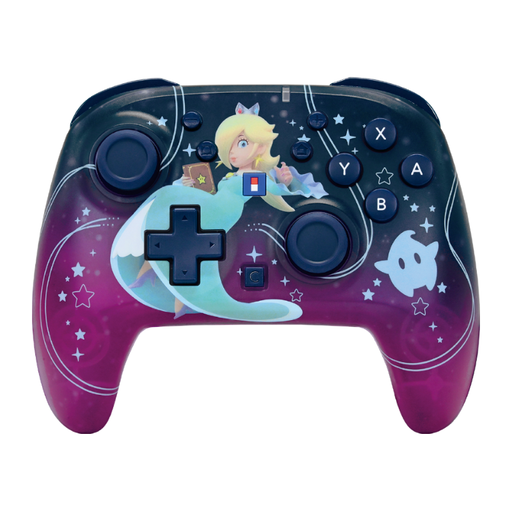
HORI Super Mario Galaxy Horipad Turbo - Wireless Controller for Nintendo Switch and Switch 2
A wireless option for a Switch or Switch 2 setup if a cable would get in the way of your shared playing area.
The product description lists Bluetooth, motion sensors and programmable buttons. The product title mentions a C Button and a 10-hour battery life.
Joybuy
 No image available
Turtle Beach Rematch Super Mario Jump Wireless Controller - Nintendo Switch 2 and Switch OLED
A wireless option if you want to keep a cable out of the playing or walking area.
The product description lists Nintendo Switch, a built-in rechargeable battery and a USB charging cable. The product title lists Switch 2 and Switch OLED.
The title mentions a 40-hour battery life, a TMR joystick, a C Button for GameChat and two programmable buttons.
Joybuy
 No image available
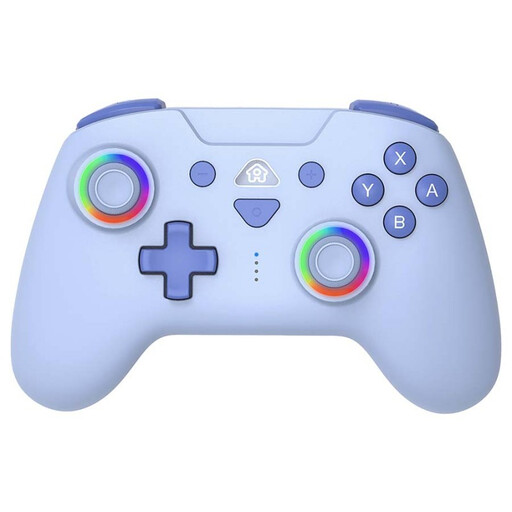
SUBSONIC Wireless Controller for Switch and Switch Lite, blue
A wireless option for a Switch or Switch Lite setup if a cable would be inconvenient in a shared space.
The product description lists Bluetooth, motion sensors, three vibration levels and two programmable rear buttons.
The description mentions a rechargeable battery and an included USB-C charging cable.
Joybuy
Frequently asked questions
Does every spectator need a controller?
No, only people playing at the same time need a controller. Check how many players and what controller setup the game and play mode support. Nintendo lists up to eight players for the Smash mode in Super Smash Bros. Ultimate, but that doesn’t automatically apply to other games.
Can I charge older Joy-Cons on a Switch 2?
No, older Joy-Cons don’t charge when attached to the Switch 2 console. Nintendo says they can work wirelessly with Switch 2; to charge them, you’ll need an original Switch or a compatible charging accessory.
How do I pair a second DualSense with a PS5?
Sony explains how to pair one wirelessly using a controller that’s already connected: open Settings, go to Accessories, then General and Bluetooth Accessories. On the second controller, press and hold the create and PS buttons, then select the controller on screen. Sony lists support for up to four controllers at once on PS5.
What can I do if a controller breaks too soon during normal use?
In the Netherlands, statutory warranty rights are separate from any manufacturer’s warranty. According to ACM ConsuWijzer, the retailer may have to repair or replace a faulty product free of charge under the applicable conditions. There isn’t one fixed statutory warranty period for every controller.


