
Duos with existing Joy-Con
You want to know whether two players can play using the Joy-Con you already have at home. Nintendo explains that the available play style depends on the game.


First, check whether the controllers you already own can be used by separate players with your console and game. This could save you from an unnecessary purchase. Nintendo says that the play style varies from game to game, and that Joy-Con 2 controllers do not work with the original Switch. A wired controller is only practical if you’re using a docked Switch and can route the cable safely; PowerA lists these as requirements for its wired model.
You want to know whether two players can play using the Joy-Con you already have at home. Nintendo explains that the available play style depends on the game.
You’re looking for an extra controller that’s actually compatible with your Switch, PlayStation, Xbox or PC. Compatibility depends on the console, model and game in question; Bluetooth alone doesn’t mean a controller will work everywhere. Nintendo, PlayStation Support and Xbox each describe support for specific systems.
You want to sit together without a cable running between the player and the device. A wired controller requires a suitable spot for the console and a safe route for the cable; PowerA says its model is for use with a docked Switch.
| What to consider | What should you check? | Who should pay particular attention? |
|---|---|---|
| Compatibility | Check the console model, the controller’s full model name and the game’s local multiplayer options. | If I want to play on my own console or PC, I want to be sure that both the controller and the game support that combination; around 36% of consumers say compatibility is their main concern when buying. |
| Number of player slots | Try your existing controllers and settings first. Check whether the game supports using Joy-Con separately. | If I want to play with two players on one screen without buying anything extra straight away, I’ll first check whether my current controllers are enough; around 29% of consumers prioritise the number of separate player slots. |
| Cables and positioning | Measure the distance to the connection and check whether a wired controller only works with a docked console. | If I don’t want a cable running across the bedroom floor, wireless use is important to me; around 21% of consumers say keeping walkways clear is their main concern. |
| Power and aftercare | Check whether batteries, a charging cable or a charging option are included with the model. Distinguish between your statutory rights and a commercial guarantee. | If I want to know in advance how to charge the controller and what to do if something goes wrong, I’ll check the power options and my rights as a buyer; around 14% of consumers say this is their main concern when buying. |
With games that support this play style, Joy-Con can be used separately. Team17 lists local multiplayer for Overcooked! 2, but be sure to check the settings and options in the game you’re playing.
Try local play first with the controllers you already own.
Joy-Con 2 do not work with the original Switch. Different versions of a controller may also be designed for different platforms.
Compare the full model name with your console version and check for any firmware or system requirements.
The wired controller described by PowerA is designed for use with a docked Switch. The cable must also be positioned so it doesn’t block a walkway.
Before buying, check that the dock and connection suit your set-up and that you can route the cable safely.
According to ACM ConsuWijzer, your statutory rights apply alongside any commercial guarantee. What you can expect from a product depends on factors including the product itself and normal use.
Keep your proof of purchase and report any fault to the seller.
A good fit for Switch set-ups, including using Joy-Con separately when the game supports that play style.
The Xbox Wireless Controller is an option for supported Xbox consoles and Windows PCs.
DualSense is designed for PS5 and can be used with compatible PC games and applications.
A wired Switch controller may suit a docked console and a safe cable route.
The Ultimate 2C Bluetooth and Ultimate 2C Wireless are different versions for different platforms.
This selection includes wireless controllers for different set-ups, including Switch, Xbox, PlayStation and PC. Check whether your console and game are supported for each model.
 Image unavailable
Suitable for an Xbox or Windows set-up; the product information lists Xbox Series X|S, Xbox One and Windows 10/11.
Xbox Wireless and Bluetooth are listed. This version is described as using two AA batteries.
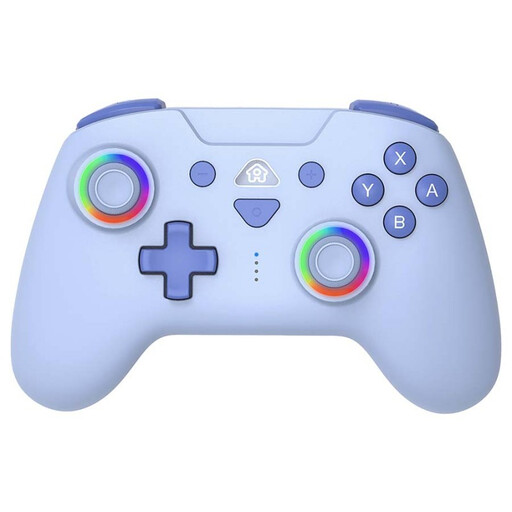 Image unavailable
The product information lists Nintendo Switch and Switch Lite as compatible platforms.
This version is described as having Bluetooth, a rechargeable battery and a USB-C cable included.
 Image unavailable
The product name lists PS5 as well as PC, Mac and mobile devices; on PC, DualSense works with compatible games and applications.
Bluetooth, USB-C and a built-in rechargeable battery are listed. Not every PC game or feature is supported.
 Image unavailable
The product information lists Switch, PC and Android as platforms; check that your game is supported.
Bluetooth, a battery, dual vibration and a 6-axis gyroscope are listed.
 Image unavailable
The product information lists PC, Switch, iOS, Android and Steam. Check that your specific game and system are supported.
Bluetooth, a wireless dongle and a wired connection are listed. This version is described as including a charging dock.
Yes. Team17 lists up to four players in local or online play. For PC, Mac and Linux, Team17 also mentions the option of sharing a keyboard between two local players, so an extra gamepad isn’t automatically needed.
On the original Switch, open ‘Controllers’ and select ‘Change Grip/Order’; press SL and SR on each Joy-Con you want to use horizontally. Then check whether the game supports this play style. For horizontal Joy-Con 2, Nintendo gives the same SL/SR instructions and says to attach the wrist straps.
Not the PowerA Wired Controller reviewed here: PowerA says this model only works when the Switch is docked. Check the usage requirements for any other model.
For a distance purchase from a business, you’ll usually have a 14-day cooling-off period, according to the Dutch government. You also have statutory rights: ACM ConsuWijzer explains that, with normal use, a product must do what you can reasonably expect of it. These rights apply alongside any commercial guarantee; if there’s a fault, contact the seller.