
Housemates with Joy-Cons
Want to check first whether each player can use an existing Joy-Con on its own. Nintendo describes this control option for supported games, including Snipperclips.


First, check whether the co-op puzzle game lets two players use one Joy-Con each. Nintendo gives Snipperclips for Nintendo Switch as an example. If each player needs a full controller, choose a model that suits your system and the way you plan to play locally. A wireless controller avoids trailing cables across the floor, while a wired one is only practical if you can route the cable safely and have the required dock or connection point available.
Want to check first whether each player can use an existing Joy-Con on its own. Nintendo describes this control option for supported games, including Snipperclips.
May need a full second controller and should check that it suits the console and local play mode. Microsoft and Sony each describe support for certain Xbox or PlayStation setups.
Weigh up wireless play against a compact or wired controller, and check that the game supports your chosen input method. Microsoft, Sony and 8BitDo list PC connection options for specific models.
Start with the controls the game requires and the controllers you already own. Then consider whether a cable will work in your available play space, and what power source or features your setup needs.
| What to consider | What should you check? | Who is this most relevant to? |
|---|---|---|
| Compatibility | Check the system, game and local play mode. Connecting to a platform does not automatically mean that every game supports the controller input. | If I want to make sure the controller works with both my system and the puzzle game I’ve chosen, that combination matters most. Around 36% of consumers prioritise compatibility. |
| Number of controllers | Check whether players can use existing controllers individually or whether each player needs a full controller. | If I already own controllers, I want to know whether I have enough for two players before buying anything else. Around 29% of consumers prioritise the number of controllers they need. |
| Cables and space | Plan where players will sit and where the cable will run. If you’re using a wired Switch controller, check whether it needs to be connected via the dock. | If I’m playing in a small room, I don’t want a cable running across a walkway. Wired play only works for me if I can route the cable safely. Around 21% of consumers prioritise cable routing and available space. |
| Comfort and power | Consider the shape and grip for both players, and check whether the particular model uses batteries, needs charging or requires a cable. | If the compatible options otherwise suit my setup, I focus on how the controller feels in my hands and how it’s powered. Around 14% of consumers consider comfort and power the most important factors. |
According to Nintendo, each player can use one Joy-Con in Snipperclips on Nintendo Switch. That doesn’t automatically apply to every co-op puzzle game.
Before you buy, check the game’s player information and supported controller configurations.
The wired HORI and PowerA models reviewed require a connection via the dock when used with Switch. PowerA also states that its controller isn’t compatible with games that only support Joy-Cons.
Compare the play mode and features your game requires with the specifications for the exact model you’re considering.
The wired HORI and PowerA models mentioned come with a 3 m cable. In a small room, it could cross a seating area or walkway.
Decide in advance where the dock or connection point will be and whether you can route the cable away from walkways.
A two-year limited manufacturer’s warranty doesn’t determine how long Dutch statutory warranty rights apply. ACM ConsuWijzer explains that the law doesn’t set a fixed period.
Keep your proof of purchase and report any fault to the seller. Consider the manufacturer’s warranty and your statutory rights separately.
The features listed apply to the product ranges and models described. Always check that the exact model is compatible with your system and game.
Joy-Cons can provide shared controls for supported Switch games.
A full wireless controller for the Xbox systems and Windows PCs listed by Microsoft.
DualSense is an option for a compatible PS5 setup. Sony also describes connecting it to a Windows PC via USB-C or Bluetooth.
The SN30 Pro is a compact wireless controller for systems supported by the exact model.
The HORIPAD Mini is a compact wired option for a compatible Switch dock setup or suitable Windows game.
The Enhanced Wired Controller for Nintendo Switch is a wired option if playing via the dock suits your setup.
This selection includes wireless controllers for PS5, Xbox and Switch, a multi-platform option for PC and Switch, and a pair of Joy-Cons for games that support individual Joy-Cons. Check which play modes work with each game and system.
 No image available
Suits a PS5 setup where player two needs a separate controller and you want to avoid trailing a controller cable across the floor.
Wireless, with a built-in rechargeable battery and USB-C connection according to the product description.
 No image available
An option for a compatible Xbox or Windows setup when player two needs a full controller.
The product description lists Xbox Wireless and Bluetooth. AA batteries are listed as a power option.
 No image available
The product description lists PC and Switch. Check that your game supports the controller input and connection mode you want to use.
The connection options listed are wired, 2.4G wireless and Bluetooth. This model is described as a bundle with a charging station.
 No image available
An option for a Switch setup where player two needs a full wireless controller.
The product description lists a wireless connection and a built-in rechargeable battery.
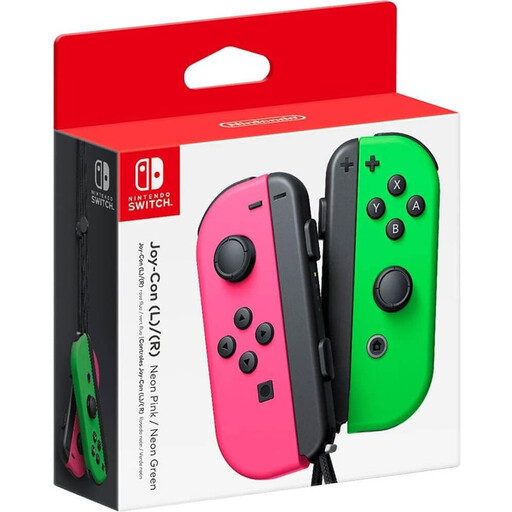 No image available
Suits a Switch game that lets two players use one Joy-Con each. Check the controls supported by the specific game.
The product description lists wireless use and says that each Joy-Con can be used as a controller on its own.
No, it depends on the game and how you play. Nintendo describes using one Joy-Con horizontally per player for Snipperclips. Check the controller information for the game you want to play.
The HORI and PowerA specifications reviewed describe using the controller with Switch via the dock. If you want to play without the dock, check whether the game and controller support another setup.
8BitDo provides separate Bluetooth pairing steps for Switch and Windows, and also lists a wired connection. Follow the instructions for the exact model, then check that your game recognises the input.
Follow the power and charging instructions for the exact model. You can take used household batteries to a collection point. For a discarded electrical controller, use an appropriate collection point. If you buy a similar device for private use, the old-for-new take-back scheme may apply.
No. ACM ConsuWijzer explains that Dutch law doesn’t set a fixed duration for statutory warranty rights; it depends on what you can reasonably expect from the product under normal use. The seller is your point of contact for statutory warranty claims.