
Taking notes with you
You occasionally copy documents from a shared computer and mainly want storage that’s easy to carry, without having to take a large drive with you for the task.


For occasionally taking a folder of study notes with you, a USB stick is usually a practical choice. Choose an external SSD if you regularly transfer larger files, and consider an HDD mainly for larger collections of data. If you switch between USB-A and USB-C devices, check the ports on both devices and the exact product variant. Apple Support lists exFAT as a format compatible with Windows, but the shared workspace must accept that format. A portable drive is not a separate backup, and it won’t automatically make a shared computer secure: check the workspace policy, safely eject your storage and keep important files in a separate, approved location too.
You occasionally copy documents from a shared computer and mainly want storage that’s easy to carry, without having to take a large drive with you for the task.
You use both a shared workspace and your own device. Different USB ports or file systems may determine whether you can open your files on both.
Your notes may contain personal information or be difficult to recreate. That’s why you consider privacy, safe disconnection and keeping a separate backup.
When is it right for you? If you mainly copy documents occasionally and want storage that’s easy to carry.
Bear in mind: A USB stick isn’t a separate backup; check the connection and the amount of storage you need too.
When is it right for you? If you regularly transfer larger files and have the required connection and cable.
Bear in mind: A model’s stated maximum speed doesn’t guarantee transfer speeds on a shared workspace.
When is it right for you? If you want to store larger collections of files or backups as well as notes.
Bear in mind: In 2022, Consumentenbond reported that HDDs are more susceptible to knocks than SSDs because they have moving parts.
| Consideration | What should you check? | Who should consider this? |
|---|---|---|
| Taking notes with you | Compare the size of your files with the storage capacity and choose a format you can easily find again. | If I only take documents with me occasionally, I don’t want an unnecessarily large drive. Around 36% of consumers give portability and being able to take notes easily with them top priority. |
| Connection and access | Check the ports on both computers and, if you’re using a managed workspace, ask whether external storage is allowed. Check which file system is accepted before formatting any existing files. | If I need to open files on both the shared computer and my own device, I want the connection and format to be compatible. Around 29% of consumers give device compatibility top priority. |
| Privacy and keeping files safe | Consider whether your notes contain personal data and whether any security feature can be used on both computers. Keep important files separately too, and safely eject your storage. | If my notes are sensitive or difficult to recreate, I want to protect them and avoid relying on a single copy. Around 21% of consumers put file protection at the top of their list. |
| Larger files | Consider the size and frequency of your transfers, the capacity you need and the connection on the exact product variant. | If I also transfer large files or collections, I may benefit more from extra storage than from a stick for occasional transfers. Around 14% of consumers give larger transfers or extra storage top priority. |
To use a device with both computers, its plugs must fit the available ports. A USB version number alone doesn’t confirm a particular write speed.
Check the ports on the shared computer and your own device, then compare them with the connections on the exact product variant.
If all your files are on one portable device, you could lose them if that device is lost or damaged.
Keep important notes in a separate location or on another storage device that you’re allowed to use.
Unwanted software may be present on a public computer. Securing your storage doesn’t remove the risks of using that computer.
Use the workspace only for permitted files and activities, don’t save your login details and sign out when you’re finished.
A manufacturer’s warranty isn’t the same as a legal guarantee. Kingston lists a five-year manufacturer’s warranty for the Kingston DataTraveler Exodia M; this doesn’t automatically mean there’s a fixed legal warranty period.
ACM ConsuWijzer explains that the legal guarantee depends on what you could reasonably expect from the product under normal use. Contact the seller if the product is faulty.
The DataTraveler Exodia M is a USB-A stick for transferring documents. Kingston lists variants with capacities of 64, 128 and 256 GB.
The Ultra Dual Drive Go is designed for use with USB-A and USB-C devices.
The Portable SSD T7 1 TB is an option if you regularly transfer larger files.
The Portable HDD range is designed for larger collections of files and backups.
The product selection below includes USB sticks, a portable SSD and an external HDD for taking notes and other files with you.
 No image available
A USB stick for transferring files between devices; check that its connections fit the computers you use.
The product name lists a capacity of 512 GB.
The product name lists USB 3.1/USB-C.
 No image available
A USB stick for taking documents with you; check that USB-A is compatible with the shared computer and your own device.
The product name lists 64 GB and USB 3.2 Gen 1.
The product name lists the Black + Blue variant.
 No image available
A portable SSD for transferring files between devices; check which connections are supported by the workspace and your own device.
The product name lists 1 TB and USB Type-C 3.2 Gen 2 (3.1 Gen 2).
The product name lists the blue variant.
 No image available
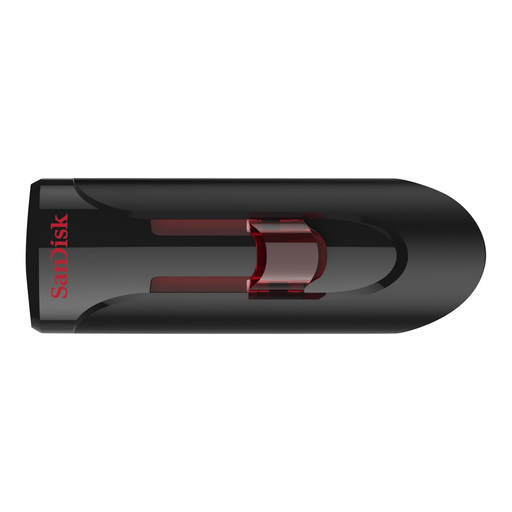
A USB stick for transferring documents; check that its connection fits the shared computer.
The product name lists 64 GB and USB 3.0.
 No image available
An external HDD for taking larger collections of files with you; handle the drive carefully when travelling. In 2022, Consumentenbond reported that HDDs are more susceptible to knocks than SSDs.
The product name lists 1 TB, 2.5 inches and Micro-USB B.
The product name lists USB 3.2 Gen 1 (3.1 Gen 1).
No, it depends on the workspace. Check which port is available and, if it’s a managed computer, ask whether you’re allowed to connect and write to external storage. A stick with multiple connections won’t bypass access policies.
First, check that copying has finished. Microsoft Support recommends using ‘Safely Remove Hardware’ in Windows before disconnecting a USB stick or external drive to help prevent data loss.
Apple Support lists exFAT as a file system compatible with Windows and recommends it for Windows volumes larger than 32 GB. Check which file system the shared computer accepts first, and make a copy of any existing files before formatting.
No, a portable copy doesn’t replace a separate backup. A device can be lost or damaged, so keep important notes in another location or on another storage device that you’re allowed to use.
In addition to any manufacturer’s warranty, you have a legal guarantee. ACM ConsuWijzer explains that, under normal use, the product must meet what you could reasonably expect from it; the seller is responsible for resolving problems with a faulty product. So a five-year manufacturer’s warranty doesn’t automatically mean there’s a fixed legal warranty period.
That depends on the content, how you use it and any rules set by your organisation. The Dutch Data Protection Authority lists the loss of a USB stick containing unencrypted personal data as a possible data breach. The exception for personal or household use only doesn’t give you general permission to take organisational data with you.