What should you consider when choosing?
Portable external SSD
A good fit for: regularly copying clips, taking them with you or editing them from a single connected workstation.
Bear in mind: a fast interface only helps if your computer and cable can support that speed.
External HDD for archiving
A good fit for: keeping completed recordings locally when editing quickly from the drive is not a priority.
Bear in mind: a locally connected drive does not, by itself, provide shared access or a second backup.
Shared network storage
A good fit for: several studio team members who need access to the same archive from their own workstations.
Bear in mind: you will also need to manage access, administration and backups; no suitable model or specific performance level has been established here.
First decide whether you need to transfer files regularly, archive them locally or give several people simultaneous access. Then check the connection, console procedure and backup plan.
| What matters |
What should you check? |
Which shoppers is this for? |
| Fast copying and editing |
Check the USB protocol supported by the drive and computer, the cable, and whether speeds are quoted specifications or independently measured results. |
If I regularly transfer large clips or edit them from the drive, I want to know whether my computer can make use of the connection. Shoppers who prioritise speed for editing account for around 27%. |
| Room for a growing archive |
Estimate the amount of footage and how long you need to keep it; check the capacity of the exact model you are considering. |
If my main priority is keeping completed sessions locally for longer, I first consider how much archive space I will need. Shoppers who prioritise archive capacity account for around 27%. |
| Transferring console recordings |
Check your console, the required connection and format, and copy any files you want to keep before formatting the drive. |
If I transfer clips from a PS5 or Xbox to the studio computer, I want to follow the right procedure for my console. Shoppers who prioritise console transfers account for around 20%. |
| Being able to restore files |
Plan a second copy in a different location, test that you can restore it and restrict access where needed. |
If several people use the same recordings, I want to avoid having just one copy on a single drive. Shoppers who prioritise recovery and management account for around 26%. |
Joybuy products
These products are external USB drives: portable SSDs for regular transfers and HDDs for local archiving.
 No image available
Toshiba Canvio Basics 4 TB
An external HDD for keeping completed recordings locally.
4 TB; USB Type-A/Micro-USB B; USB 3.2 Gen 1. The product information specifies a Windows format; the drive must be reformatted for macOS.
View at Joybuy
 No image available
Samsung Portable SSD T7 2 TB
A portable SSD for regularly transferring large files between workstations.
2 TB; USB 3.2 Gen 2. The product information quotes speeds of up to 1.050 MB/s read and 1.000 MB/s write, and includes USB-C-to-C and USB-C-to-A cables.
View at Joybuy
 No image available
Samsung MU-PG2T0B 2 TB
A portable SSD for anyone who regularly transfers clips or edits them at a single connected workstation.
2 TB; USB Type-C; USB 3.2 Gen 2x2. The product information quotes speeds of up to 2.000 MB/s read and 1.950 MB/s write, and includes USB-C-to-C and USB-C-to-A cables.
View at Joybuy
 No image available
Samsung MU-PE2T0R 2 TB
A portable SSD for regularly moving large files between workstations.
USB 3.2 Gen 2; quoted speeds of up to 1.050 MB/s read and 1.000 MB/s write. The product information lists IP65 and drop resistance up to 3 metres; IP65 here means protection against dust and water jets, not immersion.
View at Joybuy
 No image available
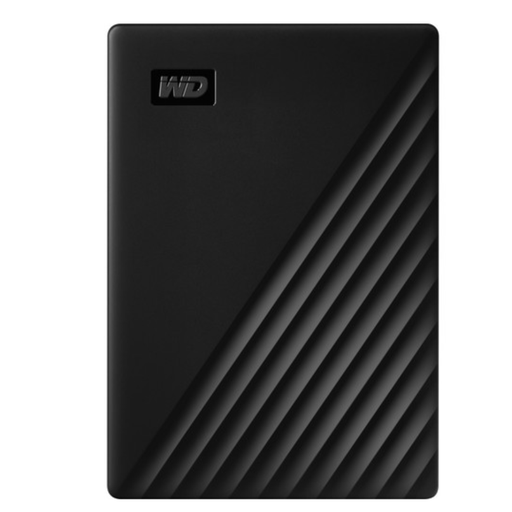
WD My Passport 5 TB
A portable external HDD for keeping completed recordings locally and taking them with you.
5 TB; USB 3.2 Gen 1 and USB-powered. The product information specifies NTFS for Windows; reformatting may be needed for Mac.
View at Joybuy
Frequently asked questions
Can I copy a PS5 capture directly to a USB drive?
Yes. According to PlayStation Support, you can copy captures to a USB drive through the Media Gallery. This is a different function from extended USB storage for games and apps.
Can the same drive formatted for Xbox games also store Xbox captures?
No, not in that format. Xbox Support specifies USB 3.0 and NTFS for external capture storage, and says that storage formatted for Xbox games will not work for captures. Copy any files you want to keep before reformatting.
Does one shared external drive automatically count as a backup?
No, not if it contains the only copy. The Digital Trust Center recommends keeping important files in different storage locations and regularly testing that they can be restored.
What warranty applies in the Netherlands if I buy the drive as a consumer?
According to ACM ConsuWijzer, a product must be fit for purpose when used normally. If it breaks sooner than you could reasonably expect, the seller must offer an appropriate solution free of charge. This consumer right does not automatically apply to a purchase made in a company’s name.
Does a shared studio storage drive always need a particular type of encryption under the GDPR?
No. The Dutch Data Protection Authority does not require one particular drive type or universal encryption. If the studio processes personal data, the organisation must assess the risks and determine appropriate security measures; encryption and access restrictions may be options.


