What should you look for?
Start with access security and recovery. Then decide which computers and backup method the drive needs to support, and choose a capacity that gives you enough space.
| Consideration |
What to look for |
Who is this important for? |
| Access to private photos |
Check who can access user accounts and which encryption options the computers support. |
If other people use the same workstation, I want to know how to protect my photos and unlock the drive. Around 26% of consumers therefore make access security their top priority. |
| Being able to restore photos |
Check that the original remains elsewhere and that you can restore a file. |
If something is lost or goes wrong, I want to be able to restore my photos rather than rely on a single SSD. Around 26% of consumers prioritise recoverability. |
| Computer and software compatibility |
Make a note of the operating systems and USB ports you use, and decide whether you’ll share files or use Time Machine. |
If I switch between Windows and Mac, I want the drive to work with both my computers and my chosen backup method. Around 21% of consumers prioritise this compatibility. |
| Space for your photo archive |
Check the size of your current photo folder and allow for new photos and backup versions. |
For a growing archive, I want enough usable space without relying solely on the capacity shown on the packaging. Around 16% of consumers choose capacity as their main consideration. |
| Copying time |
Compare the USB support of your computer and SSD; maximum speeds don’t guarantee a particular backup time. |
For large photo folders, I want to know whether my workstation’s connection can keep up with the copying process. Around 11% of consumers put transfer speed first. |
SSDs for local photo backups
These Joybuy products are portable SSDs for keeping a local copy of your photos. Check each model’s capacity and connection to make sure it suits your workstation.
 No image available
SanDisk Portable SSD 1TB
A portable external SSD for keeping a local copy of your photos.
Capacity: 1TB.
View at Joybuy
 No image available
Kingston XS2000 Portable SSD 500G
A portable SSD for keeping a local copy of your photos.
Capacity according to the product name: 500G.
View at Joybuy
 No image available
Samsung Portable SSD T7 2TB, USB Type-C 3.2 Gen 2, blue
A portable SSD for keeping a local copy of your photos. Check that the connection is compatible with your workstation.
Capacity: 2TB. Connection according to the product name: USB Type-C 3.2 Gen 2.
View at Joybuy
 No image available
Samsung MU-PG2T0B 2TB, USB Type-C 3.2 Gen 2x2, black
An external SSD for keeping a local copy with room for a photo archive.
Capacity: 2TB. Connection according to the product name: USB Type-C 3.2 Gen 2x2.
View at Joybuy
 No image available
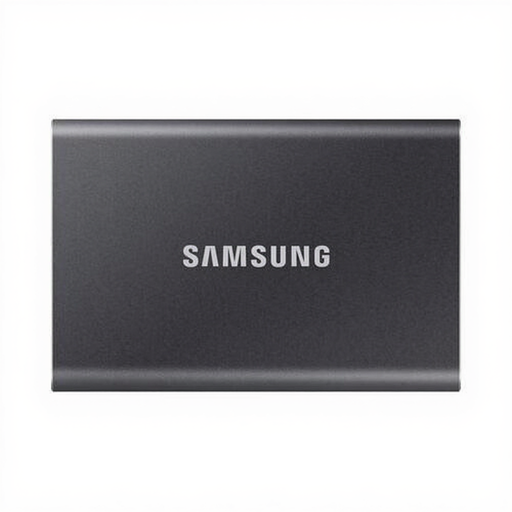
Samsung Portable SSD T7 1TB, USB Type-C 3.2 Gen 2, grey
A portable SSD for keeping a local copy of your photos. Check that the connection is compatible with your computer.
Capacity: 1TB. Connection according to the product name: USB Type-C 3.2 Gen 2.
View at Joybuy
Frequently asked questions
Can I use the same SSD for Windows files and Time Machine?
That depends on how you plan to use it and how it’s formatted. Apple lists exFAT as an option for sharing files between Windows and Mac on drives larger than 32 GB, and recommends APFS or APFS Encrypted for a Time Machine drive. Save existing files elsewhere before reformatting the drive.
Can I use BitLocker on any shared Windows PC?
No. Microsoft says BitLocker Drive Encryption is available in Windows Pro, Enterprise and Education, but not in Windows Home. Also check the access permissions and any management policies for the shared workstation.
How can I keep a local photo backup usable?
Make an up-to-date copy regularly and test that you can restore a file. Don’t keep important photos only on the workstation and this one SSD. For important business data, the NCSC recommends keeping at least three versions: the originals and two backups, including a copy in another location.
Does the GDPR apply to photos on a shared workstation?
That depends on how you use the photos. The Dutch Data Protection Authority describes an exemption for photos someone uses solely for personal or household purposes and keeps private or within a very limited circle. This exemption doesn’t apply to business use, so consider the purpose and the relevant privacy obligations.
Which warranty terms should I check?
Check the terms for the exact version. Kingston lists a limited five-year warranty for the XS1000, subject to terms and conditions. Don’t assume the same period or terms apply to every SSD.


