If you regularly continue working directly from your external drive after an editing session, consider an SSD. If you mainly want to store a project and access it occasionally, an HDD is a suitable option. In its test of 17 September 2024, ID.nl described SSDs as faster for working directly from the drive, while an HDD is suited to storage-focused use. Add up your source footage, project files and exports, check that your computer, port and cable are compatible, and keep a separate copy of important work.
Who is this choice relevant to?
Editor who plans to pick up where they left off
You want to reconnect the drive and edit directly from it. Access speed and your computer’s connection are important considerations. ID.nl discussed the speed trade-off in its test of 17 September 2024.
Creator with a growing video archive
You keep your footage, project files and exports once the project is finished. Consumentenbond cites extra storage for a photo and video collection as one reason to consider an external drive.
Creator who wants to protect their work
You want a separate copy to fall back on after a long session. Veilig Internetten describes a backup as a copy that lets you retrieve your files.
What should you look for when choosing?
External SSD for continued editing
When: if you regularly open project files directly from the drive or transfer large files.
Trade-off: the stated maximum speed is no guarantee of the speed you’ll get on your computer. Check the port and cable.
External HDD for archiving
When: if you mainly store a finished project and only retrieve it occasionally.
Trade-off: an HDD is less suitable if you want to edit directly from the drive all the time. And a high-capacity drive is not a second copy.
| Consideration |
What should you check? |
Who should pay particular attention? |
| Recoverable copy |
Check that the copy includes your source footage, project file and exports. Open the copied files and keep the original separate. |
After a long editing session, I want to be able to recover my work without relying on a single copy; about 33% of consumers make having a recoverable copy their top priority. |
| Space for projects and versions |
Add up your existing project folders and any extra versions you want to keep. Compare the total with the capacity you’ll need for future projects. |
If my footage, project files and exports take up a lot of space, I also want room for later versions; about 25% of consumers prioritise archive space. |
| Continuing to edit |
Check the USB specifications of your computer, drive and cable. Compare stated speeds only under the conditions they apply to. |
If I want to continue editing directly from the drive after saving my work, I need to know whether my computer supports the drive’s connection; about 25% of consumers prioritise editing speed and file transfers. |
| Taking it between locations |
Check the size, included cable, required port and protection claims for the specific model. |
If I take the drive between workspaces, I want to know in advance whether its size and connection will suit my equipment; about 17% of consumers make portability their main consideration. |
Common buying mistakes
-
Moving a project and calling it a backup
Moving files doesn’t automatically leave you with a second copy. Veilig Internetten describes a backup as a copy that lets you retrieve files if they’re lost.
Copy the files, check them on the new drive and keep a separate copy.
-
Assuming the speed on the packaging is your editing speed
A stated maximum doesn’t automatically reflect the speed you’ll get on your own computer. Crucial notes that X9 Pro performance depends on factors including the host device, cable and formatting.
Check your computer and cable connections alongside the specifications of the exact drive model.
-
Choosing a drive type without considering how you’ll use it
An SSD and an HDD aren’t necessarily suited to the same purpose. In its test of 17 September 2024, ID.nl found SSDs were the faster option for working directly from the drive; at the time, the test described mechanical drives as cheaper per gigabyte.
Decide whether you’ll mainly edit directly from the drive or store finished projects, then choose a capacity and connection that suit the way you’ll use it.
Brands to consider
Samsung
The T7 Shield 2 TB is a portable SSD option for anyone who may want to continue working directly from the drive later.
- For model MU-PE2T0S/EU, Samsung lists USB 3.2 Gen 2, sequential maximum speeds of 1.050 MB/s read and 1.000 MB/s write, and an IP65 rating.
- These are Samsung’s specifications and claims for this model. The protected casing is no substitute for a separate backup.
Western Digital
The Elements Portable USB-C 4 TB is an HDD option for when archive space matters more than editing directly from the drive.
- Western Digital’s datasheet lists 4 TB, a USB-C cable and exFAT formatting for this model.
- Check the warranty terms for the model you’re buying. An HDD isn’t the choice if you’re looking for the speed advantage of an SSD when editing directly from the drive.
Crucial
The X9 Pro 2 TB is an SSD option for work files used with supported devices.
- Crucial lists maximum read and write speeds of 1.050 MB/s for the X9 Pro.
- According to Crucial, performance and compatibility depend on factors including the host device, cable and formatting. The stated maximum speeds aren’t guaranteed editing speeds on every system.
Kingston
The XS1000 series is a compact SSD range with 1 and 2 TB models listed by Kingston.
- For the series, Kingston lists USB 3.2 Gen 2 and maximum speeds of 1.050 MB/s read and 1.000 MB/s write.
- Check the exact model and connection. The stated maximum speeds don’t guarantee performance with every editing setup.
LaCie
Seagate positions the Rugged Mini SSD series for creative users who take their drive with them.
- For the series, Seagate lists features including IP54 and read speeds of up to 2.000 MB/s via USB 20Gbps.
- You’ll need a suitable host device to achieve the stated speed. The stated protection and any recovery service are no substitute for keeping your own second copy.
Joybuy products for editing or archiving
These Joybuy products include portable external SSDs for work files and portable HDDs for storing finished projects.
 No image available
SanDisk Portable SSD 1 TB
A portable SSD option for a project you want to open directly from the drive later.
1 TB of storage; the product description states drop protection from heights of up to 2 m.
Joybuy
 No image available
SanDisk Extreme Pro Portable SSD 1 TB
A portable SSD option for transferring large files and storing project files.
1 TB of storage. The stated read speed of up to 2.000 MB/s requires a compatible USB 3.2 Gen 2x2 host; according to the product information, the write speed is lower.
Joybuy
 No image available
WD Elements Portable 5 TB USB-C, Graphite Black
A portable HDD option for storing a finished project.
5 TB of storage and USB-C.
Joybuy
No image available
WD Elements Portable 6 TB USB-C, Graphite Black
A portable HDD option for anyone who wants to store project files and other video files.
6 TB of storage and USB-C.
Joybuy
 No image available
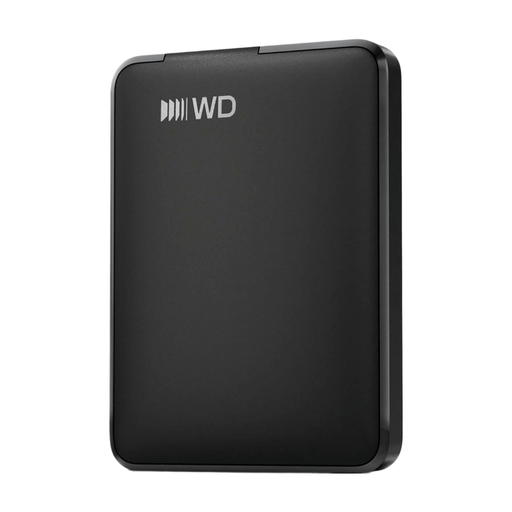
WD Elements Portable 1 TB USB-C, Graphite Black
A portable HDD option for storing video files and a finished project.
1 TB of storage and USB-C.
Joybuy
Frequently asked questions
Is an HDD enough if you only want to keep a copy of your project after editing?
It can be a suitable choice if it has enough capacity and you don’t edit directly from the drive all the time. Keep irreplaceable files on a separate copy too: one copy isn’t a second backup.
How do you make a retrievable copy of a project folder in Windows?
Microsoft describes File History as a way to make regular backups to an external drive or network location. If your project files are outside the default libraries, add the folder to a library and check that the versions you want have been saved.
What should you do before disconnecting an external drive?
Check that the files have been copied, then eject the drive through the operating system before unplugging the cable. Microsoft recommends this to help prevent file damage or loss.
Who can you contact in the Netherlands if the drive you bought is faulty?
Contact the seller. According to the Dutch government, statutory consumer guarantees apply in the Netherlands, but there is no fixed statutory guarantee period. What you can expect depends on factors including the product and the information provided. A manufacturer’s guarantee is in addition to this.


