
Creators who want to protect their images
You want a second copy of your portfolio stored locally, without using cloud storage. Also consider where each separate version will be kept, and check that the files open from the copy.


If you often take your portfolio with you or regularly copy large folders of photos, a portable SSD will generally suit the way you work better. An external HDD may also be a good fit for an archive that stays in one place. Before buying, check the capacity, connection and file system of the exact model. Keep the original until you’ve checked the copy: a drive containing the only version isn’t a backup, as Dutch Photo Academy and VeiligInternetten explain.
You want a second copy of your portfolio stored locally, without using cloud storage. Also consider where each separate version will be kept, and check that the files open from the copy.
You copy files between workspaces, so portability, the connection and protection for the drive’s casing matter. Make sure you also keep another copy.
You want to keep previous projects and weigh up the capacity you need against how often you take the drive with you and copy files while travelling.
A good fit if: you often take your portfolio with you or regularly copy large folders of photos.
Bear in mind: the quoted maximum speeds don’t guarantee how quickly your files will copy; check the connection on your device.
A good fit if: you mainly want to keep a local photo archive and don’t use the drive on the go as often.
Bear in mind: check the cable and file system; the Seagate Expansion Portable described requires reformatting for Time Machine.
| What to consider | What should you check? | Who should give this more weight? |
|---|---|---|
| Keeping a second copy | Keep the original, check that the files open on the target drive, and store the copies separately. | If I want to be able to restore my portfolio, I’ll keep both the original and a separate, checked copy. When weighing up this choice, around 33% of consumers prioritise keeping that second copy. |
| Copying between devices | Check the USB port, supplied cable and connection for the exact model. The manufacturer’s quoted speeds don’t necessarily apply to your file transfers. | If I copy photos between workspaces, I want a drive and cable that connect to my devices. Around 27% of consumers prioritise copying files on the go with a drive they can use. |
| Space for your archive | Compare the capacity with the size of the project folders you want to keep on each separate copy. | If I want to keep both past and new projects locally, I’ll first check how much space my folders take up. Around 20% of consumers prioritise archive capacity. |
| Access to identifiable people | The Dutch Data Protection Authority notes that identifiable people are personal data. Decide whether the images are being processed for business purposes and what level of security is appropriate for your risks; also check how the drive and your computer work together. | If there are identifiable people in my portfolio photos, I want to manage access in a way that suits how I use them and the risks involved. Around 20% of consumers prioritise protecting the people shown in their images. |
If the external drive becomes the only place where your files are stored, losing or damaging the drive could also mean losing your portfolio.
Keep the originals in place until you’ve checked the copy, and decide where you’ll store a separate version.
The speed quoted by the manufacturer depends, among other things, on having a suitable connection and host device. Crucial says the highest quoted speed for the X9 Pro discussed requires a suitable USB 3.2 Gen 2 host.
Check your computer’s USB specification and the cable before making speed the deciding factor.
Crucial warns that reformatting erases data on the drive. Seagate says the Expansion Portable described needs reformatting for Time Machine.
Check which file system you need, and back up any files already on the drive elsewhere before formatting it.
The T7 Shield is a portable SSD option for copying images on location.
The Expansion Portable is a portable HDD option for a local photo archive or an additional copy.
The X9 Pro is a range of compact external SSDs for copying and using files on the go.
The XS1000 is a range of compact external SSDs available in 1 TB and 2 TB models.
My Passport is a range of HDDs for local storage, where file system and access security are important considerations.
This selection includes portable SSDs and external HDDs for local portfolio storage. Choose based on whether you’ll take the drive with you, the capacity you need and the connections on your devices.
 No image available
A portable SSD option for a local copy of your portfolio that you can take with you.
Capacity: 1 TB.
 No image available
A portable HDD option for keeping a local copy of your photo collection.
Capacity: 2 TB. The product name mentions password protection and automatic backup software.
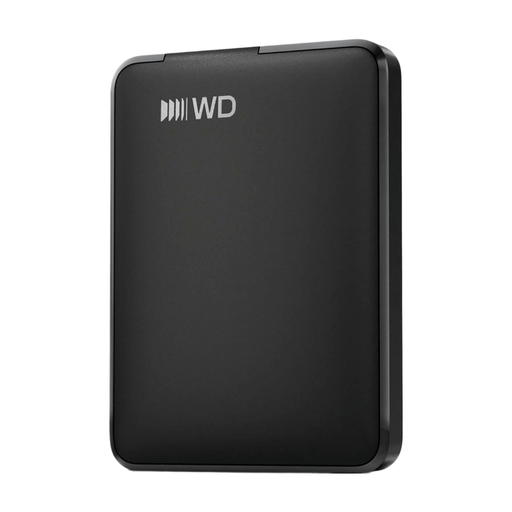 No image available
A portable HDD option for keeping and taking a local copy with you.
Capacity: 1 TB. The product name mentions USB-C.
 No image available
A portable HDD option for a larger local copy of your photos and project files.
Capacity: 2 TB. The product name mentions USB-C.
 No image available
A portable SSD option for copying photo folders and creative projects locally.
Capacity: 1 TB. The product name lists 1,000 MB/s; check that your device’s connection suits the way you plan to use it.
Not if that would make the drive your only storage location and you want to keep a backup. Check the copied files first, and keep a separate version.
That depends on the drive, its original file system and how you plan to use it. Seagate says the Expansion Portable described needs reformatting for Time Machine; Western Digital lists NTFS as the original file system for the My Passport models discussed. Before formatting, check what data is already on the drive.
Check that the model you choose includes a cable that works with your devices, and review the warranty and support terms for that model and region. If you want to keep two separate local copies, remember to factor in the extra storage you’ll need.