A portable SSD could suit you if you’ll be copying large project files repeatedly while packing and want to take them with you. A portable HDD is an option if you need plenty of storage for a backup you won’t use as often. Before you choose, check the capacity you need, the connection and your backup method, then open a few files after copying them. Keep the original files until you’ve confirmed that the copy works: moving files to a single drive doesn’t create a backup. The Consumers’ Association and VeiligInternetten both highlight the importance of keeping a separate backup.
Who is this guide for?
Creators who move files frequently
You copy large portfolio or media files repeatedly while moving and want to reduce transfer times. Consider a portable SSD and check that its connection is compatible with your computer. Stated speeds don’t guarantee how long your copy will take. Samsung provides manufacturer figures for read and write speeds for the T7 model variant. Sources: Samsung Netherlands and VeiligInternetten.
Creators with a large archive
You want to know whether your projects, source files and previous versions will fit on your backup drive. First, work out how much space your files take up. A portable HDD is an option if having plenty of storage matters more than transferring files frequently. Seagate lists a 2 TB version of its Expansion Portable. Source: Seagate Netherlands.
Creators who need to manage access or privacy
You want to be able to restore your files to the right computer after the move, or you store work containing personal data. Check your backup method and how you’ll keep your recovery details safe. The Dutch Data Protection Authority outlines security measures for personal data; what’s appropriate depends on the circumstances.
What to consider when choosing
Portable external SSD
A good fit if: you copy large design, photo or video files repeatedly, or want a compact drive that’s easy to take with you.
Keep in mind: speed figures apply to specific models and conditions. The connection and the way you use the drive affect transfer speeds. Samsung lists speeds of up to 1,050 MB/s for reading and 1,000 MB/s for writing for the T7.
Portable external HDD
A good fit if: you mainly want to store a large portfolio and don’t work from the drive all the time. Seagate lists a 2 TB version of its Expansion Portable.
Keep in mind: check the capacity, connection and format of the version you choose. An HDD doesn’t automatically offer the same stated speeds as an SSD.
| What to consider |
What should you check? |
Who is this important for? |
| Copying time and portability |
Check your computer’s port and cable, as well as the speed quoted for the exact drive variant. Samsung’s figures are manufacturer specifications, not a guarantee of how long a full backup will take. |
If I need to copy large files repeatedly while packing, I want to know whether the connection and drive are compatible with my computer. Around 36% of consumers prioritise copying time and portability. |
| Space for your portfolio |
Add up the files you want to keep and check the capacity of the specific version. For Time Machine, Apple recommends a device with at least twice the Mac’s storage capacity; this advice applies to that use. |
If I want to keep source files and project versions, the capacity needs to match what I actually want to back up. Around 29% of consumers prioritise storage space. |
| Restoring files |
Choose a backup method for your operating system, check that it includes the right folders and test whether you can open or restore your files before you move. Microsoft explains how to add folders outside the standard libraries to File History. |
If I want to carry on working after the move, I need to know that I can restore the files I need to the computer I use. Around 21% of consumers prioritise the ability to restore files. |
| Confidential files |
Check that your security and backup method are suitable for the contents, and decide how to keep your recovery password safe. Apple says you need this password to restore an encrypted Time Machine backup. |
If my portfolio contains sensitive information, I want to protect access without locking myself out when I need to restore it. Around 14% of consumers prioritise confidentiality. |
Common pitfalls
-
Deleting the original files as soon as they’re on the one drive you’re taking with you
A backup lets you recover files if the original device fails or goes missing. Simply moving files to one drive leaves you without a separate copy.
Keep the original files, finish copying and open a few files to make sure they work. If possible, also keep a separate copy somewhere else.
-
Assuming a maximum MB/s figure tells you how long your backup will take
A quoted sequential speed doesn’t guarantee how long it’ll take to transfer your entire portfolio. Crucial says speed also depends on the device, cable and connection.
Check the ports and cables you’ll actually use, and allow time both to copy your files and check them afterwards.
-
Formatting a drive when it holds your only copy
You may need to erase a drive when setting up Time Machine. Crucial warns that reformatting removes data from the X9 Pro.
Before formatting, check what’s on the drive and keep another copy of any files you can’t replace.
-
Encrypting your backup without keeping the recovery password somewhere else
If you forget the password, you may not be able to restore your files. Apple says you need the password for an encrypted Time Machine backup to restore files.
Keep the recovery password somewhere safe and separate from the drive, and test that you can restore the backup before you move.
Brands to consider
Samsung
The portable T7 is an SSD option for anyone who copies large files regularly. The figures quoted apply to the specific version and aren’t independent test results.
- For the 1 TB T7 version MU-PC1T0T/WW, Samsung lists sequential read speeds of up to 1,050 MB/s and write speeds of up to 1,000 MB/s, and includes two types of cable.
- Check the capacity, connection and exact version. Manufacturer figures don’t guarantee the speed of your backup. Source: Samsung Netherlands.
Seagate
The Expansion Portable is a portable HDD option if storage space for a backup is your priority.
- Seagate lists a capacity of 2 TB for model STKM2000400 and specifies USB 3.0 for the product range.
- Check the capacity, connection and format of the version you choose. Manufacturer descriptions of speed aren’t an independent comparison. Source: Seagate Netherlands.
Crucial
The X9 Pro is a portable SSD option for anyone who also needs to consider file sharing and taking the drive on the go.
- For model CT1000X9PROSSD9, Crucial lists exFAT as the supplied format and speeds of up to 1,050 MB/s under its own test conditions.
- According to Crucial, speed depends on the device, cable and connection. Reformatting removes data from the drive. Source: Crucial.
SanDisk
The Extreme Portable SSD is another portable SSD option. The figures quoted apply to model SDSSDE61-1T00-G25.
- For this version, SanDisk lists a capacity of 1 TB, USB 3.2 Gen 2 and sequential read speeds of up to 1,050 MB/s.
- These are the manufacturer’s product specifications, not an independent comparison. Check that the capacity and connection are suitable for your backup. Source: SanDisk.
Products on Joybuy
This selection focuses on portable external SSDs and HDDs for storing and transferring portfolio and project files.
 No image available
WD Elements Portable 5TB USB-C, Graphite Black
A portable HDD option for anyone looking to store lots of portfolio and project files.
5 TB of storage; USB-C and USB 3.2 Gen 1 are listed. The product information says it works with Windows and Mac.
Joybuy
 No image available
Portable SSD 1TB 1000MB/s
A portable SSD option for anyone who wants to take a drive with them for project files.
The product name lists 1 TB and 1000 MB/s. Check the product information to find out what the speed figure refers to and which connection it requires.
Joybuy
 No image available
Toshiba Canvio Ready 2TB, 2.5-inch, Micro-USB B
A portable HDD option for anyone looking for space to store a portfolio and previous projects.
2 TB; the product name lists Micro-USB B and USB 3.2 Gen 1.
Joybuy
 No image available
Samsung Portable SSD T7 2TB USB Type-C, grey
A portable SSD option for anyone who wants to store project files and take them with them.
2 TB; the product name lists USB Type-C and USB 3.2 Gen 2.
Joybuy
 No image available
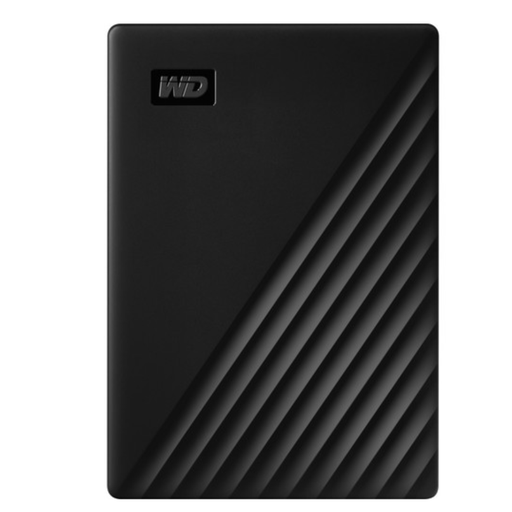
WD My Passport 5TB USB 3.0, black
A portable HDD option for anyone looking to store a large archive.
5 TB; the product name lists USB 3.0. The product information specifies an NTFS format for Windows; using it with Mac requires reformatting.
Joybuy
Frequently asked questions
How do I back up my files on a Mac or Windows PC before moving?
On a Mac, you can use Time Machine with a connected external storage device. For this purpose, Apple recommends a drive with at least twice the Mac’s storage capacity and advises using the Time Machine drive only for those backups. On Windows, File History can save copies to an external drive; check that portfolio folders outside the standard libraries have been added. Then test that you can restore the files you need.
Do I need to format a drive to make a backup?
It depends on the drive and backup method. Apple says Time Machine may ask you to erase a storage device during setup; Crucial warns that reformatting the X9 Pro removes data from the drive. So check the file format and make sure there are no files you want to keep on the drive before erasing it.
What can I do if a drive I bought online is disappointing or fails too soon during normal use?
According to ACM ConsuWijzer, online consumer purchases generally come with a statutory cooling-off period of up to 14 days after delivery, subject to legal exceptions. If a product is faulty, you also have statutory rights against the seller; a manufacturer’s warranty doesn’t replace those rights. Keep your proof of purchase and check the terms that apply to your purchase.
Is encryption compulsory for every graduation portfolio in the Netherlands?
The information consulted doesn’t indicate a general requirement to encrypt every personal portfolio. Organisations that process personal data must take appropriate technical and organisational security measures under the GDPR; according to the Dutch Data Protection Authority, what’s appropriate depends on the circumstances. Encryption can also provide extra protection for a personal portfolio, but make sure you keep the recovery password safe.


