
Creators working on active sessions
You often open and edit music projects from external storage and want to consider the connection, working speed and how easy the drive is to take with you.


If you regularly work directly from an external drive, an SSD is a good fit; for projects you mainly store and access less often, an HDD could work well as a local archive. Before buying, check that the connection and formatting are compatible with your computer. Keep irreplaceable projects on a separate drive too: one drive cannot serve as both your working drive and an independent backup.
You often open and edit music projects from external storage and want to consider the connection, working speed and how easy the drive is to take with you.
You mainly store older sessions, recordings and exports, and want plenty of local storage without using the cloud.
You want to keep a separate, usable backup of complete projects without using the cloud.
First decide whether the drive will mainly store active sessions or completed projects. Plan your backup separately.
| What to consider | What to look for when buying | Who is this important for? |
|---|---|---|
| Opening and editing active projects | Check your computer’s USB connection and cable. Compare stated speeds only when the measurement methods and conditions match. | If I often work directly from an external drive, I want it to connect to my computer. Around 33% of consumers prioritise opening and editing active projects. |
| Space for a project archive | Check the capacity of the exact model and consider the size of your existing and expected project files. | If I mainly store completed sessions, recordings and exports, I want enough local space without using the cloud. Around 25% of consumers prioritise archive space. |
| Being able to recover a project | Use a separate drive for your backup and check that it includes all the media files you use. | If I don’t want to lose recordings, I want a recent copy alongside the working version. Around 25% of consumers prioritise having a separate backup. |
| Using files on different computers | Check the ports, cable, formatting and software requirements on the computers you want to use to open the project. Back up files elsewhere before reformatting. | If I want to open projects on different computers, I want to know in advance whether the connection and file system are compatible. Around 17% of consumers prioritise compatibility between devices. |
A backup is a copy that lets you recover files. If you move the only copy, you may be left with just one version.
Keep a working copy and a separate, up-to-date backup. Check that all the project media you need has been copied too.
A separate local copy requires extra storage space, as well as time to create and check it.
The USB interface specification for the Toshiba Canvio Basics mentioned here is not a measure of music project performance. Samsung and Crucial give maximum sequential speeds for the SSD models mentioned; the conditions and measurement methods determine how you can compare those figures.
Check your computer’s port and cable, and don’t compare different types of speed specification as if they were measured in the same way.
Toshiba states that the Canvio Basics is formatted in NTFS and needs reformatting for macOS. Crucial warns that reformatting erases data on the drive.
First check which format your computer and software require. Before reformatting, make a copy of all the files on the drive.
ACM ConsuWijzer distinguishes between statutory rights and a commercial warranty from the manufacturer or seller. In the Netherlands, statutory rights do not come with a fixed two-year period for every product.
Keep your proof of purchase and contact the seller if a fault develops during normal use.
The T7 Shield is a portable SSD for active projects. The Dutch version mentioned here is blue and has 1 TB of storage.
The Canvio Basics is a range of portable HDDs for local storage. The 4 TB version mentioned here has the part number HDTB540EK3CA.
The Expansion Portable is a range of portable HDDs for extra local storage. The STKM5000400 model mentioned here has a capacity of 5 TB.
The X9 Pro is a range of portable SSDs; the 1 TB version mentioned here has model number CT1000X9PROSSD9.
This selection includes SSDs for active sessions and HDDs for local archives or separate copies. For each model, check the connection, formatting and any power adapter required for your computer and how you plan to use it.
 No image available
A good fit if you’re looking for a portable external drive to store completed projects locally.
The title specifies 6 TB and USB-C; the product information lists an HDD and USB 3.2 Gen 1.
 No image available
A good fit if you want to keep a separate local copy of your music projects.
The product information lists 5 TB, a 2.5-inch portable HDD, USB-C, USB 3.2 Gen 1 and ExFAT. Hardware encryption and compatibility with Windows and Mac are also mentioned.
 No image available
A good fit if you’re looking for an external SSD to store files and active projects locally.
The product information lists 2 TB, USB 3.2 Gen 2 and maximum sequential read and write speeds of 1.050 and 1.000 MB/s.
 No image available
A good fit if you’re looking for an SSD to open active projects locally and take with you.
Samsung specifies USB 3.2 Gen 2 and maximum sequential read and write speeds of 1.050 and 1.000 MB/s for this 1 TB version. Samsung also states that it has IP65 protection; this is no substitute for a separate backup.
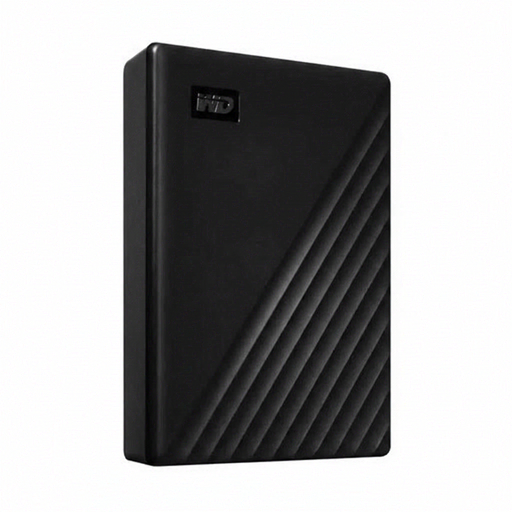 No image available
A good fit if you’re looking for a permanent external storage location for a large local archive.
The product information lists 24 TB, a 3.5-inch external HDD and USB 3.2 Gen 1. This desktop model needs an external power adapter, so it’s less suitable if you’re looking for a portable drive.
Before formatting the drive, check which file systems your computers and music software support. Apple lists ExFAT as a Windows-compatible format for drives larger than 32 GB, and APFS as a Mac file system. First, make a copy of any files already on the drive; Crucial warns that reformatting erases data.
Not always; check that the copy includes the audio files used in the project. According to Steinberg, ‘Back up Project’ in Cubase Pro 15 copies the required media files, except for files from VST Sound archives. Apple explains that in Logic Pro, after moving audio files, you need to save open projects to update the file references. Test that the project opens with the media it needs.
No, you can use a separate external drive for a local backup. Keep the copy separate from the working version and check that all the project files you need have been copied. To keep everything local, you’ll need enough storage space for both copies.
Contact the seller. ACM ConsuWijzer explains that statutory rights apply when a product does not meet what you could reasonably expect; depending on the circumstances, the seller may have to repair or replace it, or refund you. There is no fixed two-year statutory period for every product, and these rights are separate from a limited manufacturer’s warranty.