
Studios with irreplaceable project files
You need to be able to restore and check a separate copy before packing, including the associated CAD files. The National Cyber Security Centre advises testing backups by carrying out a recovery.


A portable HDD may suit a large archive of completed projects, while an SSD is a better fit if you regularly want to transfer and carry active project folders. Before choosing, check the complete project folders and the ports on both computers. Also keep a separate, recoverable copy and test before the move that you can restore and open a project.
You need to be able to restore and check a separate copy before packing, including the associated CAD files. The National Cyber Security Centre advises testing backups by carrying out a recovery.
You want to take complete folders of finished projects with you and choose a capacity that accounts for all the files, not just individual drawings. Autodesk explains how eTransmit can bundle drawings and the required support files in AutoCAD.
You want to transfer or open active projects after the move, so you need to consider the drive, cable and computer together.
Choose this option: if you want to transfer active project folders regularly during the move or open them again once you arrive.
Bear in mind: the capacity of the version you choose, and the connections on the drive, cable and both computers. Stated maximum speeds don’t guarantee how long a transfer will take.
Choose this option: if you mainly want to archive complete, finished projects locally and don’t need to work from the drive you take with you.
Bear in mind: the capacity of the exact version, its connection and how it’s protected in transit. Interface figures don’t tell you how quickly your project folders will copy.
Choosing a drive doesn’t replace having a recovery plan. The National Cyber Security Centre advises keeping multiple versions of important business data and testing recovery, so decide where you’ll keep the separate copy too.
| What to consider | What to look for when buying | Who is this important for? |
|---|---|---|
| Recoverable copy | Keep the original and a separate copy; test whether you can restore a complete project. | I want to know before leaving that I can restore my project files; around 26% of consumers prioritise recoverability. |
| Room for project folders | Count drawings, references and support files, then compare the total with the capacity of the exact version. | I want to keep complete project folders, including finished projects; around 21% of consumers prioritise archive space. |
| Protection in transit | Check the protection offered by the exact version, and don’t carry a separate copy in the same place. | I want to take a project copy between workstations and protect it on the way; around 21% of consumers prioritise safe transport. |
| Transfer and connections | Check the USB connection and cable on the drive and both computers; don’t judge transfer time by the maximum speed alone. | I want to get back to active projects quickly once I arrive; around 16% of consumers prioritise transfer speed. |
| Access to project data | If the folders contain personal data, consider appropriate access security and how to set it up. The Dutch Data Protection Authority links security measures to the risks involved. | I want to protect sensitive project data from unauthorised access in transit; around 16% of consumers prioritise access security. |
If the drive is lost or damaged, you won’t have a separate recovery copy. The National Cyber Security Centre advises keeping multiple versions of important business data and storing them in different locations.
Make a separate copy before you leave and test whether you can use it to restore a project.
A CAD project may include references and support files needed to display drawings correctly. Autodesk explains this for AutoCAD.
For AutoCAD, check the eTransmit package; for other CAD software, follow the instructions for the associated project files.
Missing files can take time to find or link again.
A stated maximum for sequential transfer doesn’t automatically apply to your computer, cable and project folders. Crucial lists the host and cable as requirements for achieving the stated speed.
Check the connections on the drive, cable and both computers, and compare options based on how you’ll use them.
Crucial warns that reformatting erases data on the drive.
Before copying your files, check that the format works with both computers and make a separate copy first.
The T7 Shield is a portable SSD range; the features listed apply to the Dutch 2 TB version MU-PE2T0S/EU.
My Passport includes portable HDD versions, including a black 5 TB model.
Expansion Portable is a portable HDD range; the STKM5000400 model has a stated capacity of 5 TB.
XS1000 is a compact external SSD range, with versions up to 2 TB.
The X9 Pro is a portable SSD range for those who want to consider transport and conditions of use.
This selection includes portable SSDs and HDDs for taking a copy with you or storing project files. Before buying, check that the capacity, connection and any security features suit the way you plan to use the drive.
 No image available
A portable SSD for taking a project copy between workstations.
The product description lists 1 TB, read speeds of up to 800 MB/s, drop protection up to 2 m and a fastening loop.
 No image available
A portable HDD for storing a project copy; this version is designed for use with Mac.
The product description lists 2 TB, USB 3.0, password protection and hardware encryption. A USB-A cable and USB-C adapter are included.
 No image available
A portable HDD for anyone wanting to store a larger project copy on a single drive.
The product description lists 6 TB, USB 3.0, password protection and 256-bit AES hardware encryption.
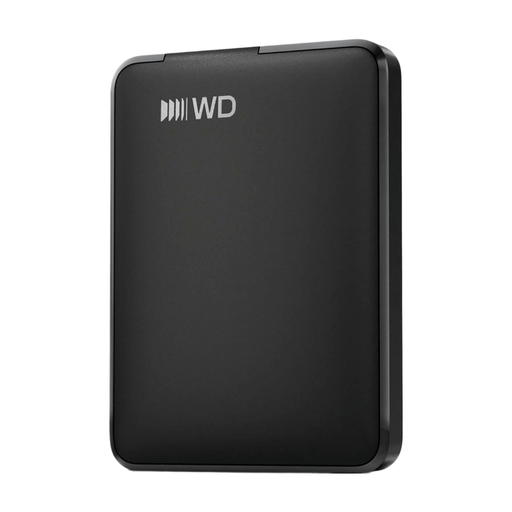 No image available
A portable HDD for taking an external project copy with you.
The product name lists 1 TB and USB-C; the product description mentions plug-and-play use.
 No image available
A portable HDD with a USB-C connection for taking project files between computers.
The product description lists 4 TB, password protection and 256-bit AES hardware encryption.
Check the associated files and references too. For AutoCAD, eTransmit can bundle drawings and the required support files; open a project after copying it to check everything works. For other CAD software, follow its own project and export instructions.
Carry out a recovery and check the result. A message saying the copy was successful doesn’t prove that you can restore a project. The National Cyber Security Centre includes recovery testing as part of checking a backup.
That depends on the exact drive and its format. Before copying files, check that both computers can read and write to it. Reformatting may erase existing data.
The Dutch Data Protection Authority’s guidance doesn’t prescribe one identical drive feature for every CAD drive. If an organisation processes personal data, it must protect it appropriately based on the risks. So consider the contents of the drive and how it will be used.
No, there’s no fixed statutory guarantee period in the Netherlands. The Dutch government explains that a product’s reasonable lifespan depends on the type of product; a manufacturer’s guarantee is separate from that statutory period.